Control Module Version, Checking
Check Control Module Version
- Connecting scan tool. Scan Tool Connecting
- Initiating On Board Diagnostic (OBD). On Board Diagnostic (OBD) For Convenience System, Initiating
- Switch on ignition.
- Press button -1- for "Rapid data transfer" mode.
- Switch on printer with Print button (warning lamp in button lights up).
- Press buttons -0- and -1-.
Indicated on display:
Rapid data transfer Q
01-Check Control Module Version
- Confirm entry with the -Q- button.
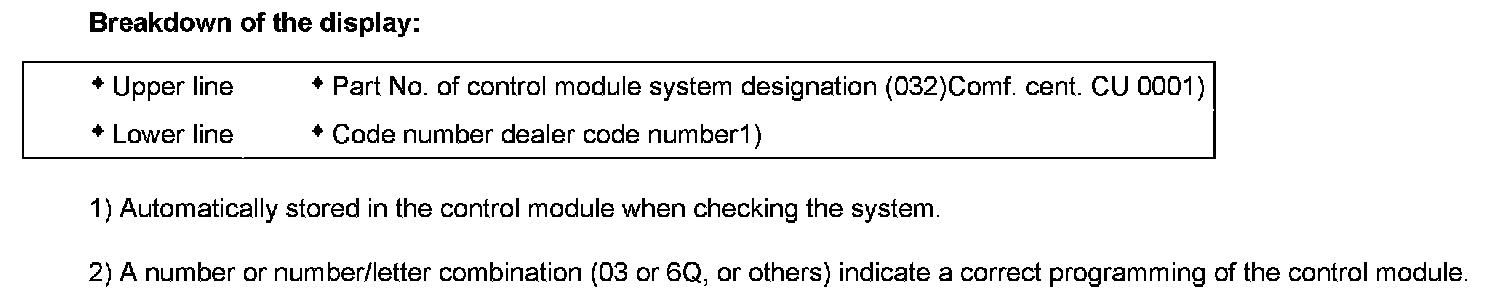
The control module identification of the Central control module for comfort system -J393- (Conv. cent. CU) will be shown on the VAG 1551 scan tool display, e.g.:
1J0959799J 03 Conv. cent. CU 0001 ->
Coding XXXXX WSC XXXXX
Breakdown of the display:
- Press -> button.
and then the following appears in the display:
Please wait
Will appear briefly in display:
The control module identification of the driver's door control module will be shown on the V.A.G 1551 scan tool display, e.g.:
1J0959801A 03 Door CU DS0022 ->
- Press -> button.
and then the following appears in the display:
Please wait
Will appear briefly in display:
The control module identification of the passenger's door control module will be shown on the V.A.G 1551 scan tool display, e.g.:
1J0959802B 03 Door CU PS0022
- Press -> button.
and then the following appears in the display:
Please wait
Will appear briefly in display:
The control module identification of the rear left door control module will be shown on the V.A.G 1551 scan tool display, e.g.:
1J0959811A 03 Door CU RL0022 ->
- Press -> button.
and then the following appears in the display:
Please wait
Will appear briefly in display:
The control module identification of the rear right door control module will be shown on the V.A.G 1551 scan tool display, e.g.:
1J0959812A 03 Door CU RR0022
- Press -> button.
Indicated on display:
Rapid data transfer HELP
Select function XX
NOTE:
- If one of the malfunction messages opposite appears in the display, the possible causes of the malfunction can be printed out with the HELP button.
- Ignition must be switched on.
- Malfunctions have occurred at the start of or during the program (external interference?).
- Check diagnosis wires as well as voltage supply and Ground connection.
- Press buttons -0- and -6- to end the output.
Indicated on display:
Rapid data transfer Q
06 End output
- Confirm entry with the -Q- button.
Indicated on display:
Rapid data transfer HELP
Enter address word XX
- Switch off ignition.
- Disconnect connector to V.A.G 1551 scan tool.