VAG 1551 Scan Tool Connecting
Requirements
- All fuses OK according to wiring diagram
- Battery voltage at least 9 volts
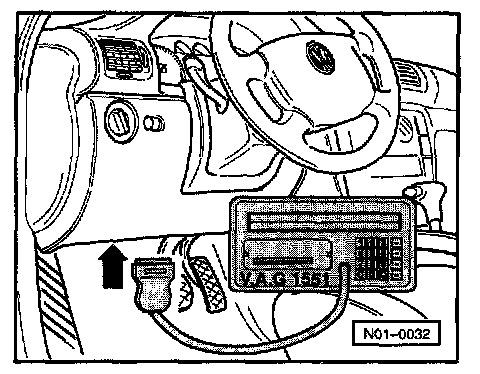
- Connect VAG 1551 scan tool with cable VAG 1551/3
Indicated on display:
VAG 1551 -GB/7.0- 1.01.1997
- The actual software version installed will be shown briefly in the display.
NOTE:
- If the display remains blank, check VAG 1551 voltage supply according to wiring diagram. See Electrical Wiring Diagrams.
- Additional operating information can be obtained by pressing the HELP button of the VAG 1551 scan tool.
- The -> button is used to advance through the program sequence.
- The PRINT button is used for switching on the printer (warning lamp in button lights up).
and then the following appears in the display:
Rapid data transfer HELP
Enter address word XX
NOTE: After inserting "Automatic test sequence" address word 00 and pressing the -Q- button, an automatic test sequence is carried out (checks DTC memory for all systems with rapid data transfer capability).