Using VAG 1551 Scan Tool
- Data Link Connector (DLC) is located below tachometer. See Fig 1. On 1.9L, remove DLC cover.
- Turn ignition on. Operate scan tool and observe display. Press "1" button to select RAPID DATA TRANSFER function. Press PRINT button to turn on printer. Indicator light on button should come on.
- Press "0" and "1" buttons to select ENGINE ELECTRONICS function. Press "Q" button to enter input. Press right arrow button, then "0" and "2" buttons to select READ DTC MEMORY function. Press "Q" button to enter input.
- Scan tool will display DTCs (if any). If NO FAULTS (DTCs) RECOGNIZED is displayed, press right arrow button to return to RAPID DATA TRANSFER function.
- On 1.9L, if one or more DTCs are stored, refer to DTC IDENTIFICATION (1.9L) table under DIAGNOSTIC TROUBLE CODE (DTC) IDENTIFICATION to translate DTC to a system or affected circuit description and possible cause and repair.
- After repairs, press "0" and "5" buttons to select ERASE DTC MEMORY function. Press "Q" button to enter input. After DTCs are erased, press right arrow button.
- Press "0" and "6" buttons to select END DATA TRANSFER function. Press "Q" button to enter input. Enter RAPID DATA TRANSFER function and test drive vehicle for at least 10 minutes.
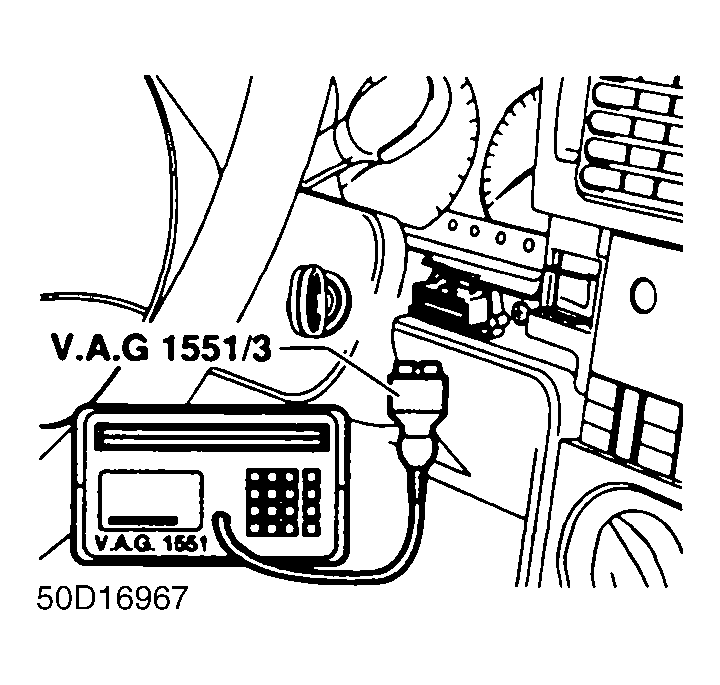 Courtesy of VOLKSWAGEN UNITED STATES, INC.