October 30: LEMON manuals on a temporary server, it is slow and having issues, download the manuals you need! Later in November we will switch back to the fast server.
Module - Body Controller - RH - Remove And Replace: Remove
- Open all doors and lower all windows.
NOTE:
Latch the LH and RH rear doors to prevent accidental closing when power is down.
- Remove the rear underhood apron. See UNDERHOOD APRON - REAR (REMOVE AND REPLACE)
.
- Disconnect 12 V power. See 12 V/LV POWER (DISCONNECT AND CONNECT)
.
- Remove the LH instrument panel end cap. See End Cap - Instrument Panel - LH (Remove and Replace)
.
- Remove the LH air wave end cap. See End Cap - Air Wave - LH (Remove and Replace)
.
- Repeat steps 4 and 5 for the RH side of the vehicle.
- Remove the RH middle A-pillar trim. See Trim - A-Pillar - Middle - LH (Remove and Replace)
.
- Remove the RH lower A-pillar trim. See Trim - A-Pillar - Lower - LH (Remove and Replace)
.
- Remove the main instrument panel decor trim. See Decor Trim - Instrument Panel - Main (Remove and Replace)
.
- Remove the RH front floor mat.
- Remove the passenger footwell cover. See Cover - Footwell - Passenger (LHD) (Remove and Replace)
.
- Remove the front passenger knee airbag. See Airbag - Knee - Front Passenger (Remove and Replace)
.
- Remove the glove box. See Glove Box - With Knee Airbags (Remove and Replace)
.
- Remove the RH center console side panel carpet. See Side Panel - Center Console - LH (Remove and Replace)
.
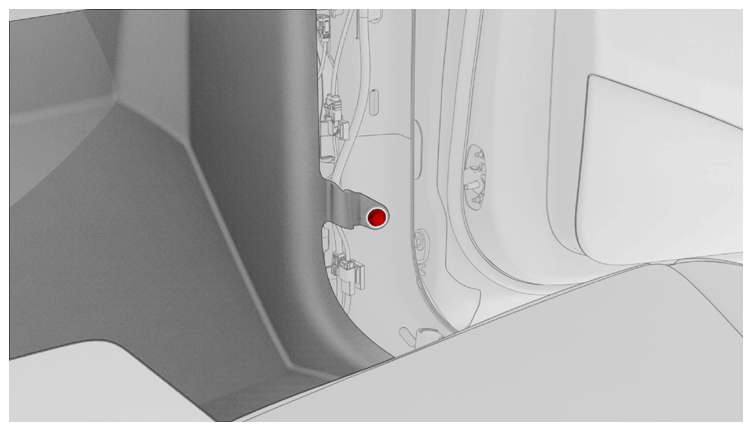
- Release the clip that attaches the RH front carpet to the body at the RH A-pillar.
 Courtesy of TESLA, INC. Courtesy of TESLA, INC.
|
- Fold back the RH front carpet.
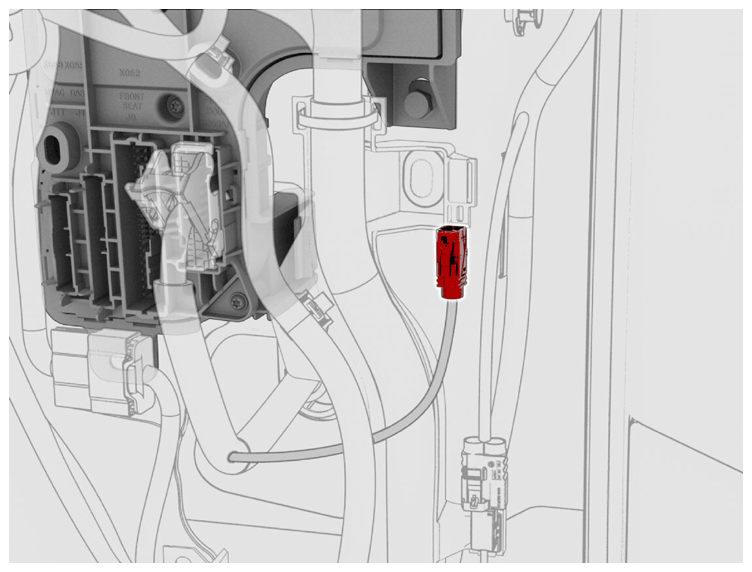
- Disconnect the coaxial cable connector.
 Courtesy of TESLA, INC. Courtesy of TESLA, INC.
|
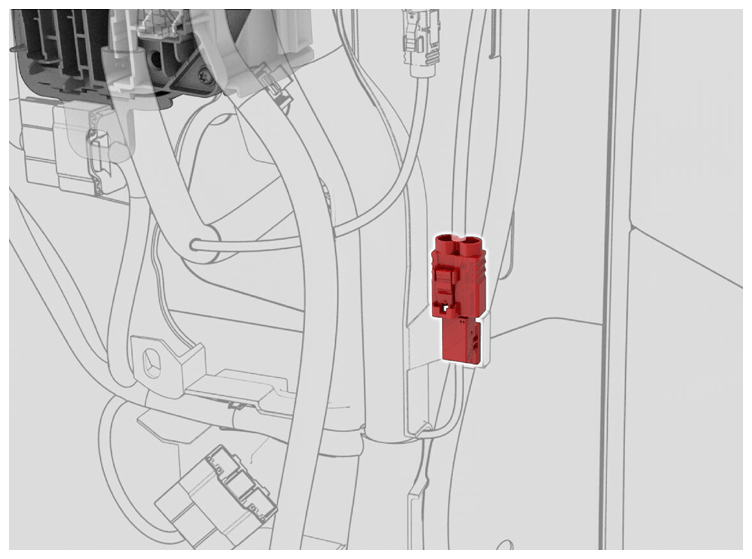
- Disconnect the connector from the harness guide at the RH lower A-pillar area.
 Courtesy of TESLA, INC. Courtesy of TESLA, INC.
|
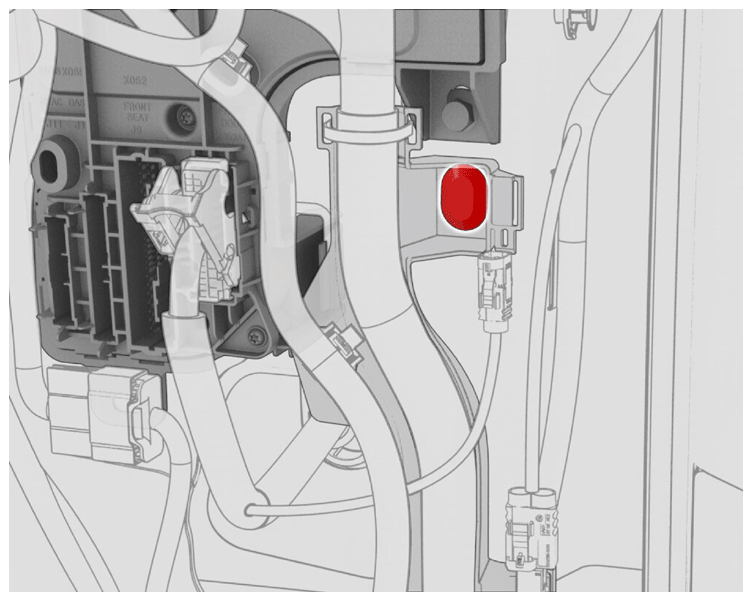
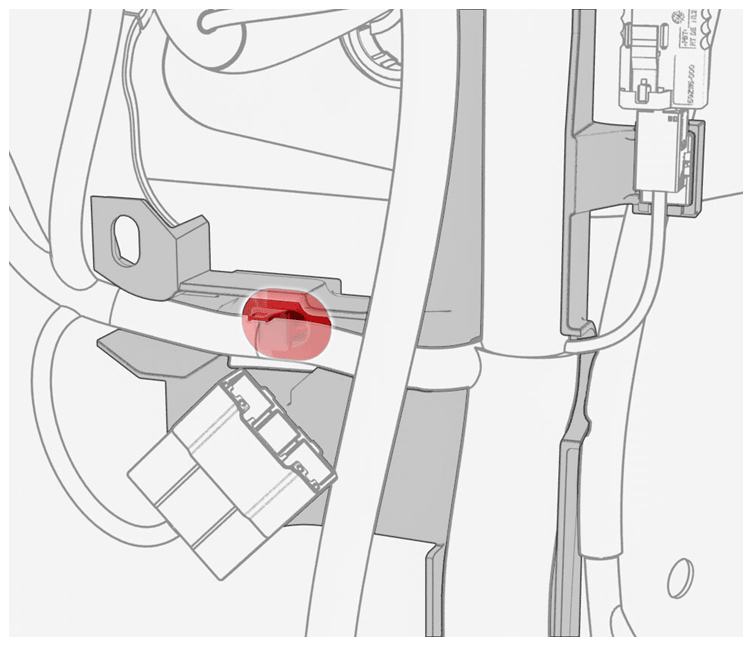
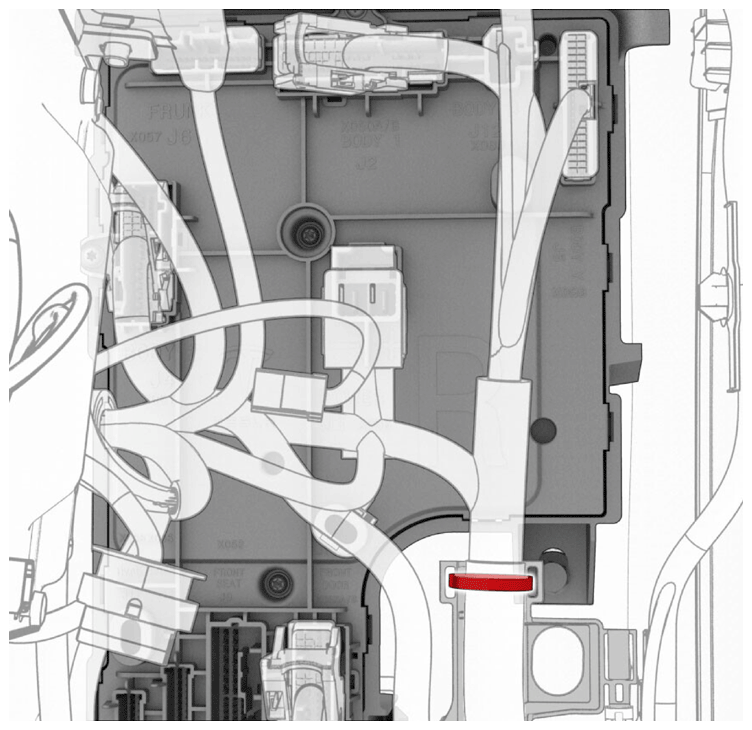
- Release the clips (x2) that attach the RH body harness to the RH body controller module area.
 Courtesy of TESLA, INC. Courtesy of TESLA, INC.
|
 Courtesy of TESLA, INC. Courtesy of TESLA, INC.
|
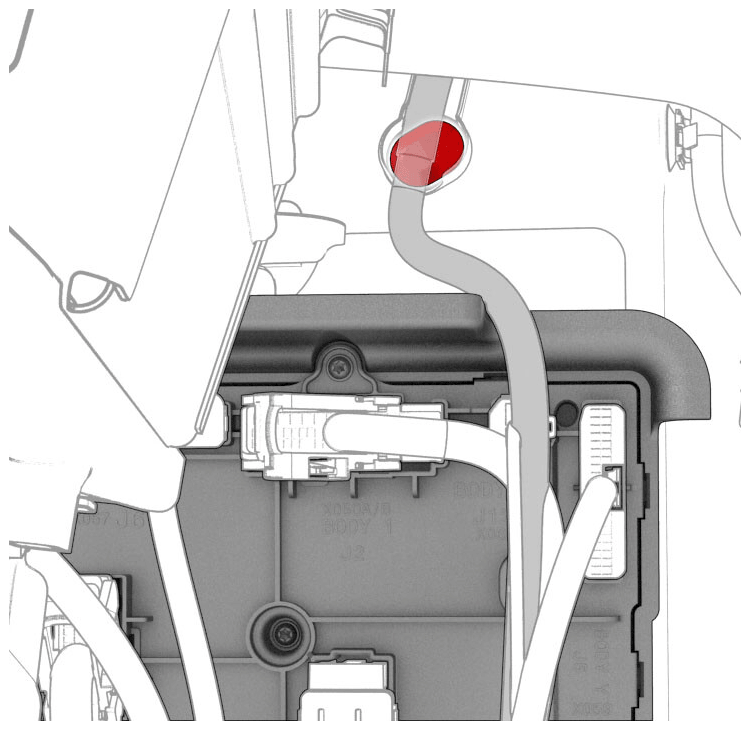
- Release the clips (x2) that attach the RH body harness to the instrument panel.
 Courtesy of TESLA, INC. Courtesy of TESLA, INC.
|
 Courtesy of TESLA, INC. Courtesy of TESLA, INC.
|
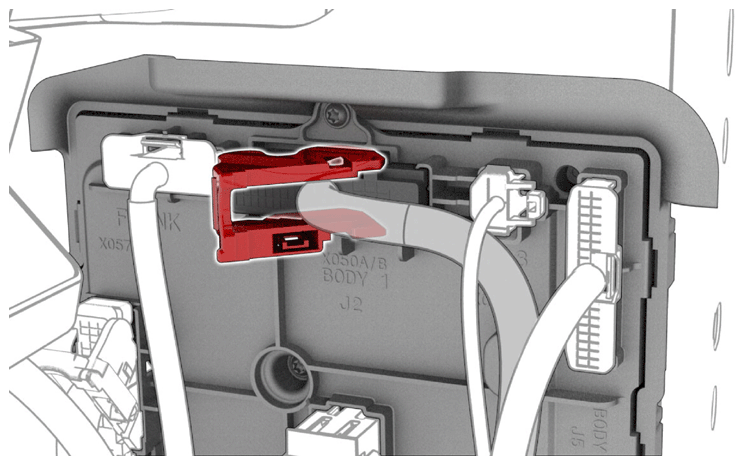
- Release the connector lock, and then disconnect the J2 body electrical connector from the RH body controller module.
 Courtesy of TESLA, INC. Courtesy of TESLA, INC.
|
- Disconnect the J6 underhood storage unit electrical connector from the RH body controller module.
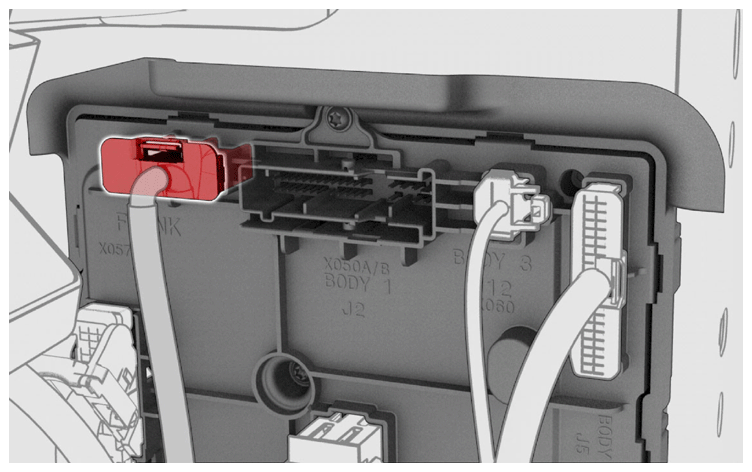 Courtesy of TESLA, INC. Courtesy of TESLA, INC.
|
- Disconnect the J12 body electrical connector from the RH body controller module.
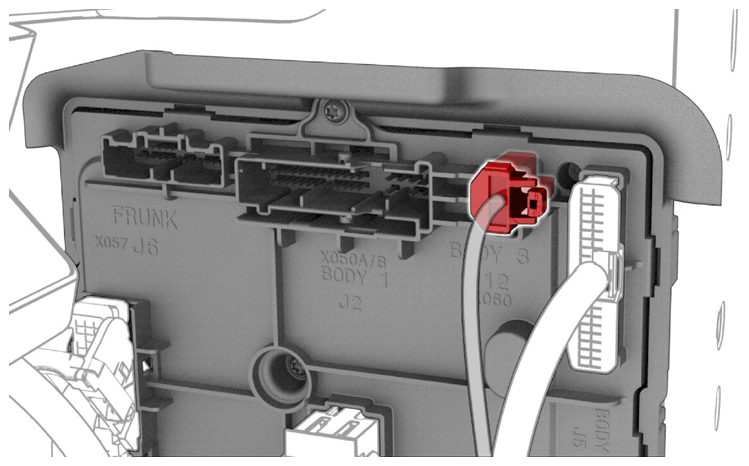 Courtesy of TESLA, INC. Courtesy of TESLA, INC.
|
- Disconnect the J5 body electrical connector from the RH body controller module.
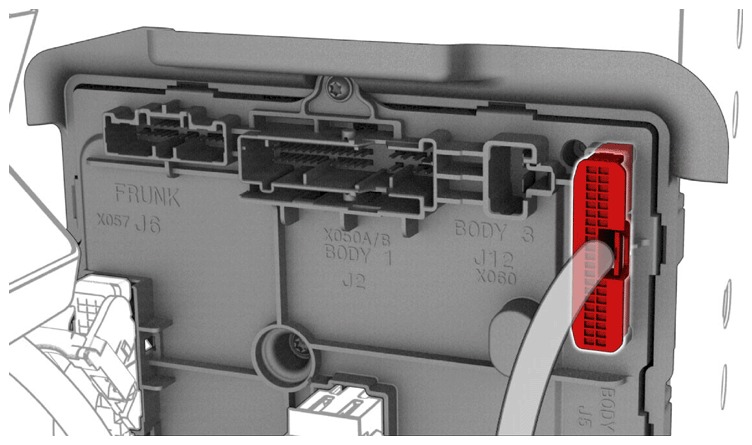 Courtesy of TESLA, INC. Courtesy of TESLA, INC.
|
- Release the connector lock, and then disconnect the J4 body electrical connector from the RH body controller module.
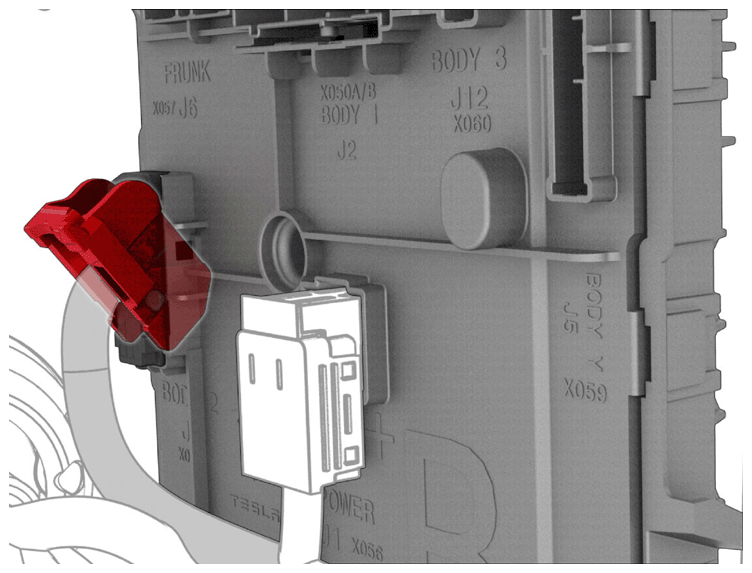 Courtesy of TESLA, INC. Courtesy of TESLA, INC.
|
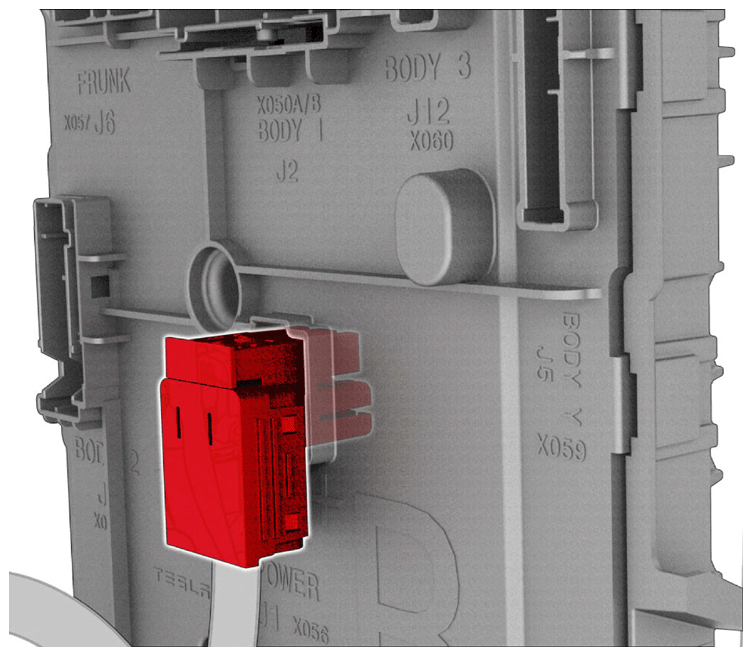
- Release the connector lock, and then disconnect the J1 power electrical connector from the RH body controller module.
 Courtesy of TESLA, INC. Courtesy of TESLA, INC.
|
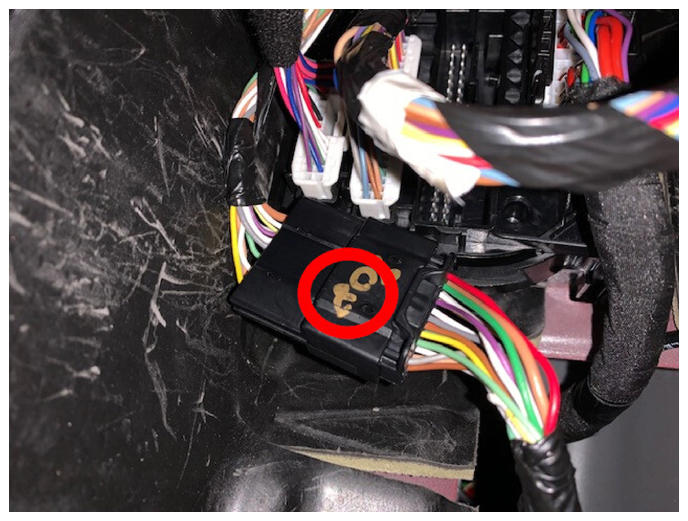
- Release the clip that attaches the black connector to the RH body controller module.
 Courtesy of TESLA, INC. Courtesy of TESLA, INC.
|
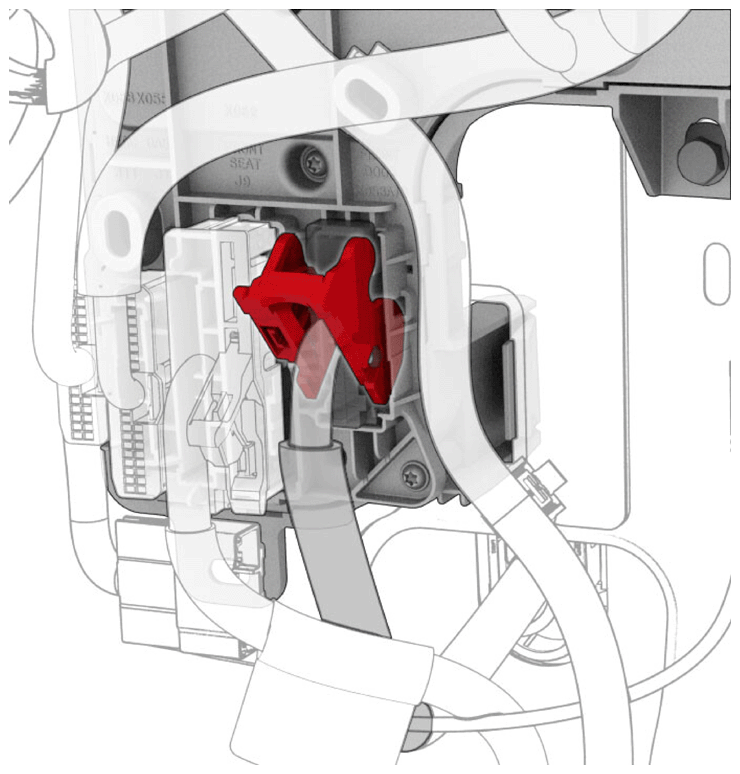
- Release the connector lock, and then disconnect the J7 door electrical connector from the RH body controller module.
 Courtesy of TESLA, INC. Courtesy of TESLA, INC.
|
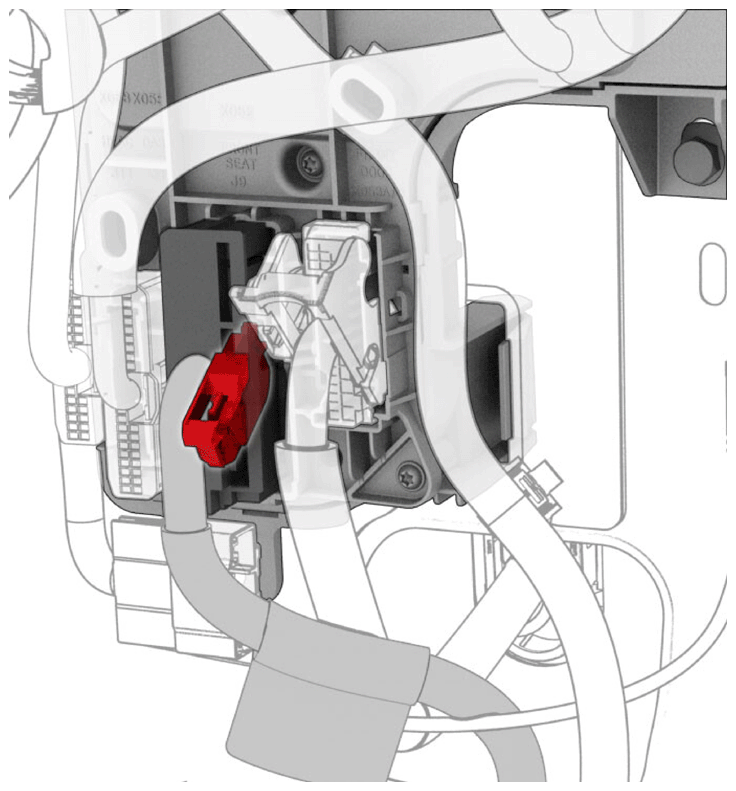
- Release the connector lock, and then disconnect the J9 front passenger seat electrical connector from the RH body controller module.
 Courtesy of TESLA, INC. Courtesy of TESLA, INC.
|
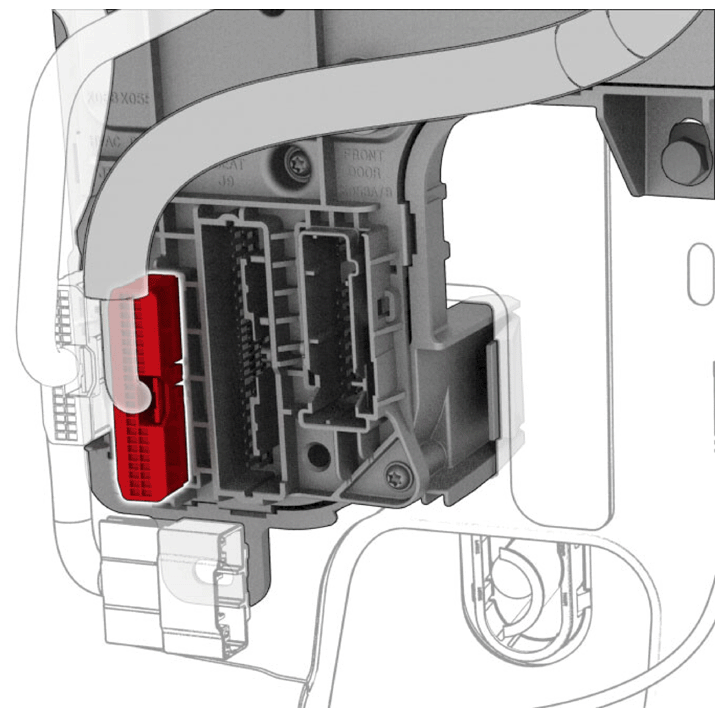
- Disconnect the J10 instrument panel electrical connector from the RH body controller module.
 Courtesy of TESLA, INC. Courtesy of TESLA, INC.
|
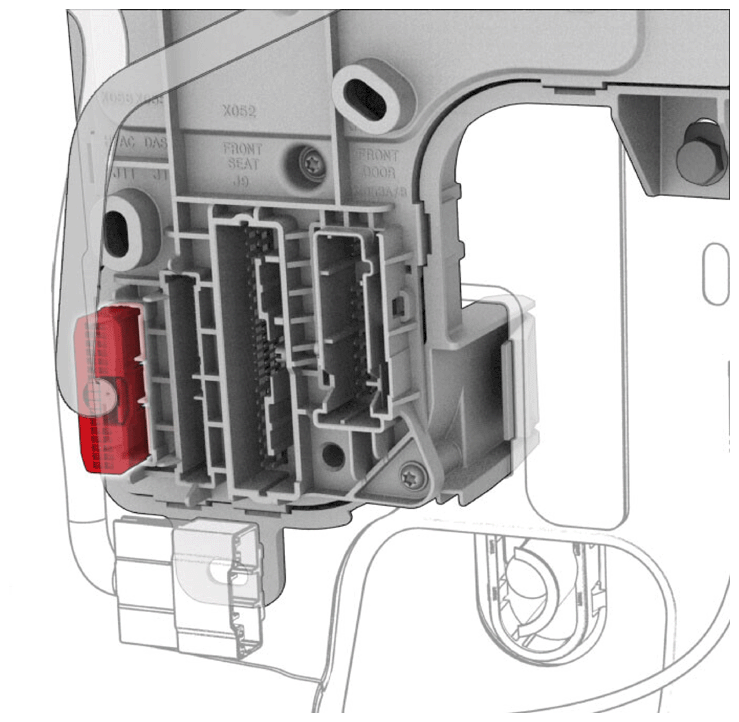
- Disconnect the J11 HVAC electrical connector from the RH body controller module.
 Courtesy of TESLA, INC. Courtesy of TESLA, INC.
|
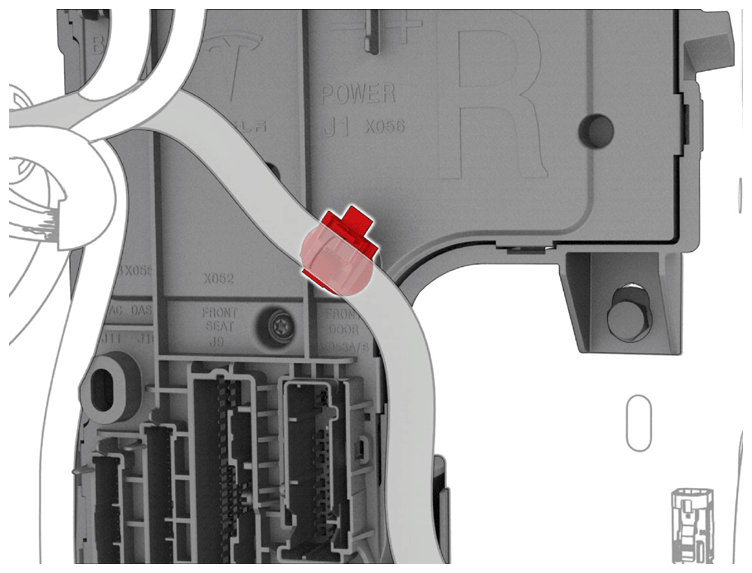
- Release the clip that attaches the DCDC cable to the RH body controller module.
 Courtesy of TESLA, INC. Courtesy of TESLA, INC.
|
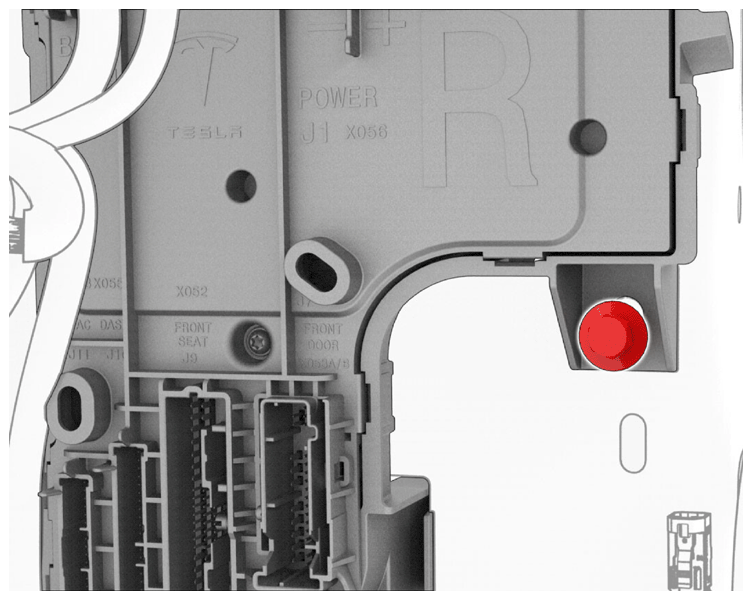
- Remove the bolt that attaches the RH body controller module to the vehicle.
NOTE:
Use of the following tool(s) is recommended:
- 10 mm socket
- 1/4 in std ratchet
- 1/4 in torque wrench (installation only)
- 2 in extension
 Courtesy of TESLA, INC. Courtesy of TESLA, INC.
|
- Release the molded RH body controller module clip, and then slide the module downward to release the tab.
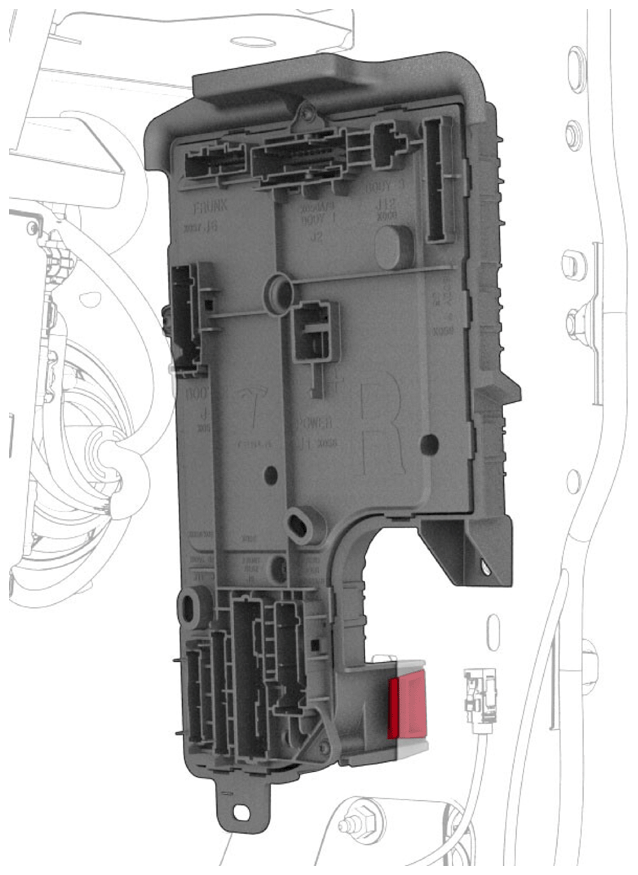 Courtesy of TESLA, INC. Courtesy of TESLA, INC.
|
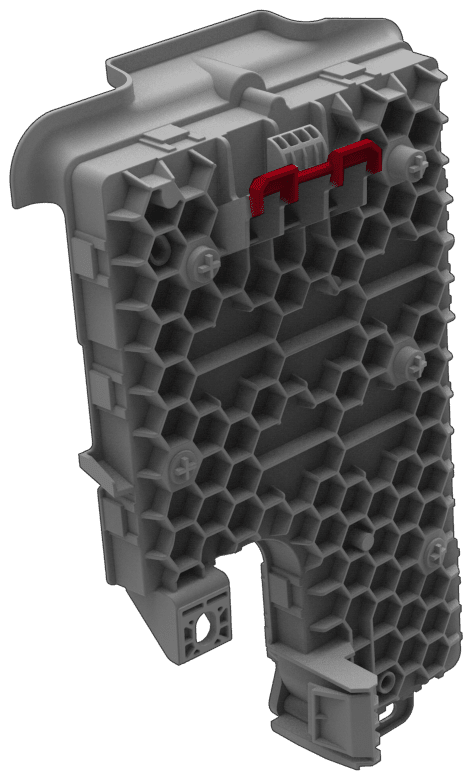 Courtesy of TESLA, INC. Courtesy of TESLA, INC.
|
- Maneuver the RH body controller module from under the IP, and then remove it from the vehicle.
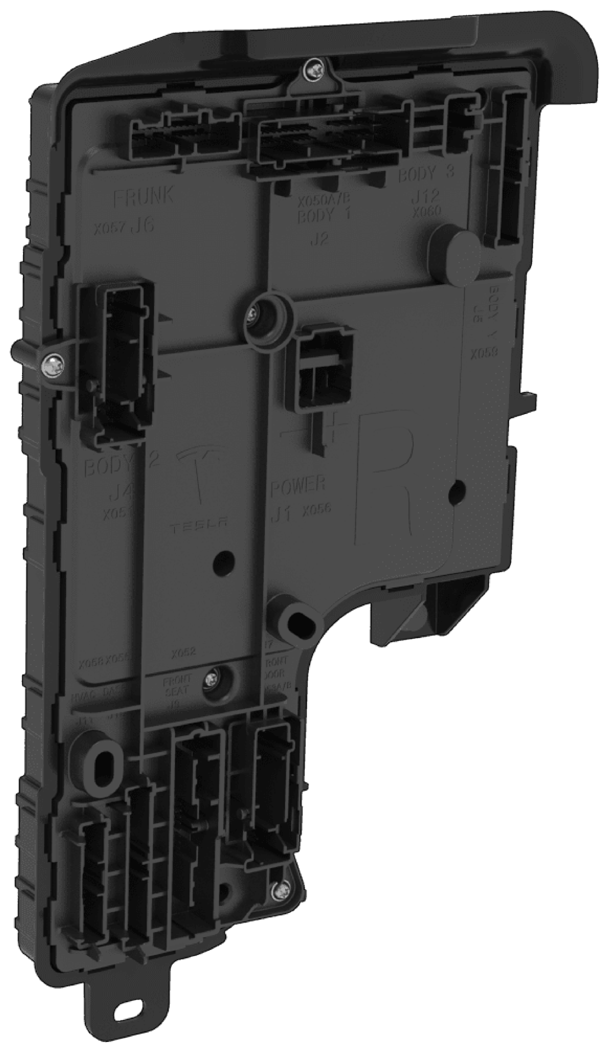 Courtesy of TESLA, INC. Courtesy of TESLA, INC.
|