October 30: LEMON manuals on a temporary server, it is slow and having issues, download the manuals you need! Later in November we will switch back to the fast server.
Module - Steering Column Control - Remove And Replace: Install
- Install the bolt that attaches the steering column control module to the steering column.
NOTE:
1x bolt, 5 mm Allen, 9 N.m
CAUTION:
Carefully slide the steering column control module on to the steering column without rotating or damaging the components.
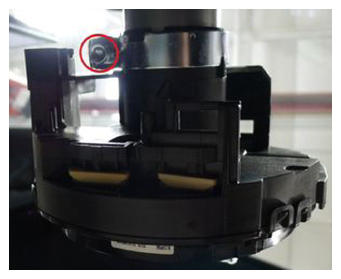 Courtesy of TESLA, INC. Courtesy of TESLA, INC.
|
- Connect the steering column control module electrical connector.
NOTE:
Install a new orange retaining clip (1028053-00-A) to the electrical connector. Perform a push-pull-push test to make sure the connector is seated properly.
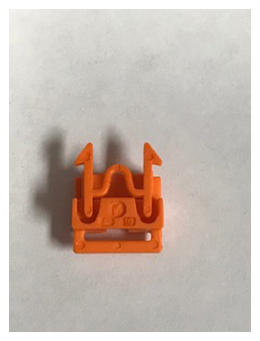 Courtesy of TESLA, INC. Courtesy of TESLA, INC.
|
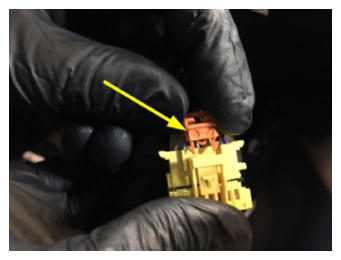 Courtesy of TESLA, INC. Courtesy of TESLA, INC.
|
- Install the steering column lower shroud. See SHROUD - LOWER - STEERING COLUMN (REMOVE AND REPLACE) .
- Install the gap hider. See Gap Hider - Steering Column - Upper (Remove and Replace)
.
- Remove the red locking tab from the steering column control module.
NOTE:
Lift the tab to break it off.
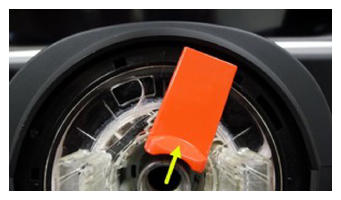 Courtesy of TESLA, INC. Courtesy of TESLA, INC.
|
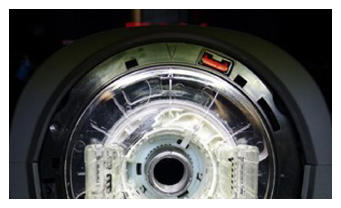 Courtesy of TESLA, INC. Courtesy of TESLA, INC.
|
- Install the steering yoke/wheel. See STEERING YOKE/WHEEL (REMOVE AND REPLACE) .
- Connect LV power. See LV Power (Disconnect and Connect)
.
- Install the rear underhood apron. See Underhood Apron - Rear (Remove and Replace)
.
- Using a laptop, connect to the vehicle with an ethernet diagnostic kit and Toolbox 3.
- Perform a Service CAN Redeploy. See Firmware Reinstall - Toolbox
.
- Select 'Actions' and search for 'SCCM'.
- Select 'PING-TP_SCCM', click 'Run', and allow the routine to complete.
- Select 'Actions' and search for 'STEERING'.
- Select 'TEST-SELF_VCLEFT_X_SWC', click 'Run', and allow the routine to complete.
- Select 'TEST-SELF_VCLEFT_X_STEERING-COLUMN', click 'Run', and allow the routine to complete.
- Select 'PROC_STEERING_COLUMN_CALIBRATION', click 'Run', and allow the routine to complete.
- Select 'TEST-RESET_VCLEFT', click 'Run', and allow the routine to complete.
- Disconnect Toolbox 3 from the vehicle and remove the laptop and ethernet diagnostic kit from the vehicle.