September 30: LEMON manuals is back up on a temporary server! Slowness is possible
Enable Service Mode Via Vehicle Touchscreen
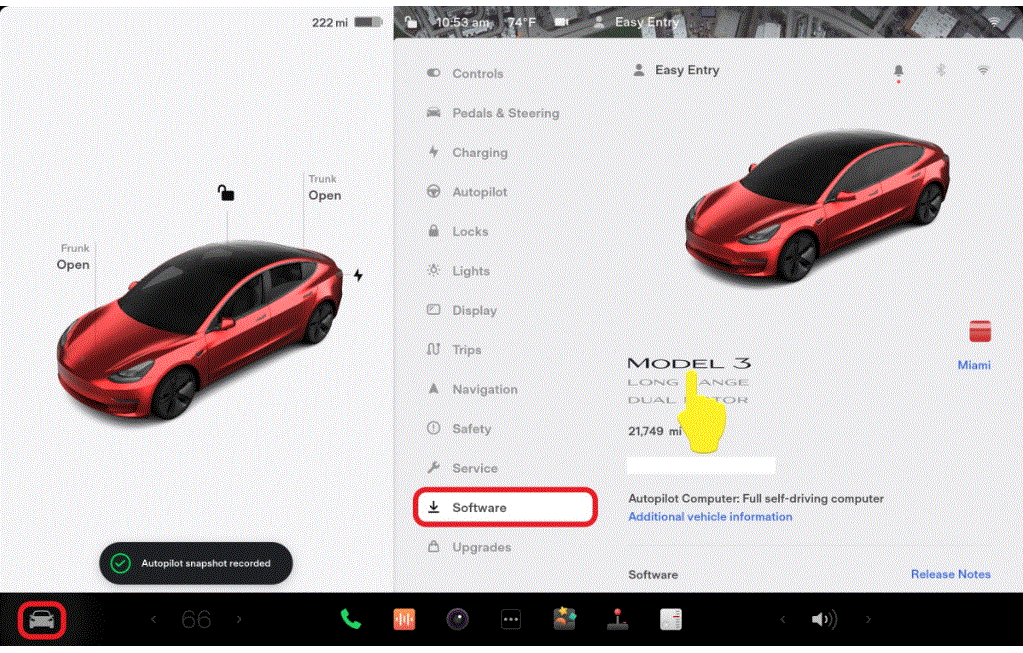
- On the vehicle touchscreen, touch CONTROLS (vehicle icon) > SOFTWARE
.
NOTE:
An image of the vehicle and badge is displayed.
 Courtesy of TESLA, INC. Courtesy of TESLA, INC.
|
- Touch and hold the large word "MODEL" for 2 seconds, and then release.
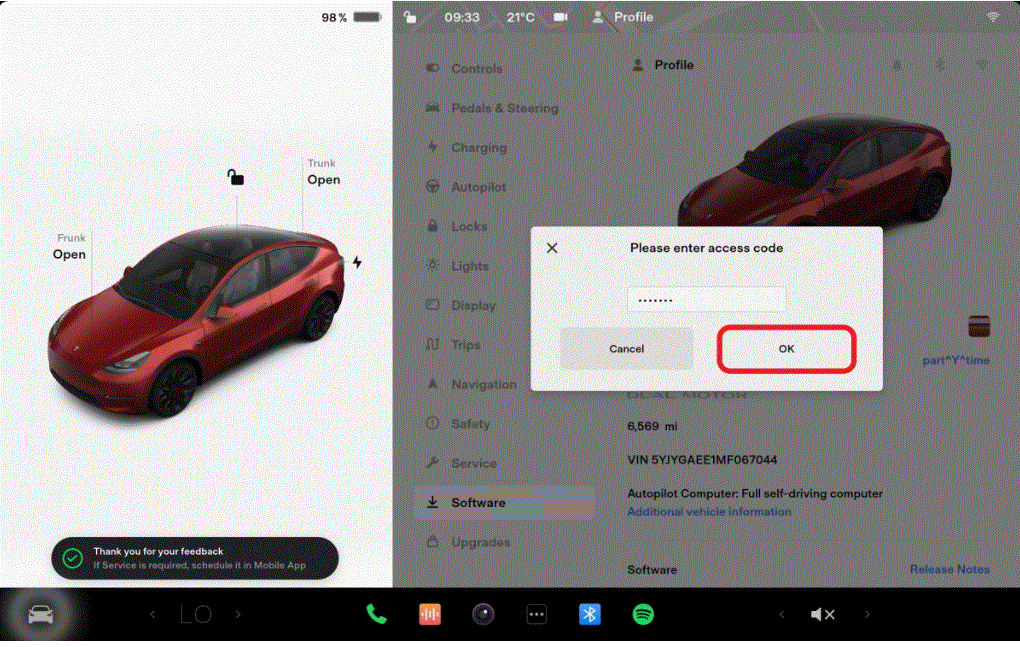
- Use the on screen keyboard to type "service" into the access code field, and then touch OK
.
NOTE:
The touchscreen is overlaid with the words "SERVICE MODE" in red. Newer firmware versions have a red border around the edges of the touchscreen UI.
 Courtesy of TESLA, INC. Courtesy of TESLA, INC.
|