September 30: LEMON manuals is back up on a temporary server! Slowness is possible
Target Calibration
- Using Toolbox 3:
- Select the Actions
tab and search for "SPTAC".
- Select the ODIN routine PROC_DAS_X_SPTAC
, and then click the link of the routine.
- Click RUN
and follow the onscreen instructions to calibrate the forward facing camera.
- When prompted, move the target from "Location 1" to "Location 2".
| Location 1 |
Location 2 |
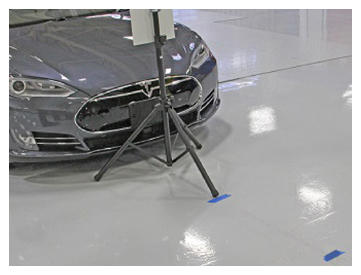 Courtesy of TESLA, INC. Courtesy of TESLA, INC.
|
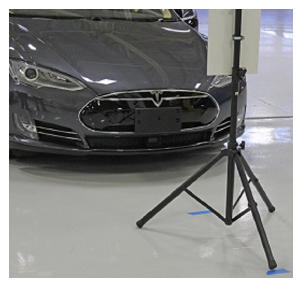 Courtesy of TESLA, INC. Courtesy of TESLA, INC.
|
- Once the calibration procedure is completed, click X
to close the pop-up.