September 30: LEMON manuals is back up on a temporary server! Slowness is possible
Light - Map - Front - Remove and Replace: Removal
- Remove the headliner. See HEADLINER (REMOVE AND REPLACE)
.
- Place the headliner on a clean work surface with the upholstered side facing down.
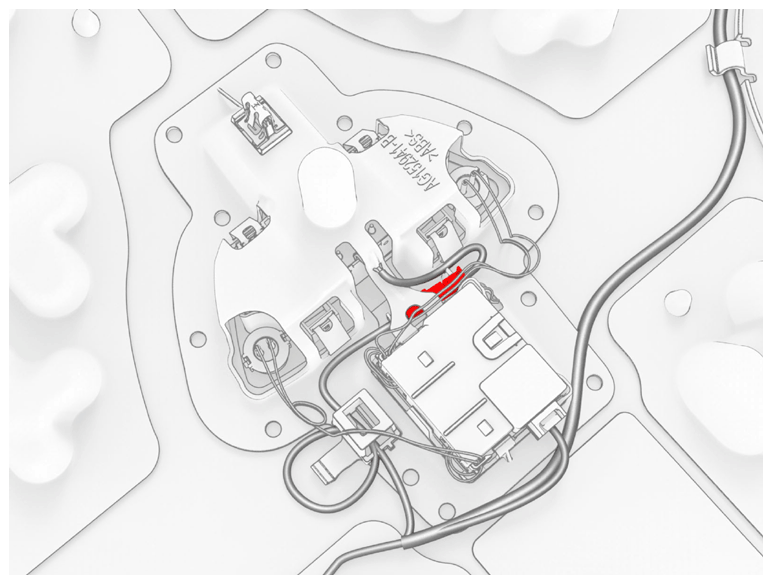
- Disconnect the headliner electrical harness from the map light connector.
 Courtesy of TESLA, INC. Courtesy of TESLA, INC.
|
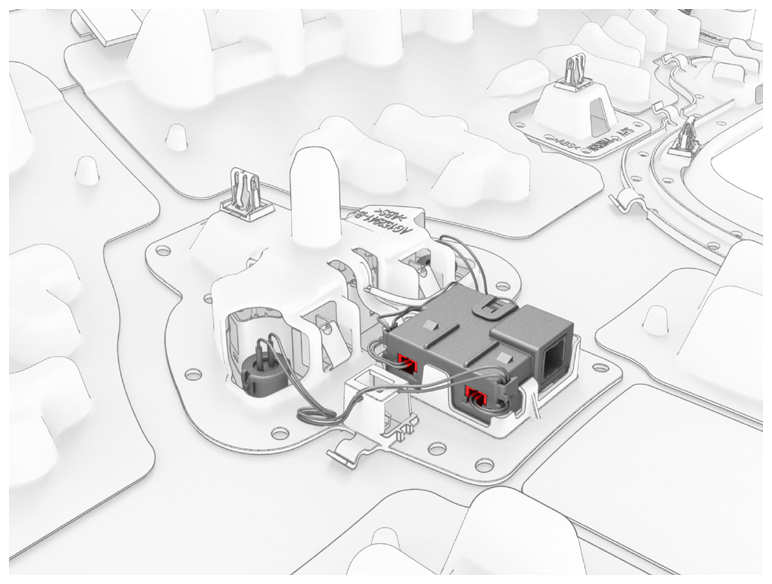
- If installed, disconnect the intrusion sensor electrical harness connectors (x2) from the intrusion sensor module.
 Courtesy of TESLA, INC. Courtesy of TESLA, INC.
|
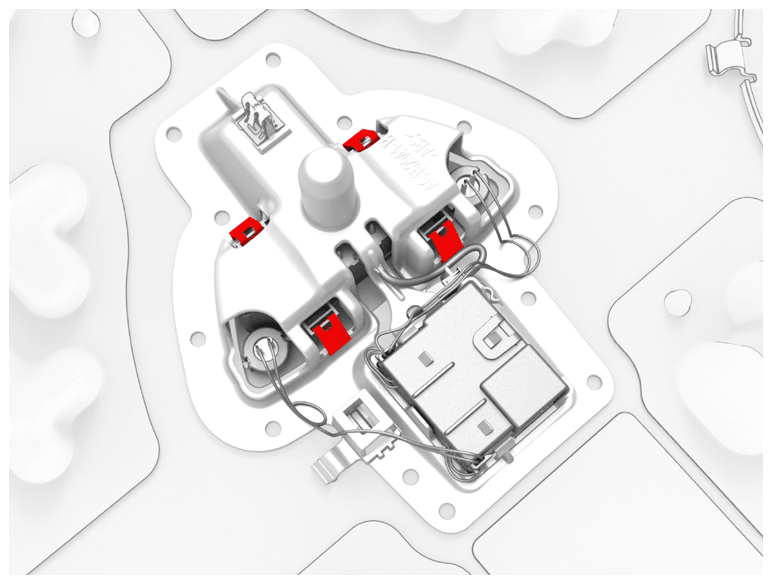
- Release the clips (x4) that attach the map light to the headliner, remove the map light from the headliner, and then pass the map light connector through the headliner.
NOTE:
If installed, make sure that the intrusion sensor connectors do not catch on the headliner.
 Courtesy of TESLA, INC. Courtesy of TESLA, INC.
|
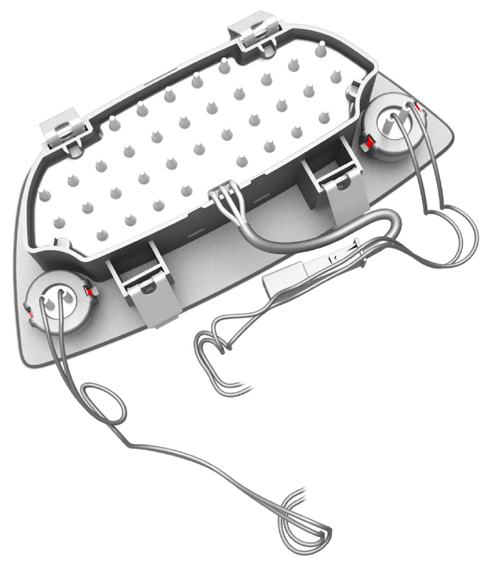
- If installed, release the clips (x2) that attach each intrusion sensor to map light, and remove the sensors (x2) from the map light.
 Courtesy of TESLA, INC. Courtesy of TESLA, INC.
|