September 30: LEMON manuals is back up on a temporary server! Slowness is possible
Removal (Tegra based MCU)
- Perform the procedure to remove the MCU from the instrument panel, but do not disconnect any cables or harnesses from the MCU, refer to MEDIA CONTROL UNIT (REMOVE AND INSTALL) .
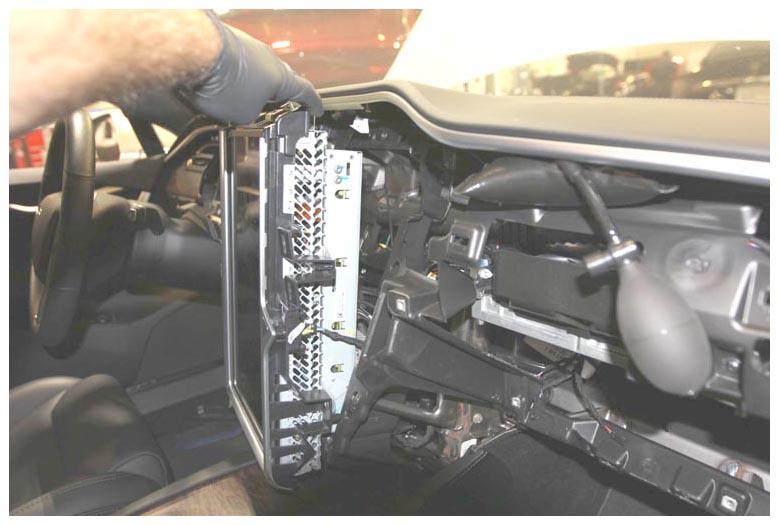 Courtesy of TESLA, INC. Courtesy of TESLA, INC.
|
- Working from the top of the MCU, carefully use a precision screwdriver or plastic probe to press the SD card retaining tab to the right to eject the SD card from the socket.
CAUTION:
Take care not to damage component(s).
NOTE:
The following image shows the SD card socket with the SD card removed for clarity.
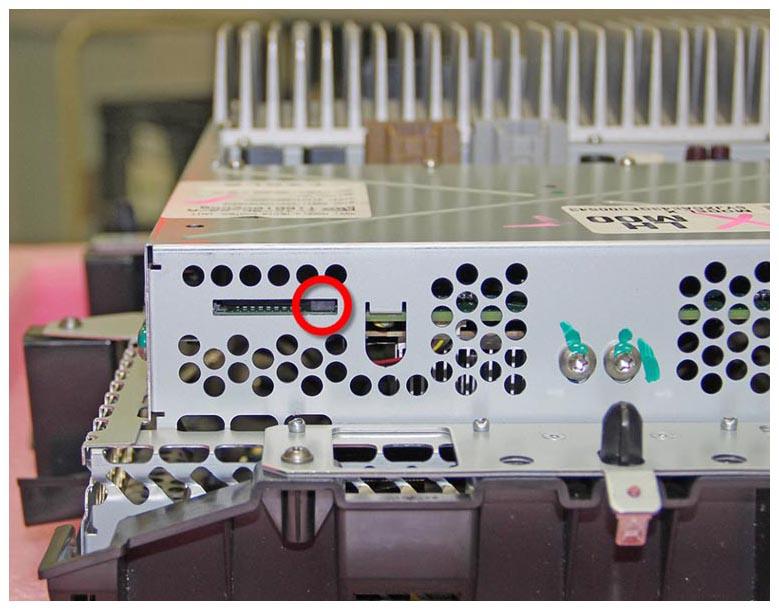 Courtesy of TESLA, INC. Courtesy of TESLA, INC.
|
- Remove the SD card from the MCU.
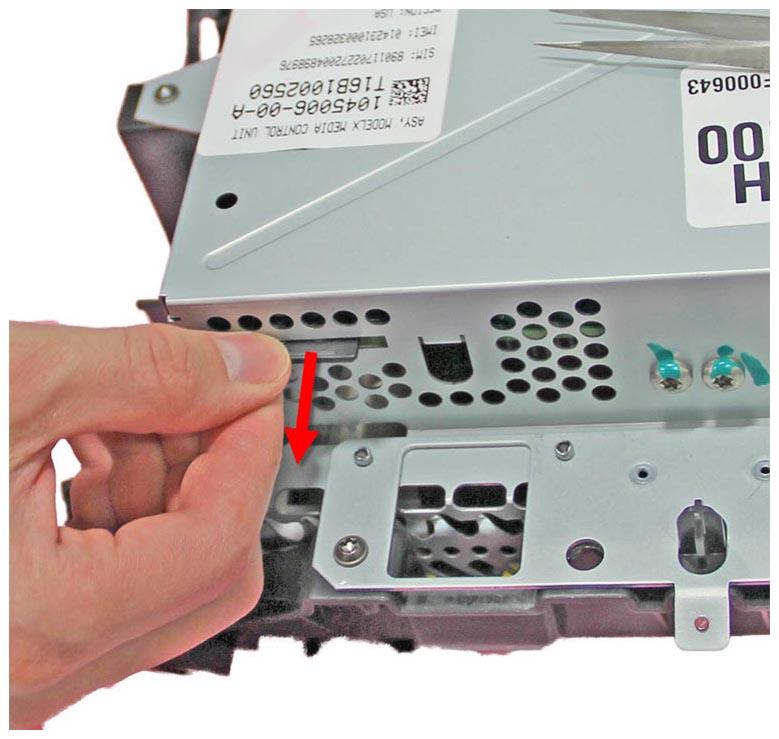 Courtesy of TESLA, INC. Courtesy of TESLA, INC.
|
- Destroy the SD card by cutting the card in half through the center, and then cut each piece into half, resulting in 4 pieces.
CAUTION:
It is mandatory to destroy the SD card to protect user data.