Installation Procedure
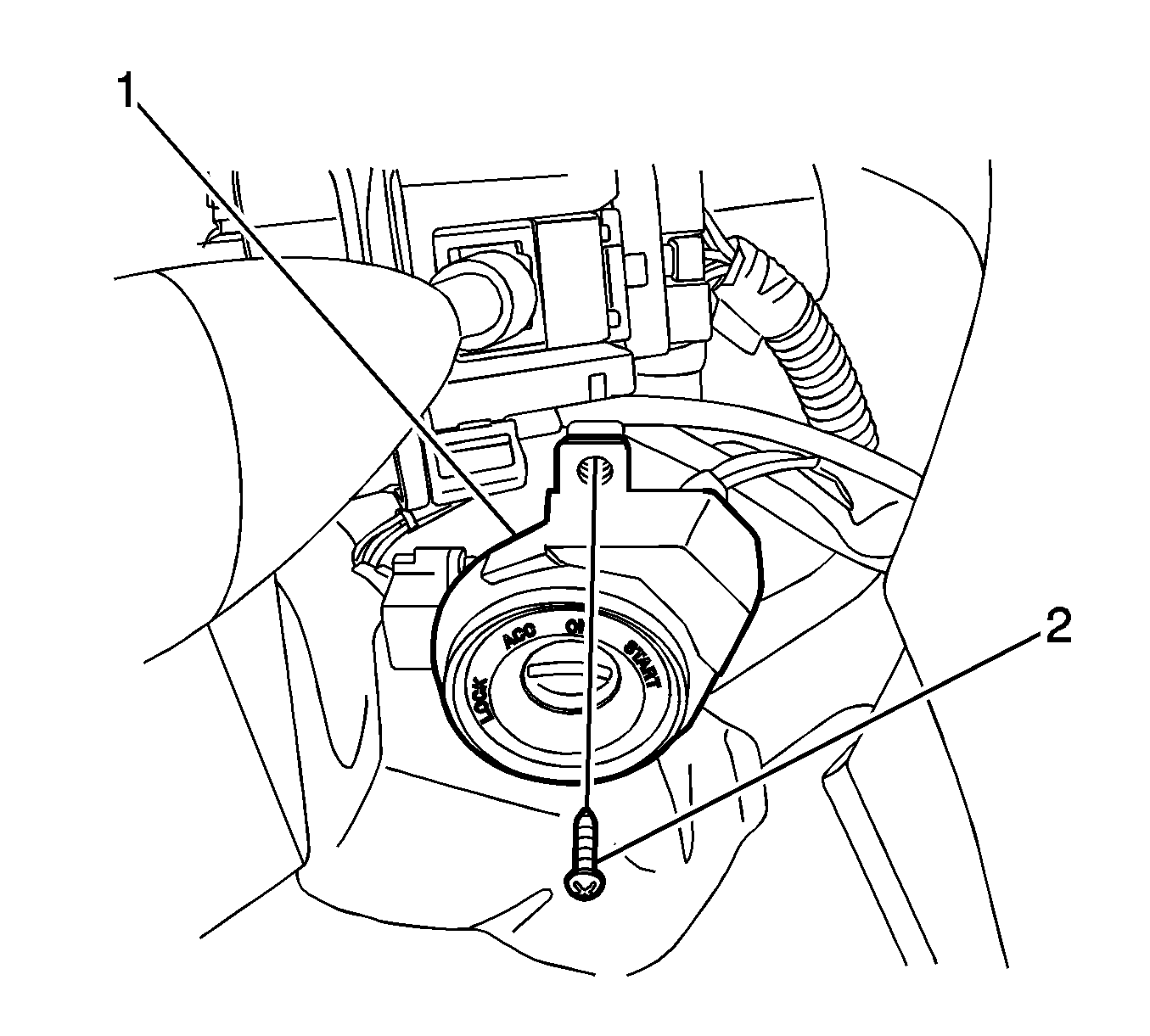 Courtesy of GENERAL MOTORS CORP.
- Complete the following steps in order to install the key hole illumination (1):
- Install the key hole illumination.
- Install the key hole illumination screw (2).
- Connect the key hole illumination connector.
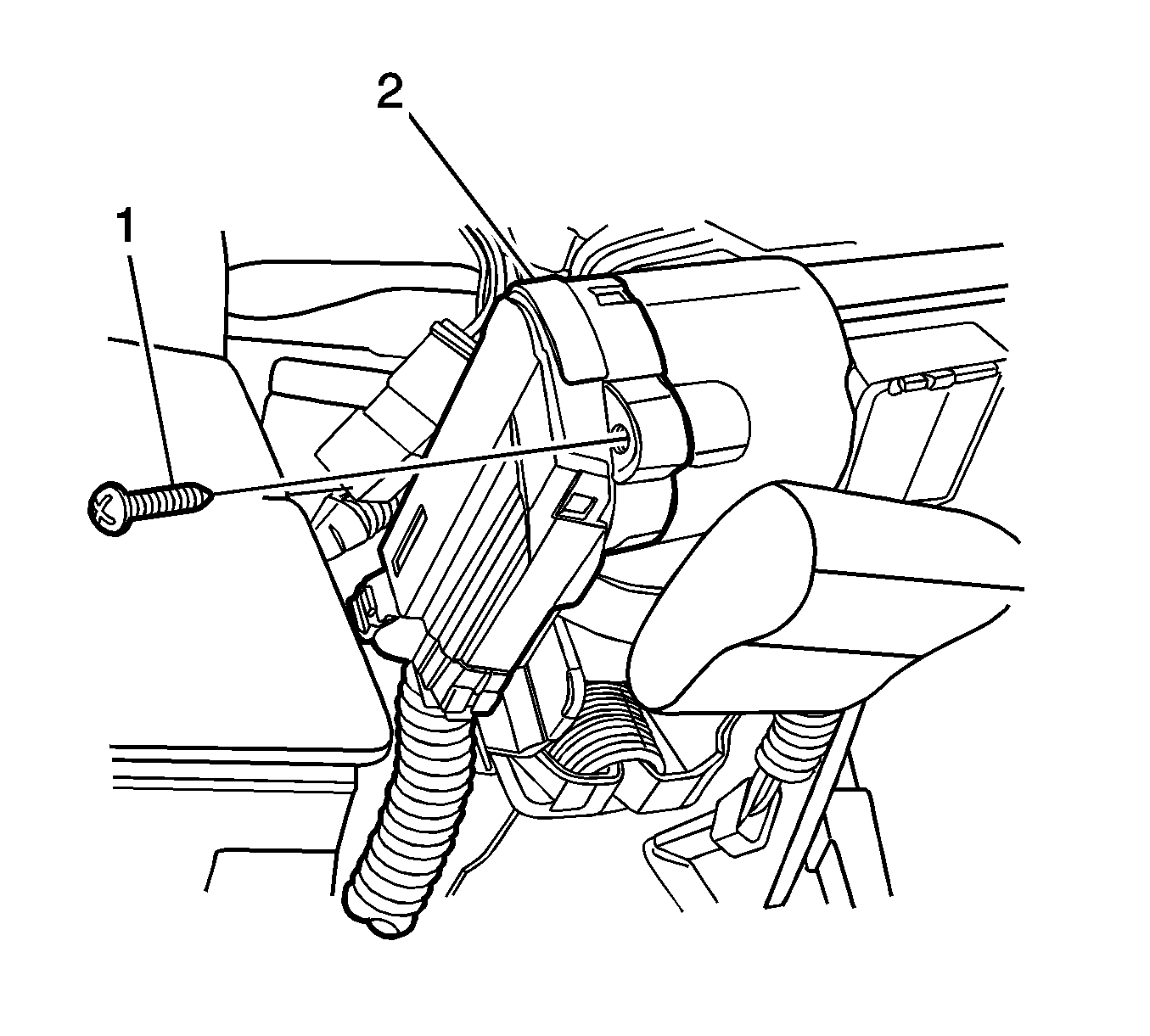 Courtesy of GENERAL MOTORS CORP.
- Complete the following steps in order to install the ignition switch (2):
- Install the ignition switch.
- Install the ignition switch screw (1).
- Connect the ignition switch connector.
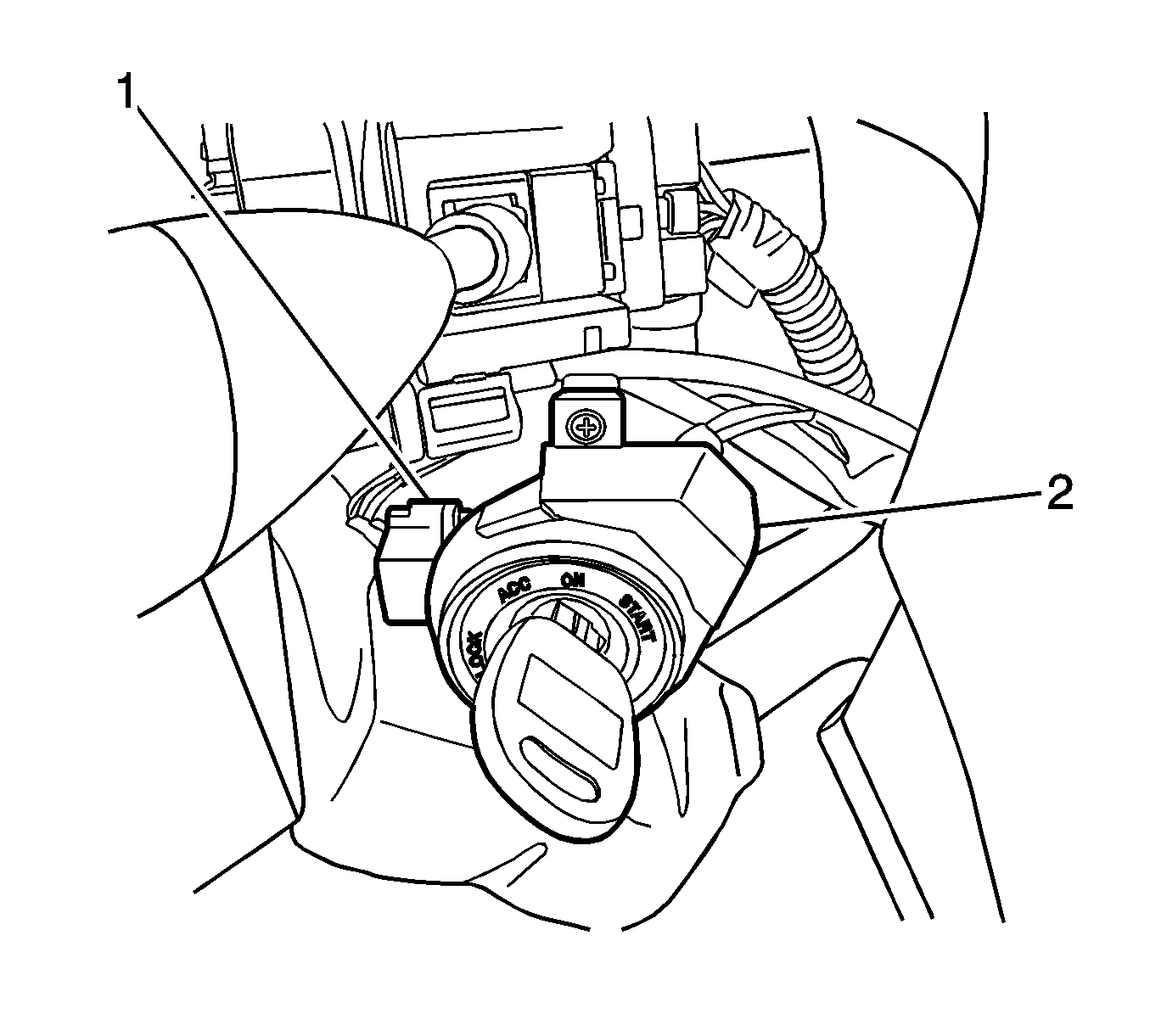 Courtesy of GENERAL MOTORS CORP.
- Install the ignition lock cylinder (2).
- Remove the key.
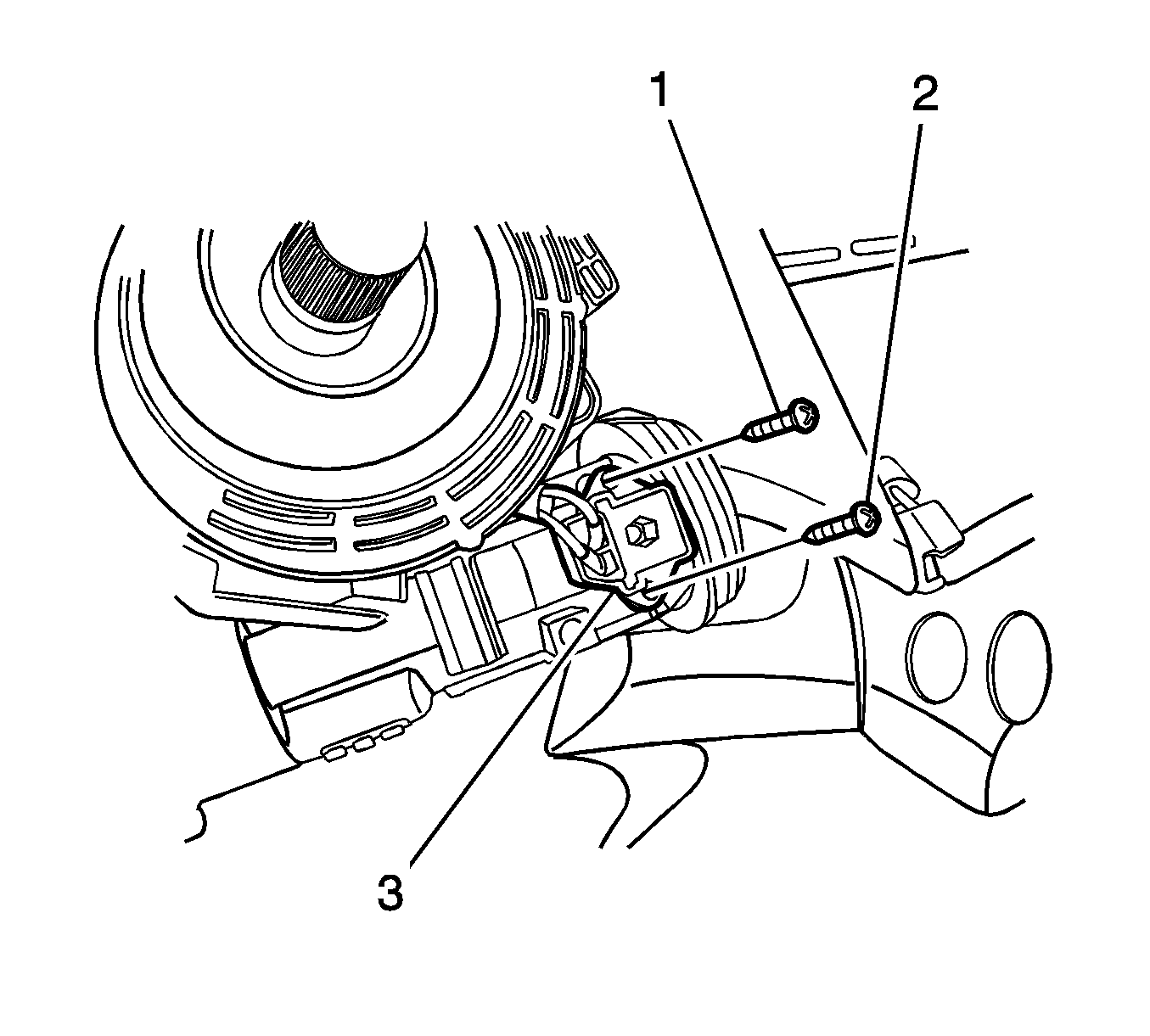 Courtesy of GENERAL MOTORS CORP.
- Complete the following steps in order to install the key reminder switch (3):
- Install the key reminder switch.
- Install the screws (1,2).
- Connect the key reminder switch connector.
- Install the steering wheel. Refer to Steering Wheel Replacement (Hatchback)
or Steering Wheel Replacement (Notchback)
.
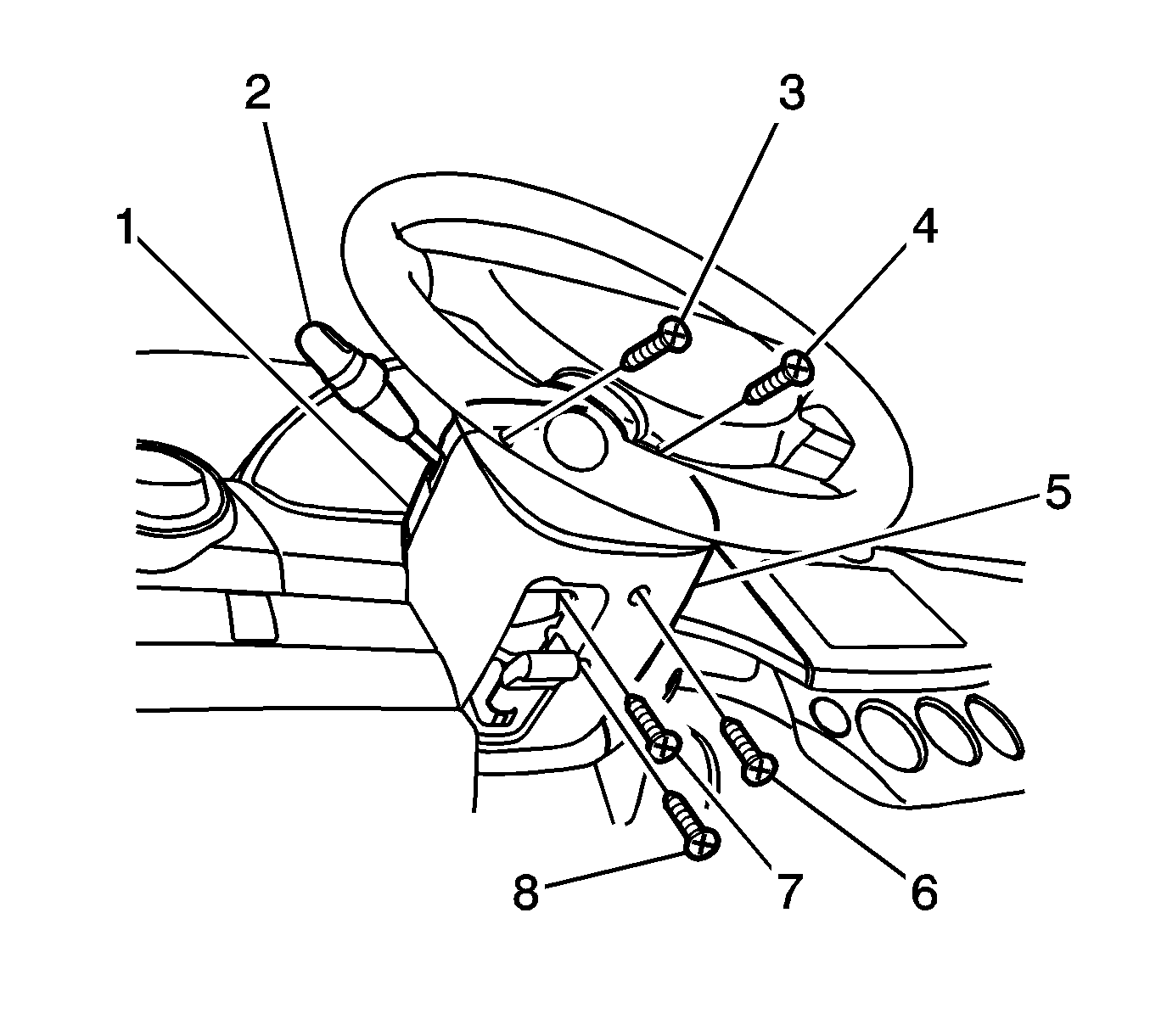 Courtesy of GENERAL MOTORS CORP.
- Install the lower steering column cover panel (5) and the screws (6, 7, 8).
- Connect the negative battery cable.