Terminal Removal Procedure
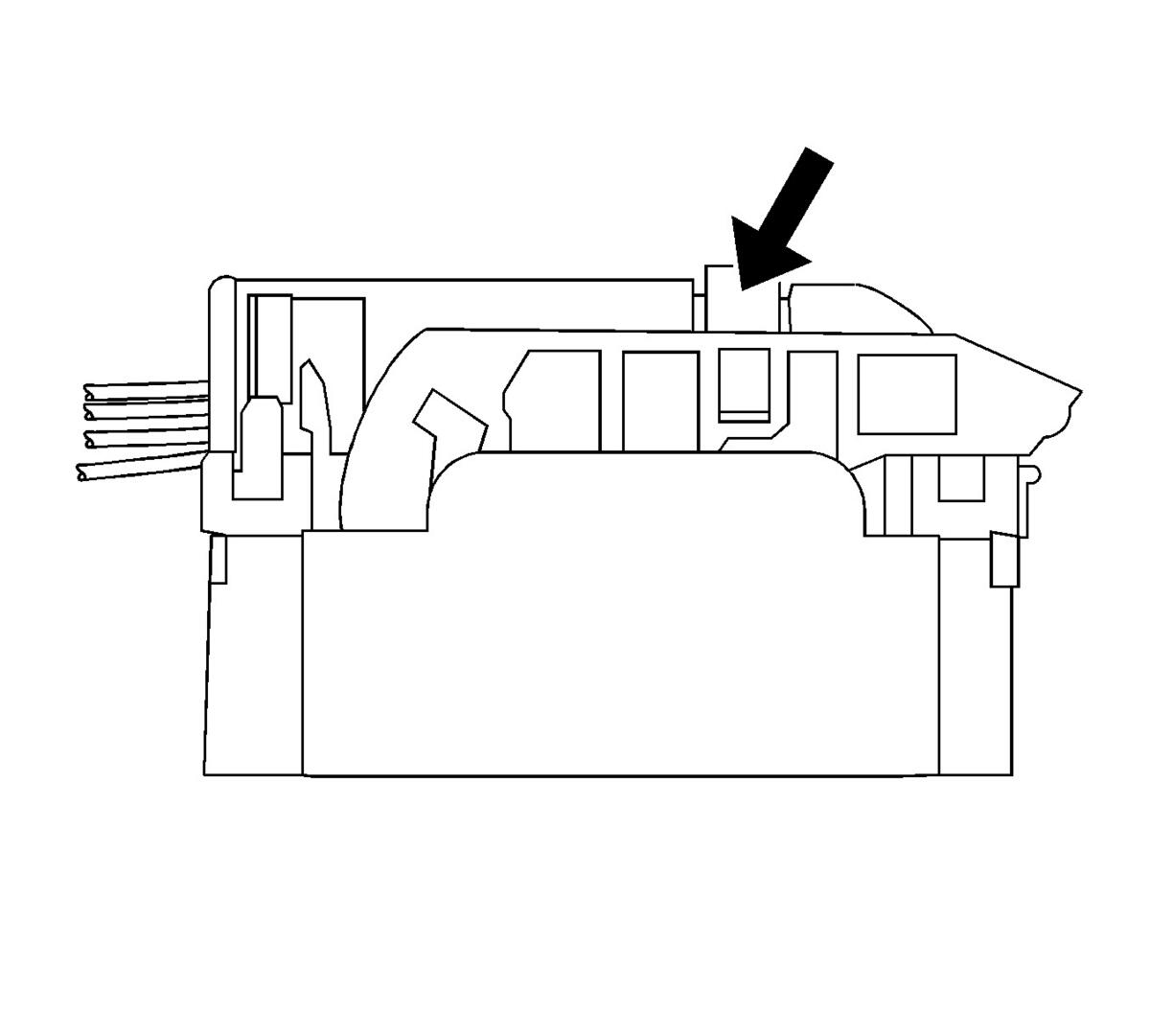 Courtesy of GENERAL MOTORS CORP.
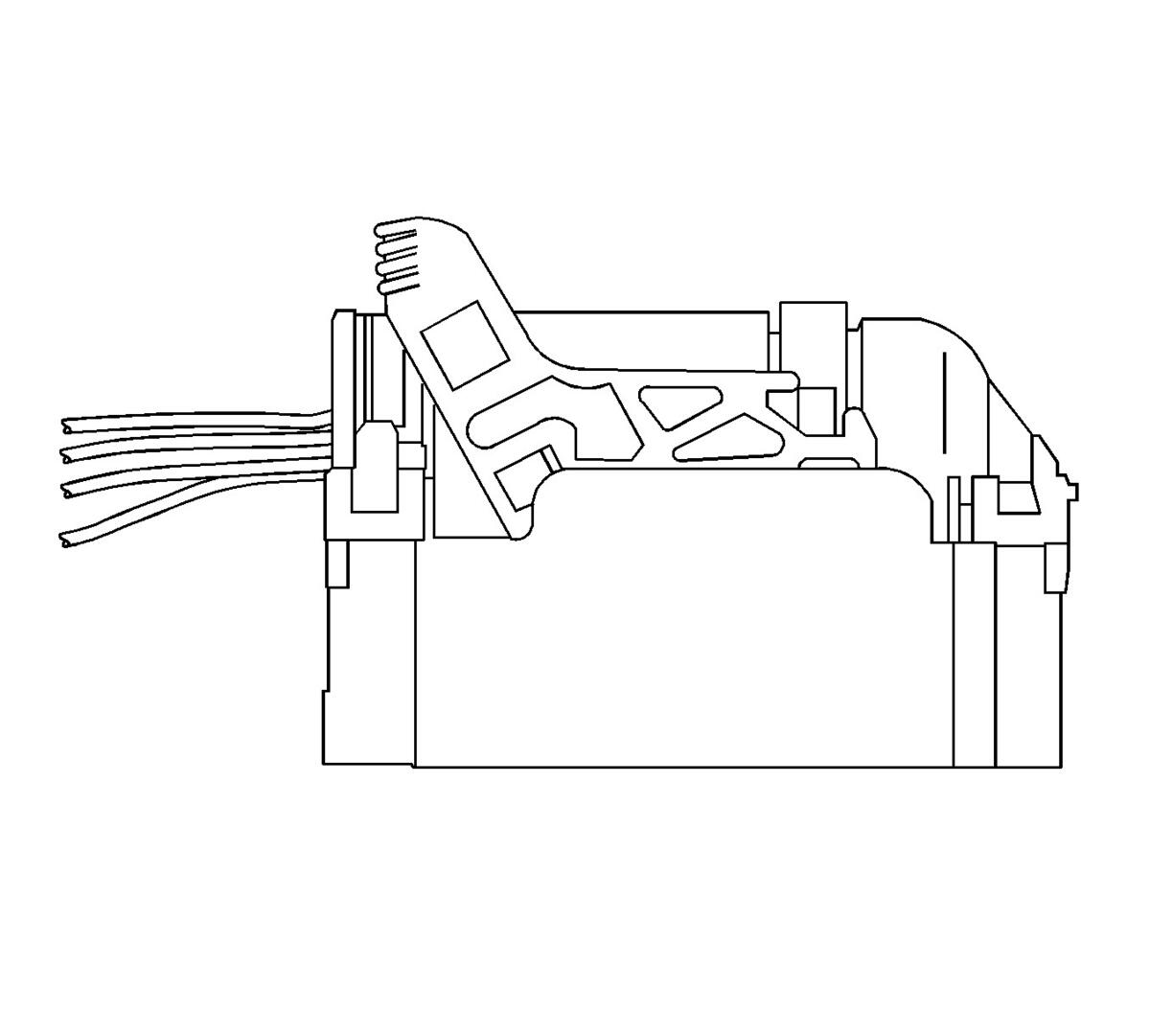 Courtesy of GENERAL MOTORS CORP.
- Slide the lever lock forward while pressing down on the lever lock release tab.
- Disconnect the connector from the component.
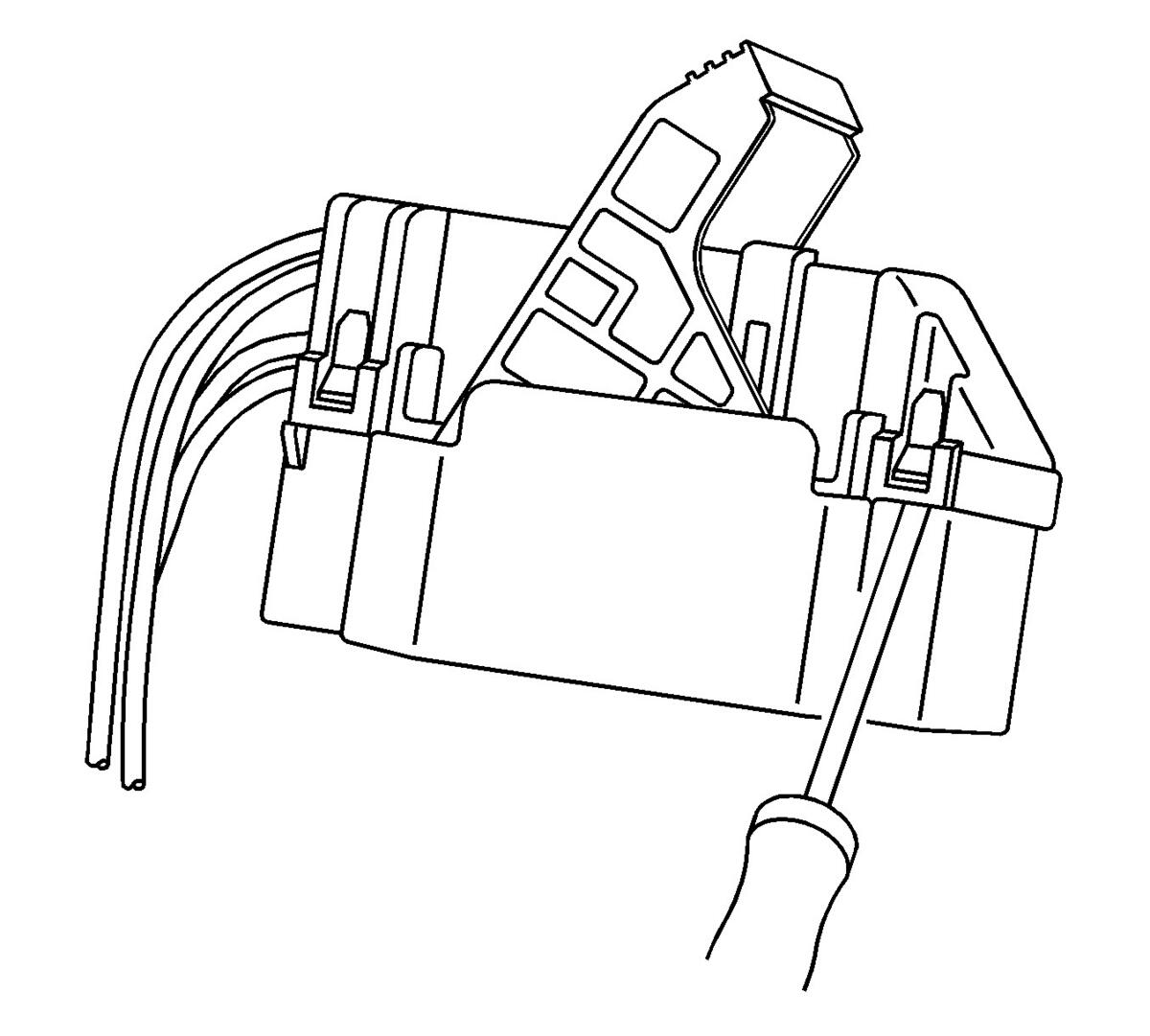 Courtesy of GENERAL MOTORS CORP.
- Remove the dress cover by using a flat-blade tool to release the connector locking tabs and pulling off the dress cover.
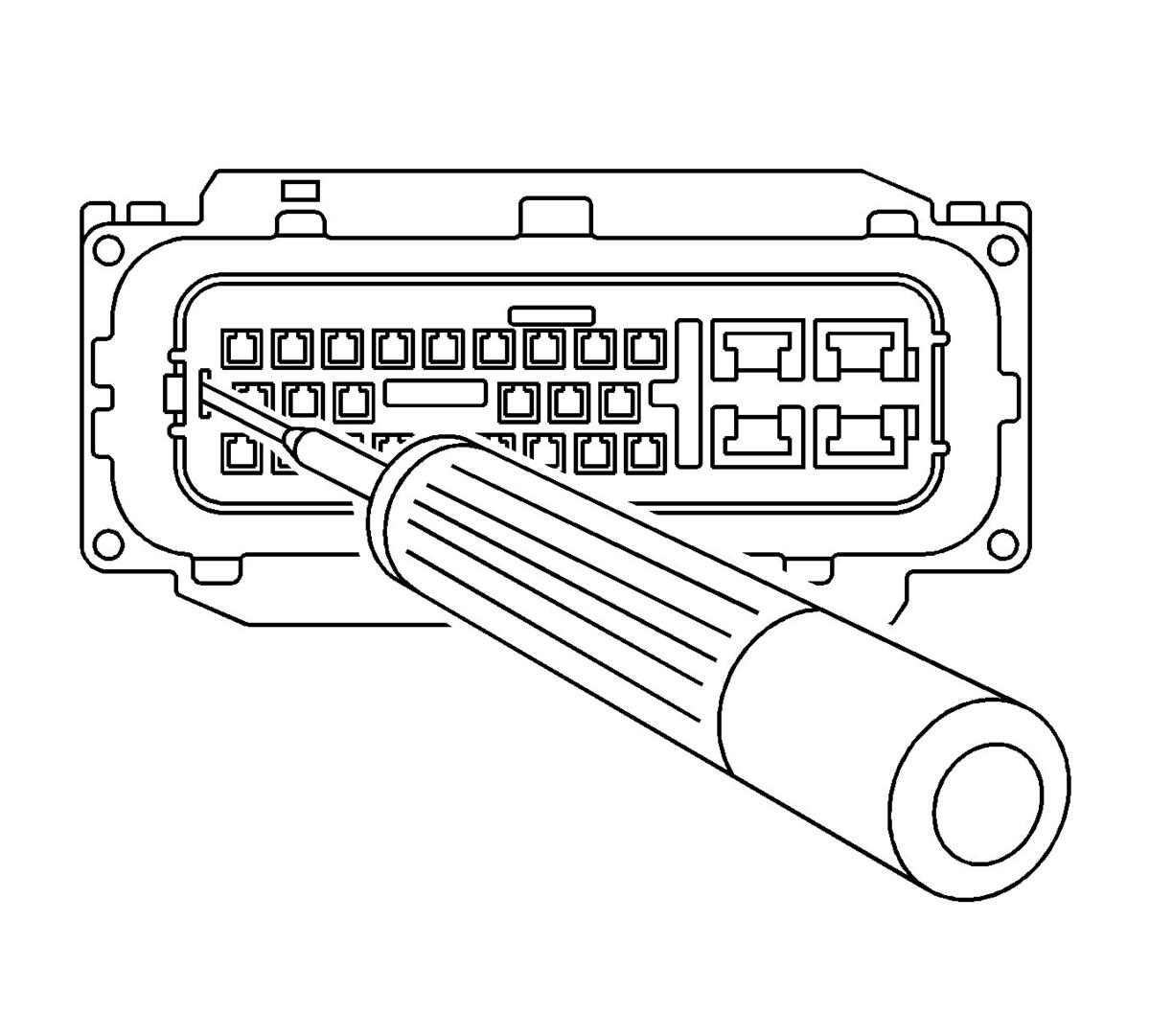 Courtesy of GENERAL MOTORS CORP.
- Relieve the tension on the nose piece retainers by inserting J 38125-12A (12094429) into the single retainer slot on the end of the nose piece and gently prying out the locking tab. Repeat the process for both of the nose piece locking tabs on the opposite side of the nose piece.
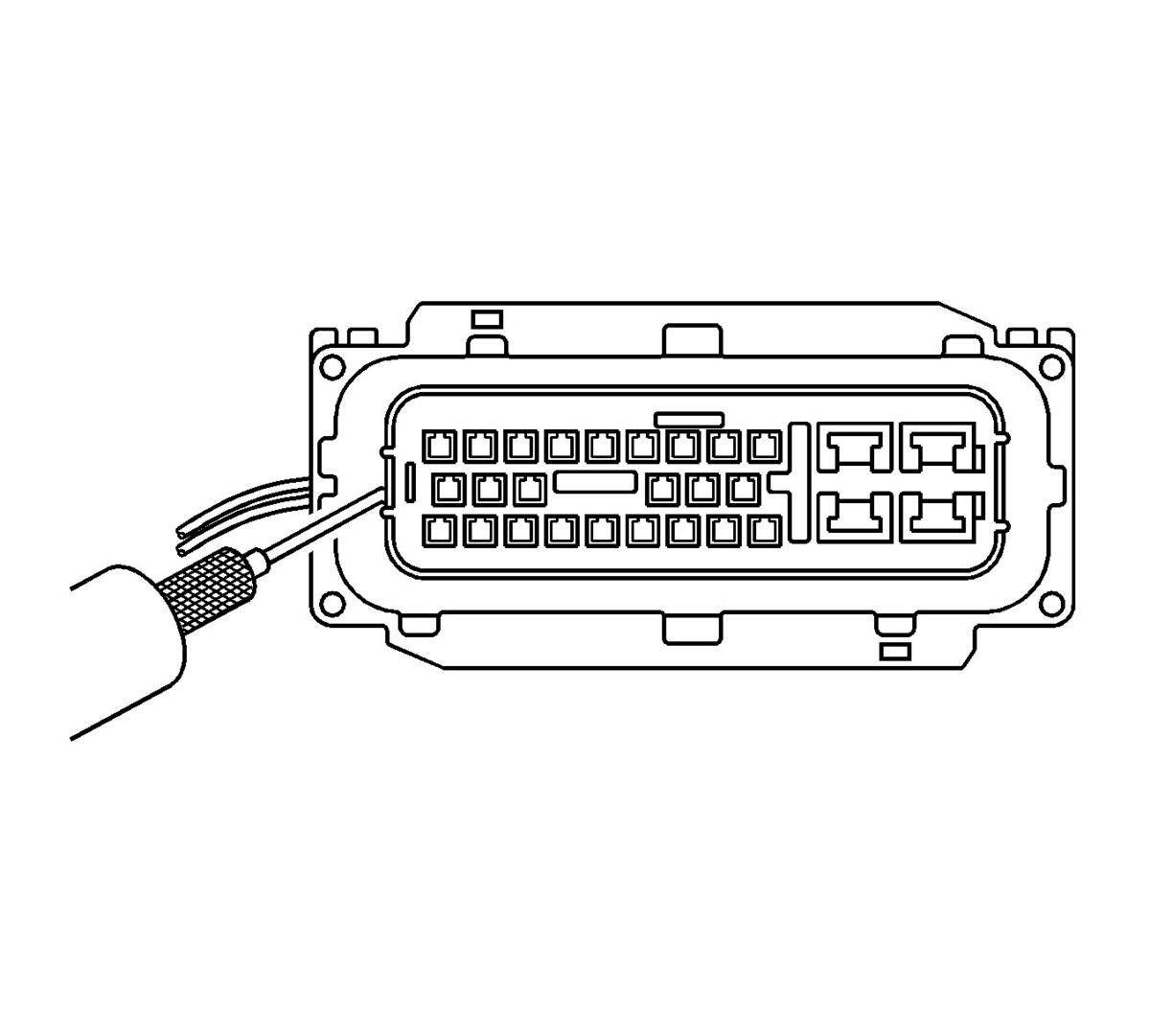 Courtesy of GENERAL MOTORS CORP.
- Once the nose piece retainers are relaxed, use the J 38125-552 (15313892) to pull up the nose piece by hooking the tool under the nose piece and pulling up. The nose piece should raise slightly.
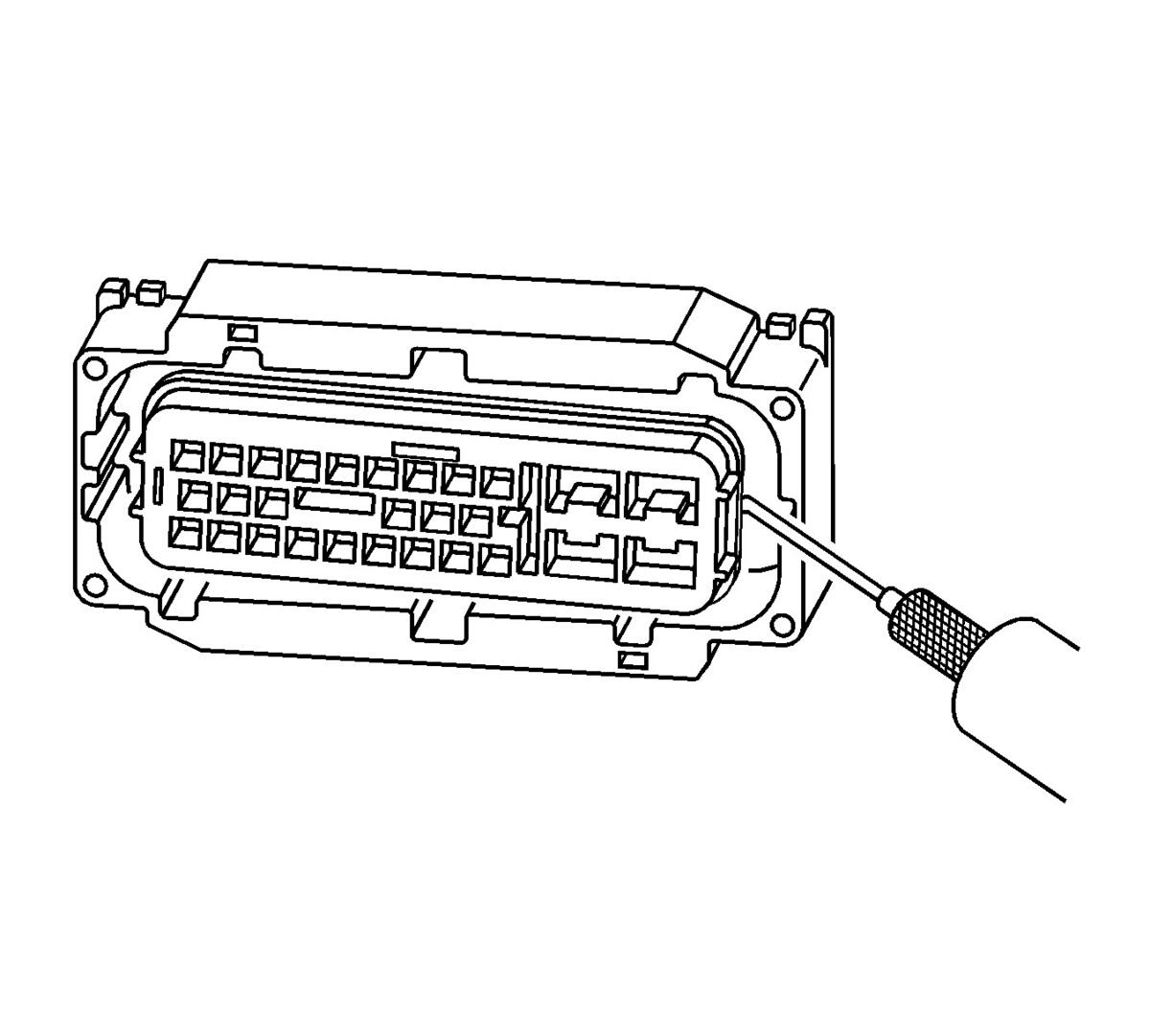 Courtesy of GENERAL MOTORS CORP.
- On the opposite side of the nose piece, use the J 38125-552 (15313892) to pull up the nose piece by hooking the tool under the nose piece and pulling up. The nose piece should release completely. If the nose piece does not come off, repeat the procedure on the opposite side.
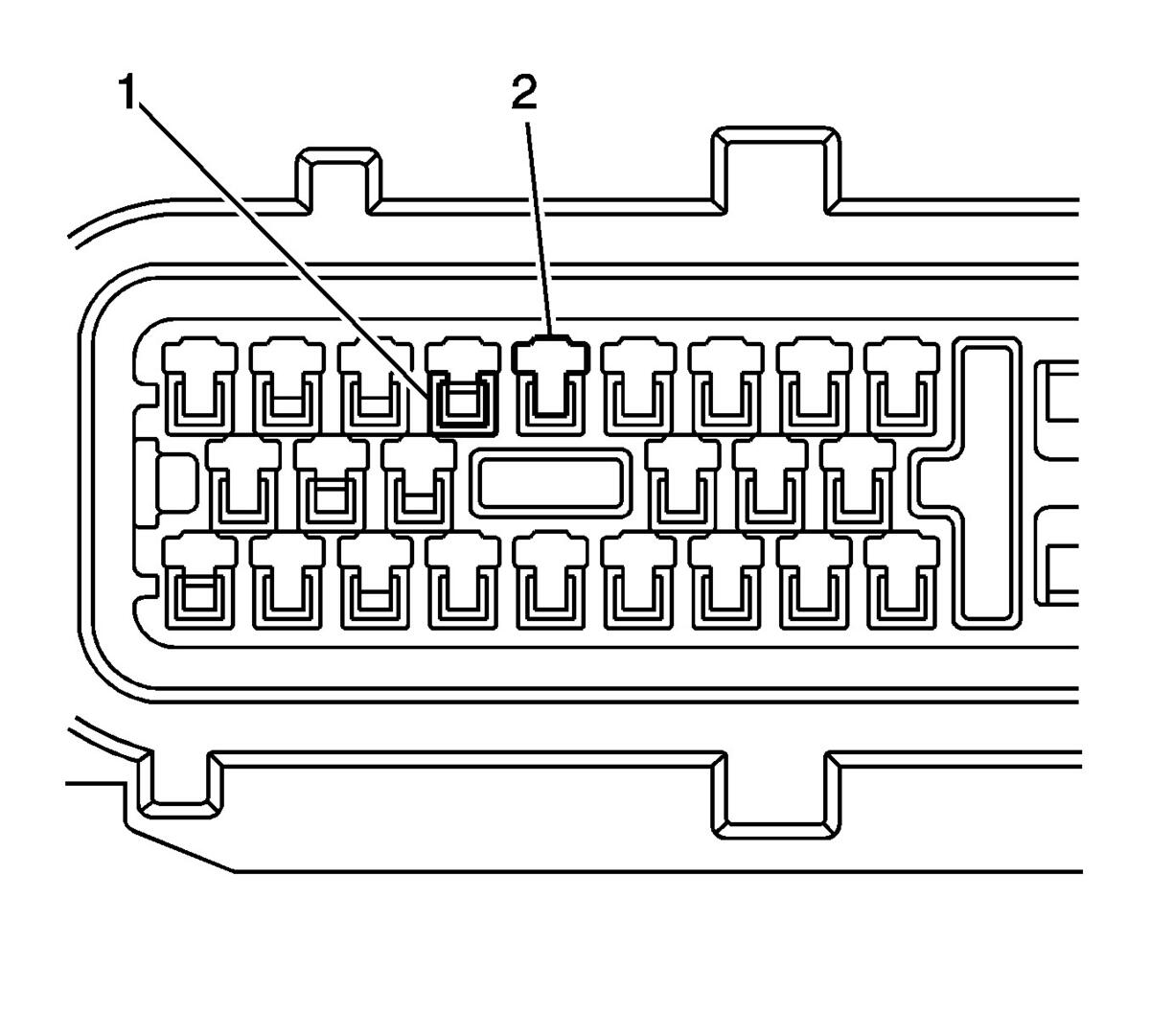 Courtesy of GENERAL MOTORS CORP.
- The illustration above identifies the entry canal where the terminal release tool will be inserted, and the terminal cavity.
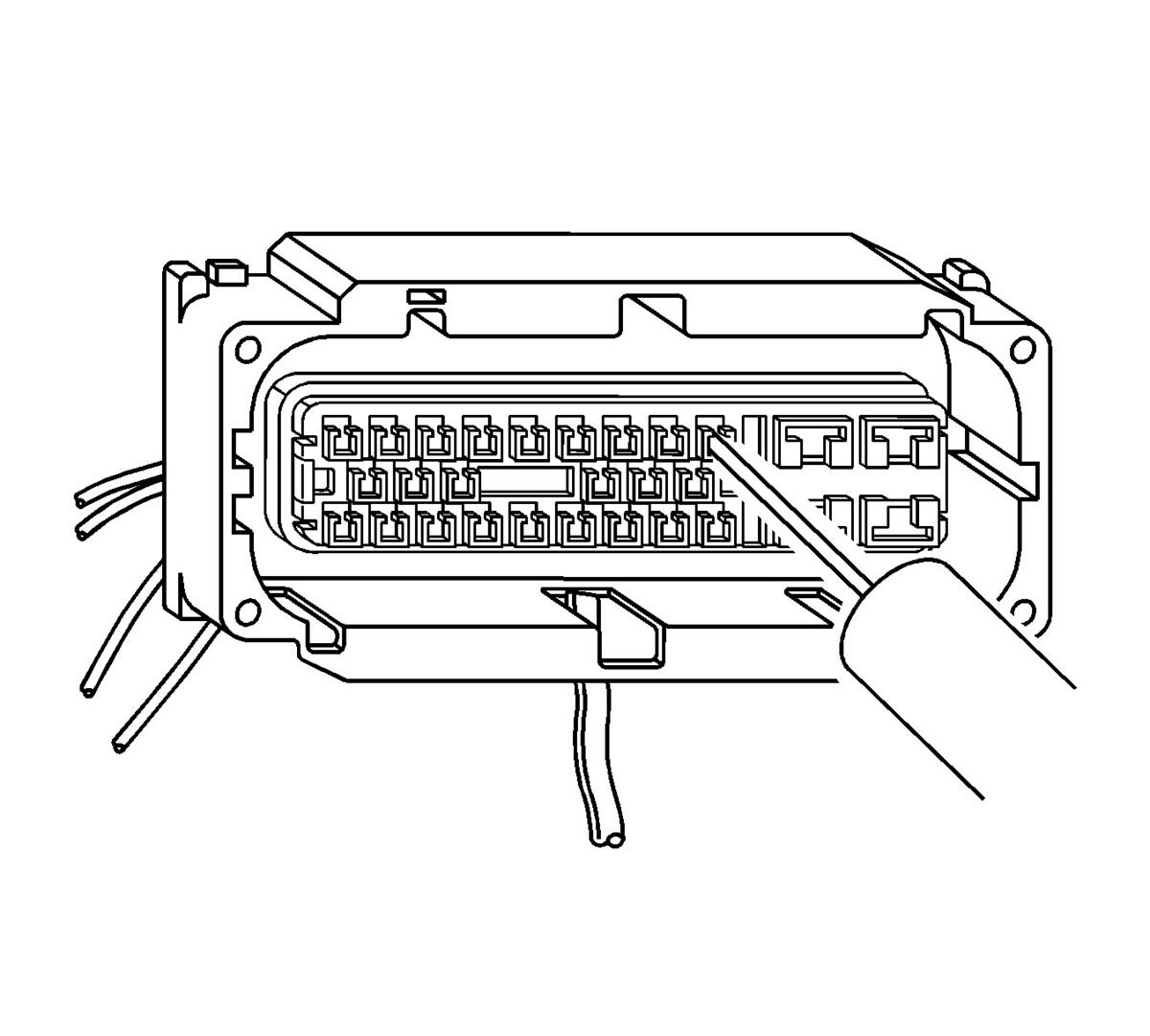 Courtesy of GENERAL MOTORS CORP.
- Insert the J 38125-553 (15315247) tool into the entry canal and pry up on the terminal retainer. The terminal retainer is a small plastic piece on the top of the terminal. The terminal retainer must be held up while the terminal is pulled out of the connector.
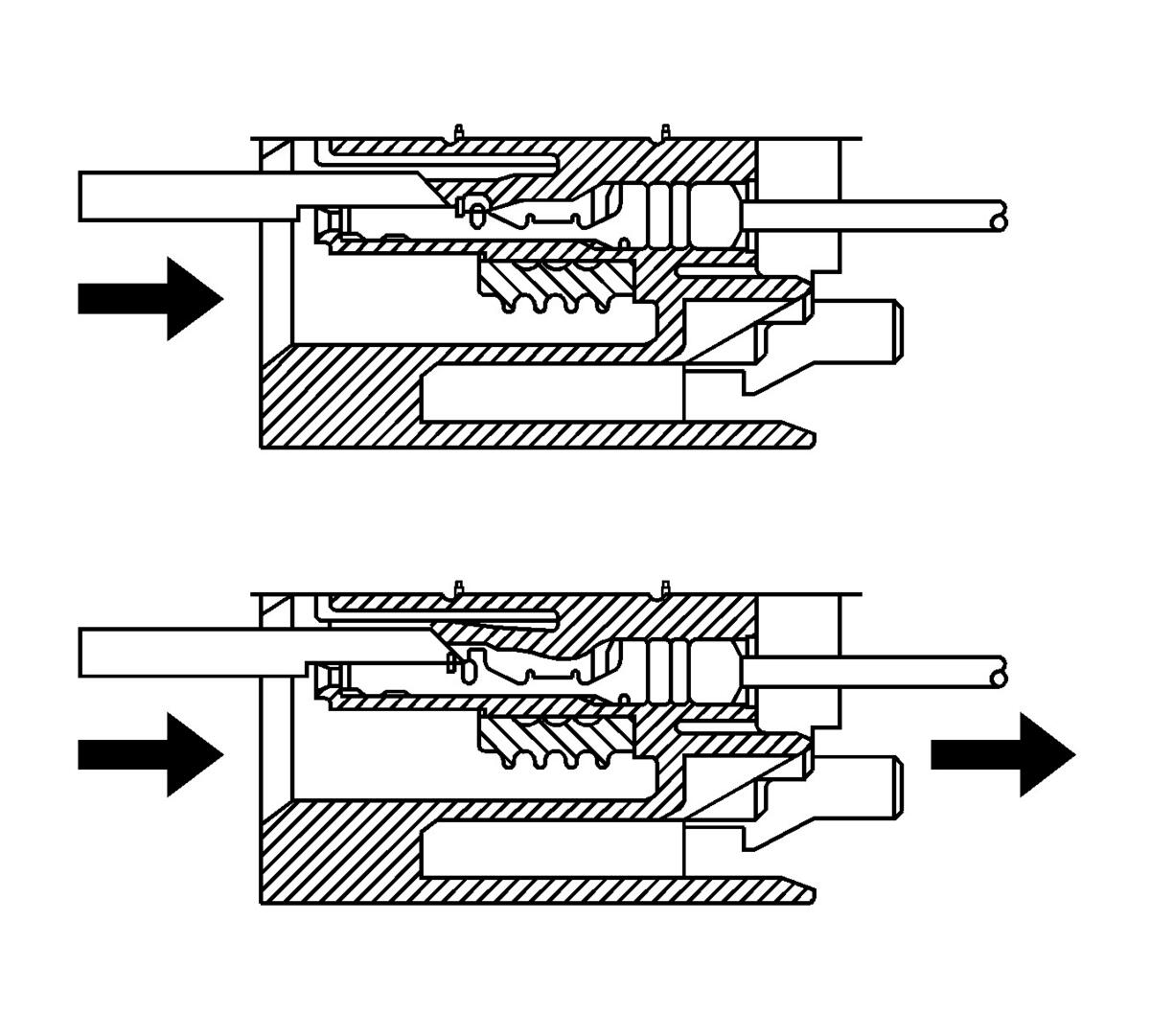 Courtesy of GENERAL MOTORS CORP.
- The illustration shows a cutaway view of the connector to aid the technician in releasing the terminal retainer.
- See the release tool cross reference in the Reference Guide of the J-38125
Terminal Repair Kit to ensure that the correct release tool is used.