DTC Clearance
DTC ClearanceWARNING: When performing a driving test, select a safe place where there is neither any traffic nor any traffic accident possibility and be very careful during testing to avoid occurrence of an accident.
After repair or replace malfunction part(s), clear all DTCs by performing the following procedure or using SUZUKI scan tool.
Not Using SUZUKI Scan Tool
1) Turn ignition switch OFF.
2) Using service wire (4), connect diagnosis switch terminal (2) of monitor connector (blue) (1) to ground terminal (3).
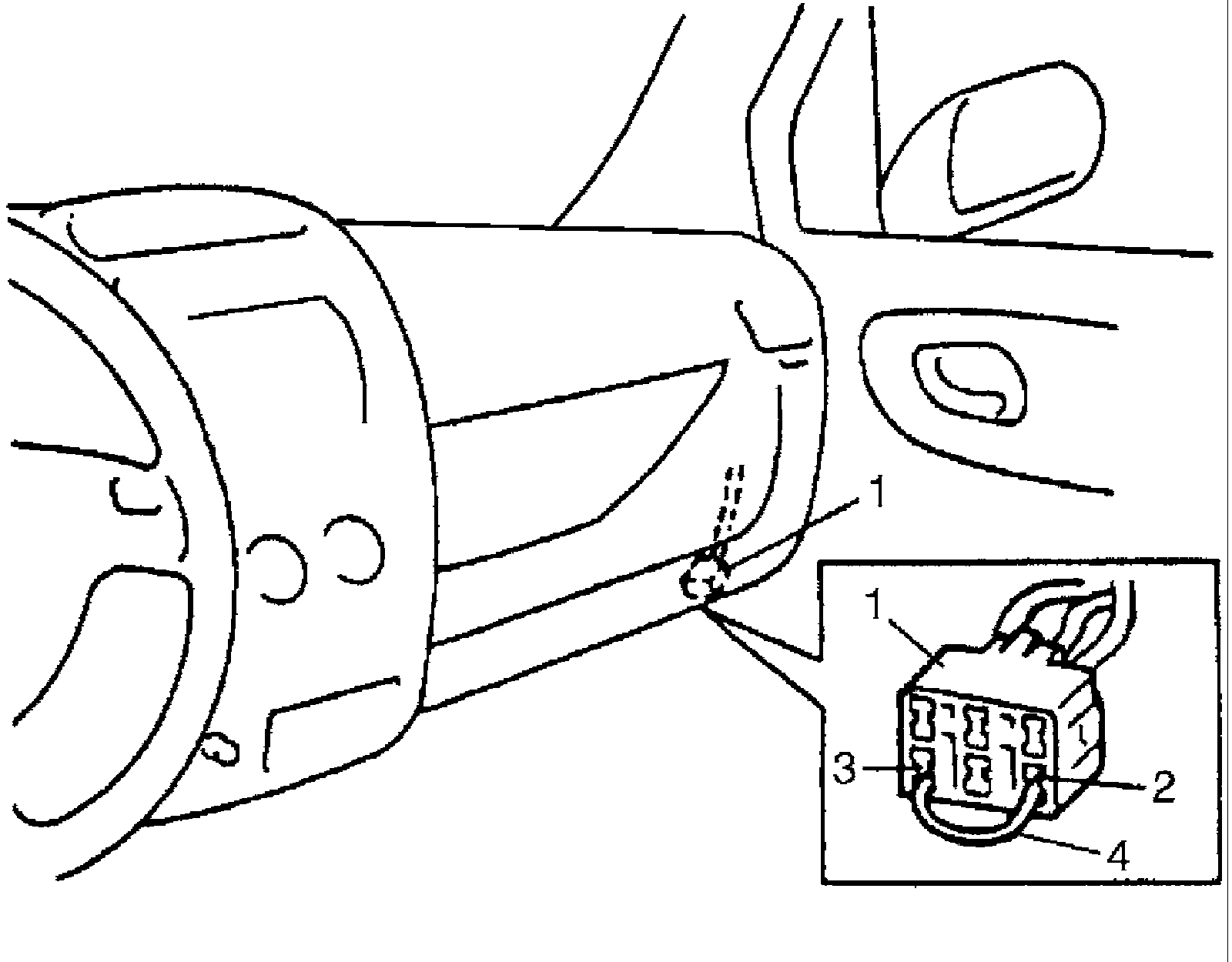
3) With connection described in Step 2 maintained, turn ignition switch ON.
4) Repeat disconnecting and reconnecting of service wire between diagnosis and ground terminals 5 times or more at about 1 sec. interval within 10 seconds.
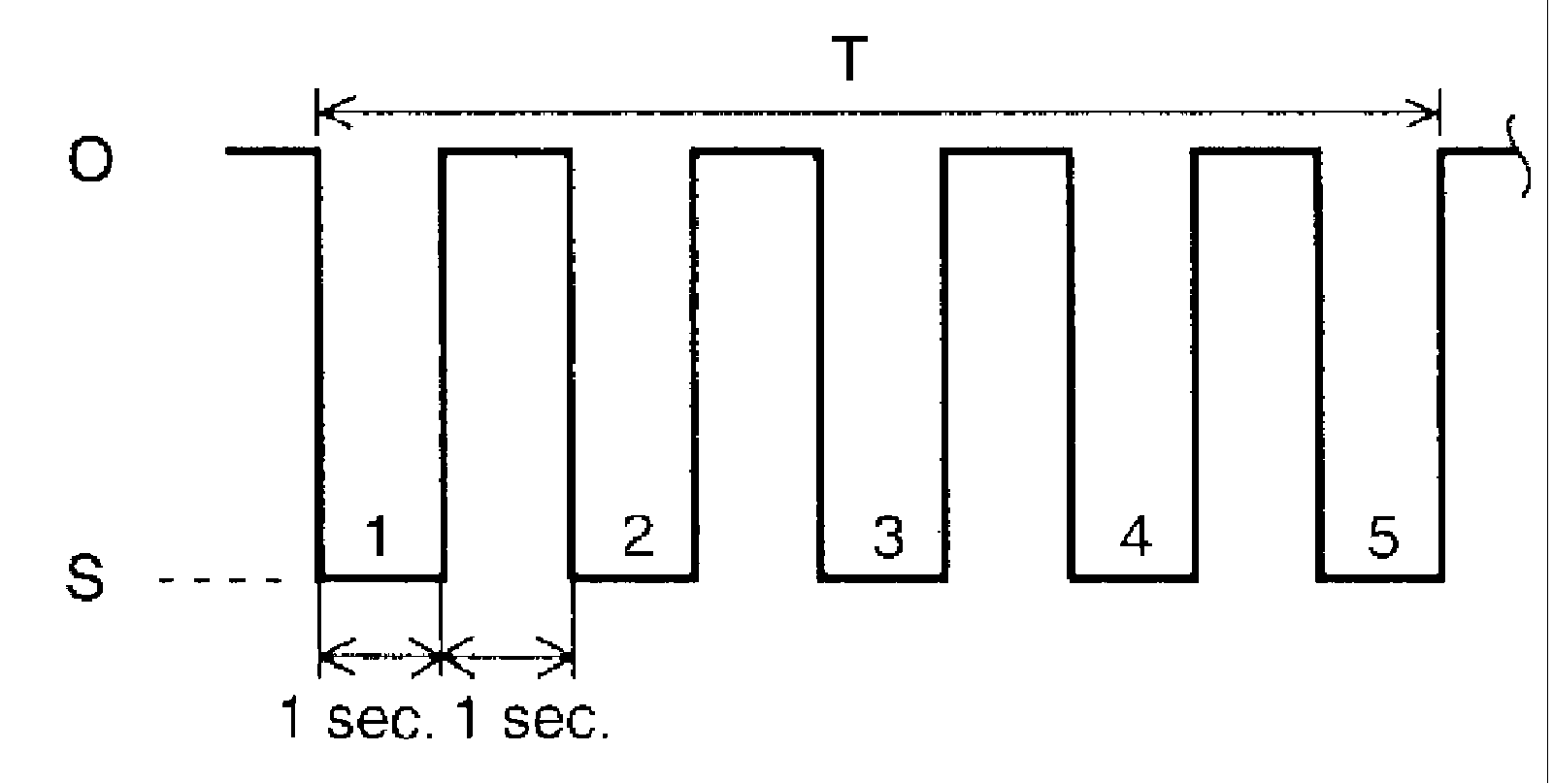
5) Turn ignition switch OFF and disconnect service wire from monitor coupler.
6) Perform "Driving Test" (Step 2 of ABS Check) and DTC Check and confirm that normal DTC (DTC 12) is displayed; not malfunction DTC.
Using SUZUKI Scan Tool
1) Connect SUZUKI scan tool to data link connector in the same manner as when making this connection for DTC check.
2) Turn ignition switch to ON position.
3) Erase DTC according to instructions displayed on scan tool. Refer to scan tool operator's manual for further derails.
4) After completing the clearance, turn ignition switch OFF and disconnect scan tool from data link connector.
5) Perform "Driving Test" (Step 2 of ABS Check) and DTC Check and confirm that No. DTC is displayed on scan tool.