With Generic Scan Tool
DTC ClearanceUsing SUZUKI Scan Tool
1. Turn ignition switch to OFF position.
2. Connect SUZUKI scan tool to data link connector (DLC) (1).
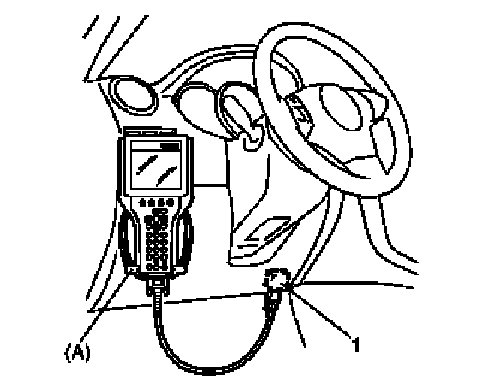
Special Tool
(A): SUZUKI scan tool
3. Turn ignition switch to ON position.
4. Erase DTC according to instructions displayed on SUZUKI scan tool. Refer to SUZUKI scan tool operator's manual for further details.
5. After completing the clearance, turn ignition switch to OFF position and disconnect SUZUKI scan tool from DLC.
6. Perform DTC Check and confirm if normal DTC (NO CODES) is displayed. With Manufacturer's Scan Tool
Not Using SUZUKI Scan Tool
1. Display history DTC by HVAC control module referring to "Not Using SUZUKI Scan Tool" under DTC Check.
2. Confirm display DTC and light "DEF" indicator lamp (1).
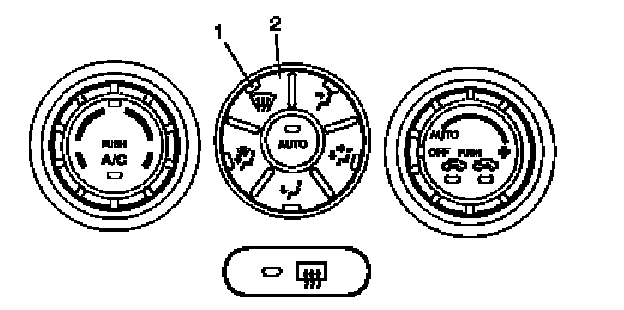
3. Push "DEF" switch (2) at 5 seconds or more.
4. After completing the clearance, turn ignition switch OFF position.
5. Perform DTC Check, and confirm if normal DTC is displayed and if any other DTC is detected. With Manufacturer's Scan Tool