Displaying DTC on Odometer - Method-3
- Turn ignition switch OFF.
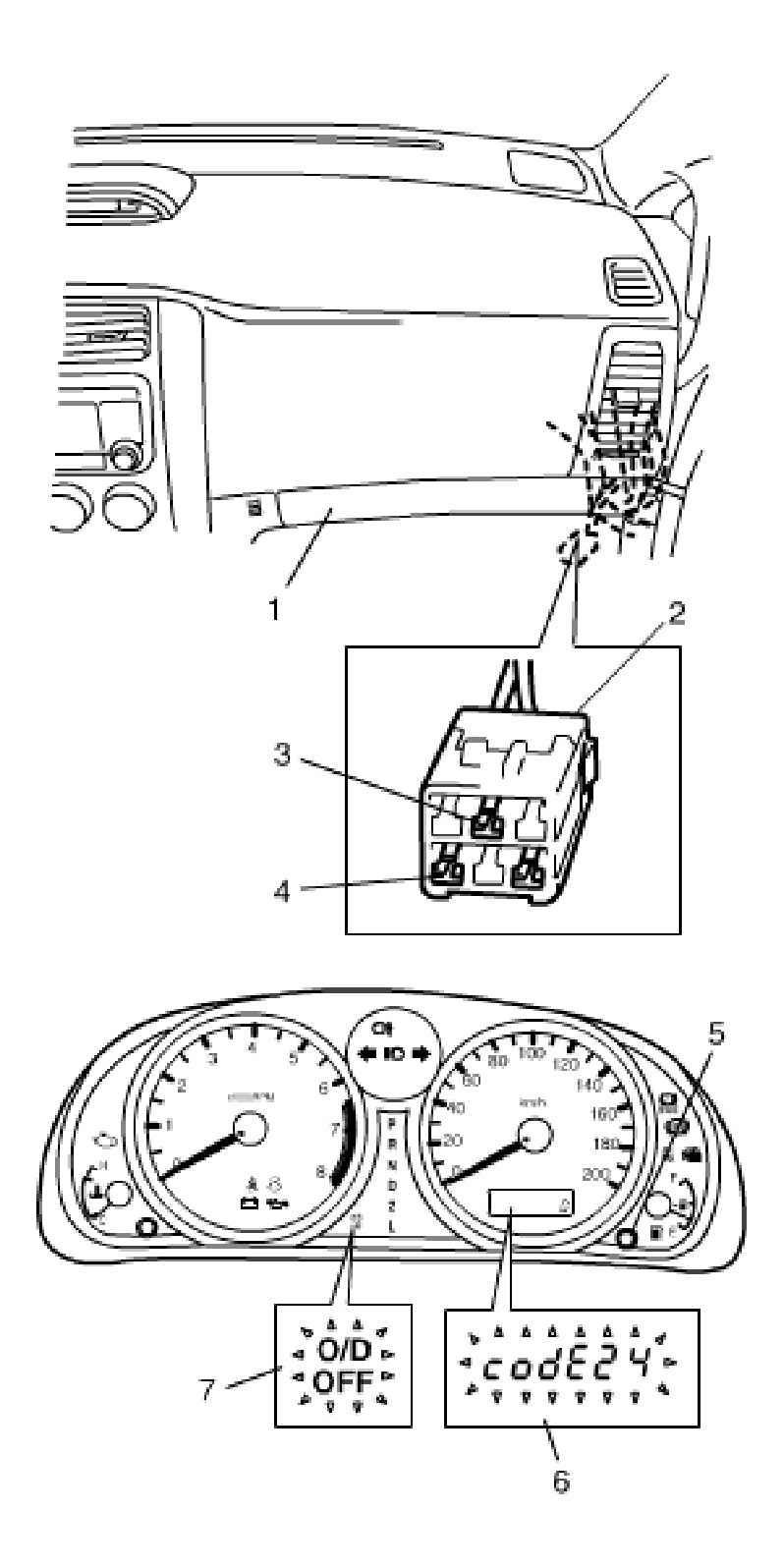
- Remove glove box (1) from instrument panel.
- Using service wire, connect diagnosis switch terminal (3) with ground terminal (4) of monitor connector (color in Blue) (2).
- Turn ignition switch ON and set the display of combination meter to odometer.
- Press reset button (5) and hold on pressing it.
- Read DTC displayed on odometer (6). (For example, DTC No. 24 is displayed on odometer in the figure.)
- After completing the check, release reset switch, turn ignition switch OFF and disconnect service wire from monitor connector (2).
 Courtesy of SUZUKI OF AMERICA CORP.