Not using SUZUKI scan tool
- Perform "Low Tire Pressure Warning Light Check".
- Open driver side door.
- Perform the following Steps a) to c) within 18 seconds after ignition switch turned ON.
- Press driver side door switch by hand within 5 seconds after ignition switch turned ON. Keep the switch pressed for 2 seconds.
- Release driver side door switch and then press driver side door switch for 2 seconds or more by hand.
- Release driver side door switch and then press driver side door switch for 5 seconds or more by hand.
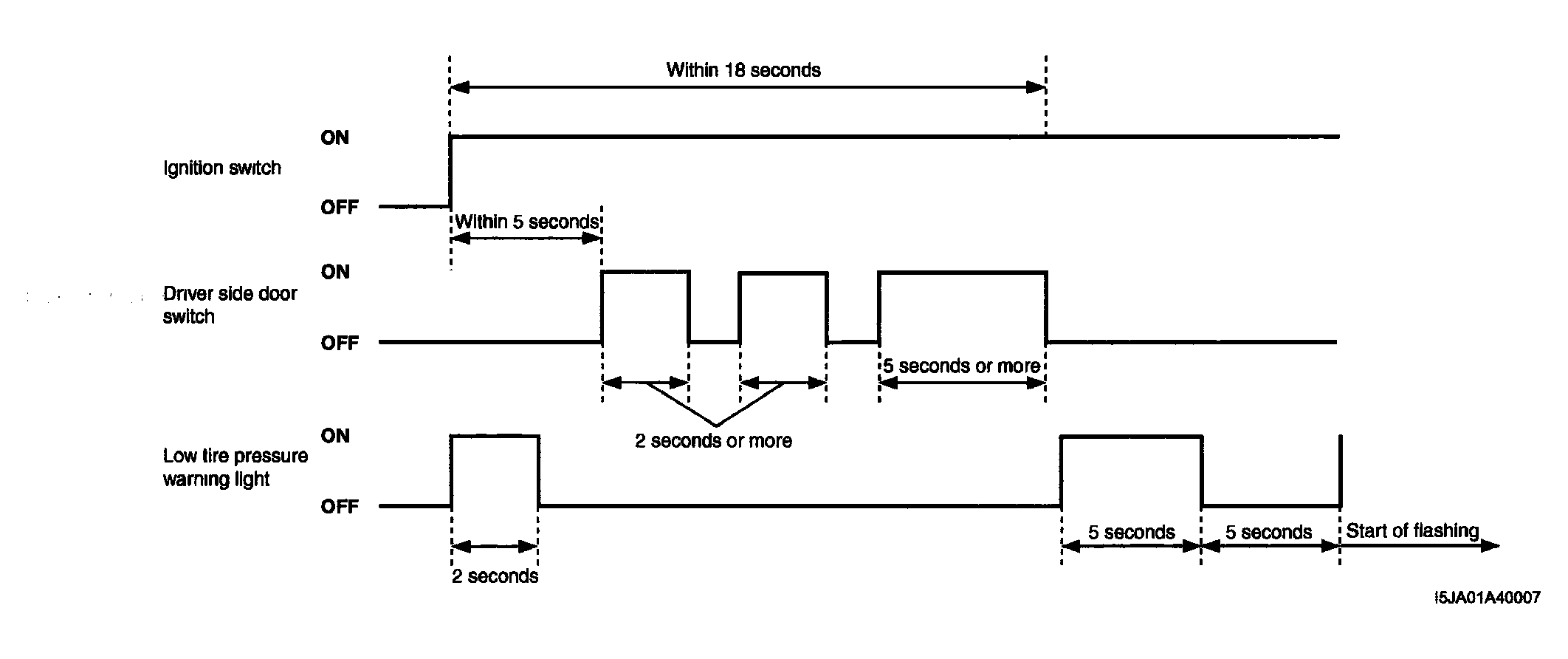 Courtesy of SUZUKI OF AMERICA CORP.
- Read flashing pattern of low tire pressure warning light which represents DTC as shown in example below and write it down. When more than 2 DTCs are stored in memory, DTCs are indicated in ascending order.
NOTE:
- DTCs are indicated repeatedly until the ignition switch is turned OFF.
- DTCs are output after the low tire pressure warning light lights up for 5 seconds and turns off for 5 seconds. Also, when a DTC is indicated repeatedly, the low tire pressure warning light lights up and turns off for 5 seconds respectively before the same DTC is indicated again.
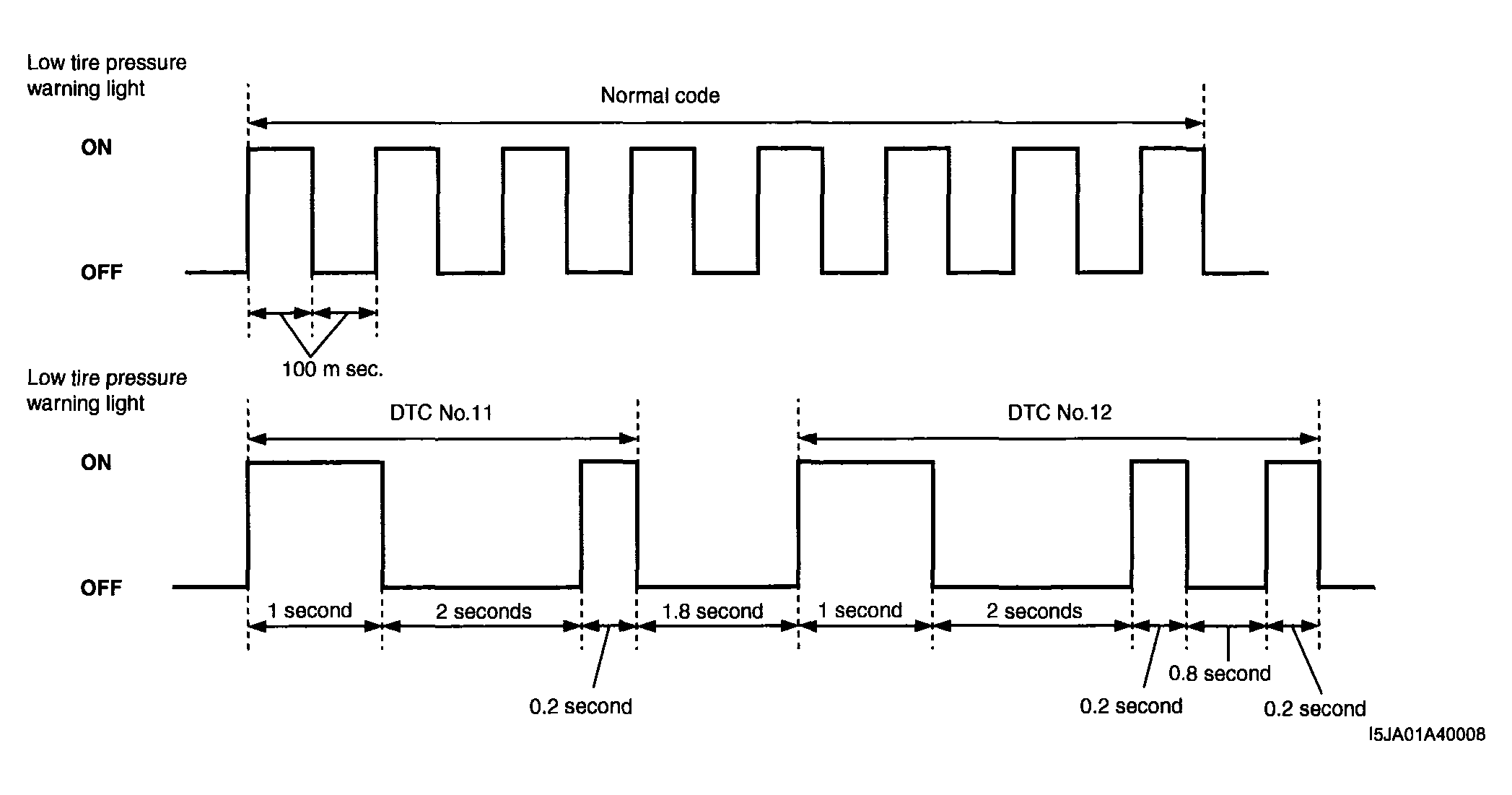 Courtesy of SUZUKI OF AMERICA CORP.
- After completing the check, turn ignition switch to OFF position.