Not Using SUZUKI Scan Tool
- Turn ignition switch OFF.
- Using service wire (4), connect diagnosis switch terminal (2) of monitor connector (blue) (1) to ground terminal (3).
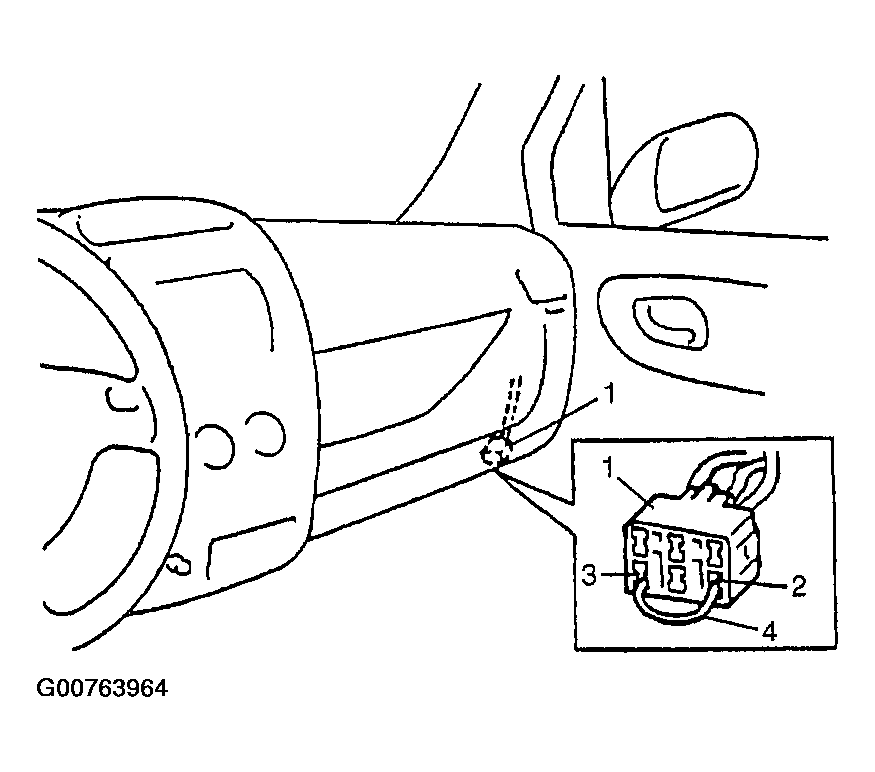 Courtesy of SUZUKI OF AMERICA CORP.
- With connection described in Step 2
maintained, turn ignition switch ON.
- Repeat disconnecting and reconnecting of service wire between diagnosis and ground terminals 5 times or more at about 1 sec. interval within 10 seconds.
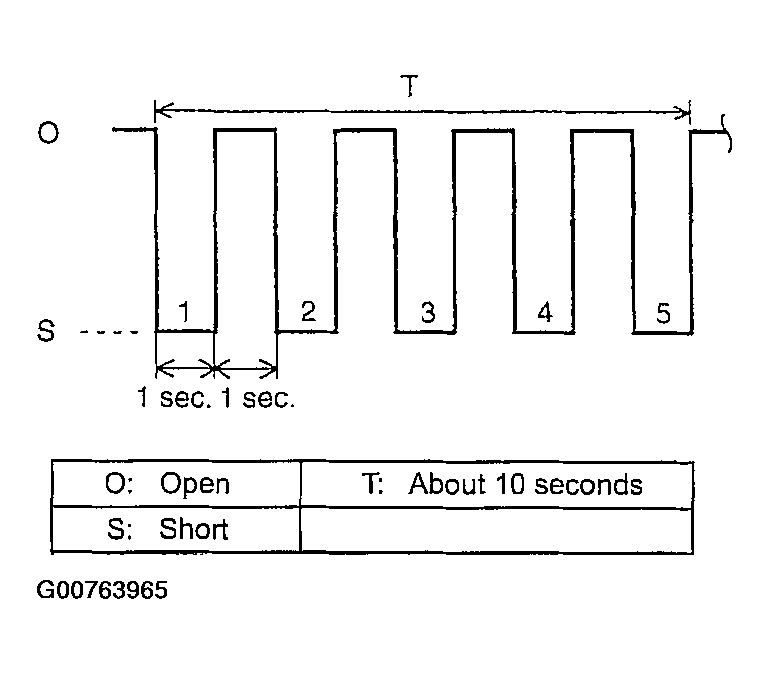 Courtesy of SUZUKI OF AMERICA CORP.
- Turn ignition switch OFF and disconnect service wire from monitor coupler.
- Perform Step 2: Driving Test
(Step 2 of ABS Check
) and DTC Check
and confirm that normal DTC (DTC 12) is displayed; not malfunction DTC.