Ignition Switch & Column Lock: Installation
- Line up oblong hole of steering shaft with center of steering column hole. Turn ignition switch to ACC or ON position. Install steering lock and ignition switch assembly to steering column. Turn ignition switch to LOCK position. Remove key from ignition switch. Align hub for steering lock with oblong hole of steering column. Ensure steering shaft is locked. See Fig 1.
- Install 2 NEW shear bolts. Tighten shear bolt evenly, until each head breaks off. See Fig 2. Turn ignition switch to ACC or ON position. Rotate steering wheel and ensure steering column does not bind and movement is smooth.
- Turn ignition switch to OFF position. Remove keys from ignition switch. Check steering lock for proper operation. Install remaining steering column components. To install, reverse removal procedure. Tighten nuts and bolts to specification. See TORQUE SPECIFICATIONS .
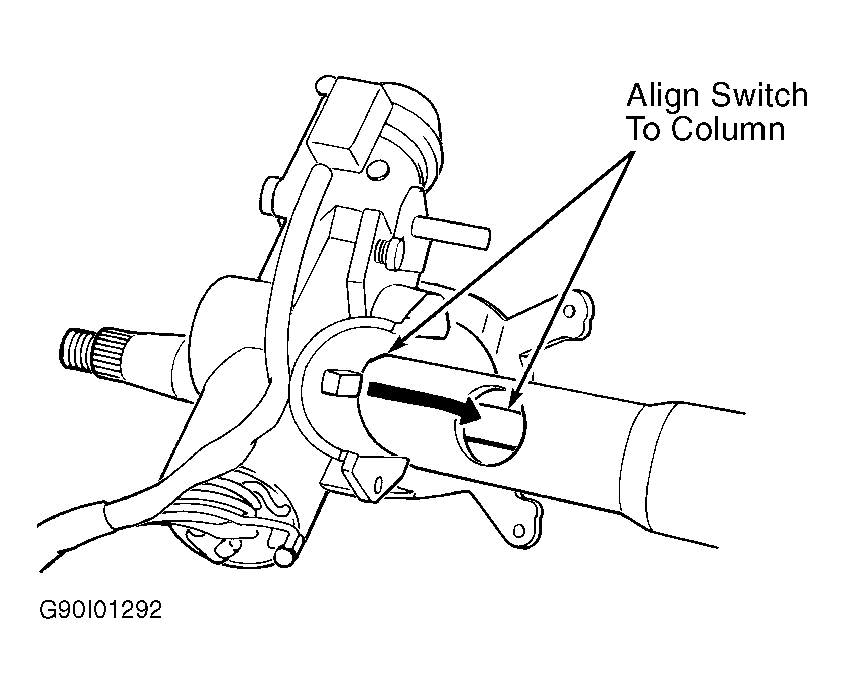 Courtesy of SUZUKI OF AMERICA CORP.
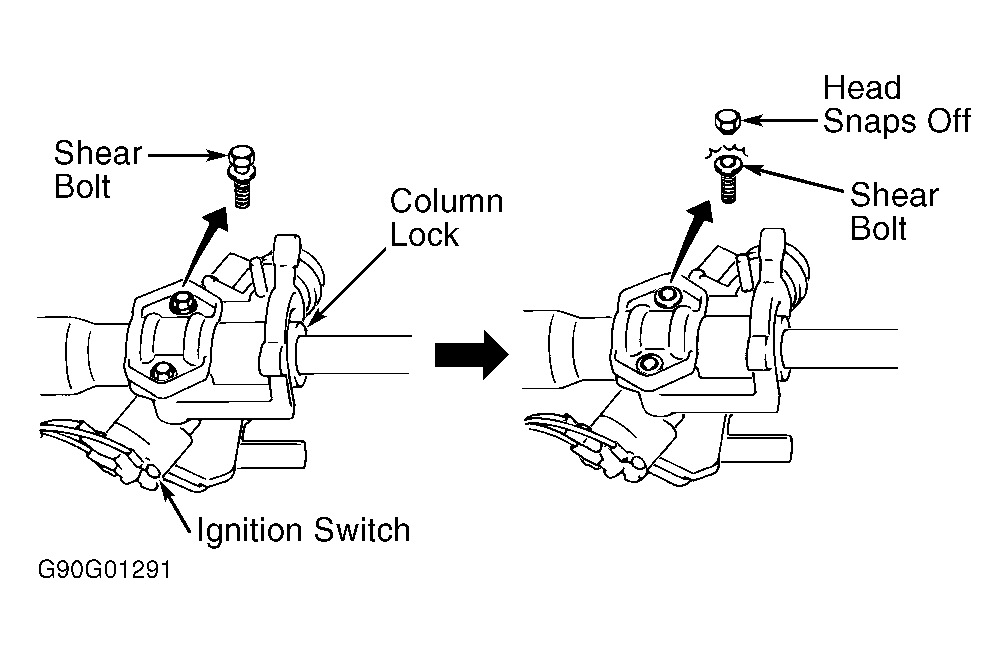 Courtesy of SUZUKI OF AMERICA CORP.