Instrumentation/Driver Info. Personalization Features Setting Procedure
INSTRUMENTATION/DRIVER INFO. PERSONALIZATION FEATURES SETTING PROCEDURE
Instrument Cluster
1. Connect the M-MDS (IDS) to the DLC-2.
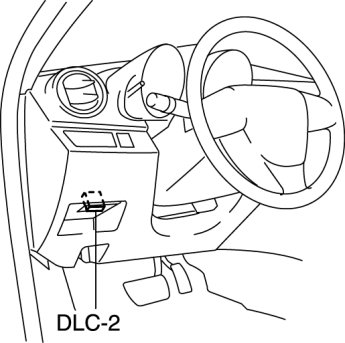
2. After the vehicle is identified, select the following items from the initial screen of the M-MDS.
- Select the "Module Programming".
3. Then, select items from the screen menu in the following order.
1 Select "Programmable Parameters".
2 Select "Warning Lamps / Chimes".
4. Select an item name, and then select option.
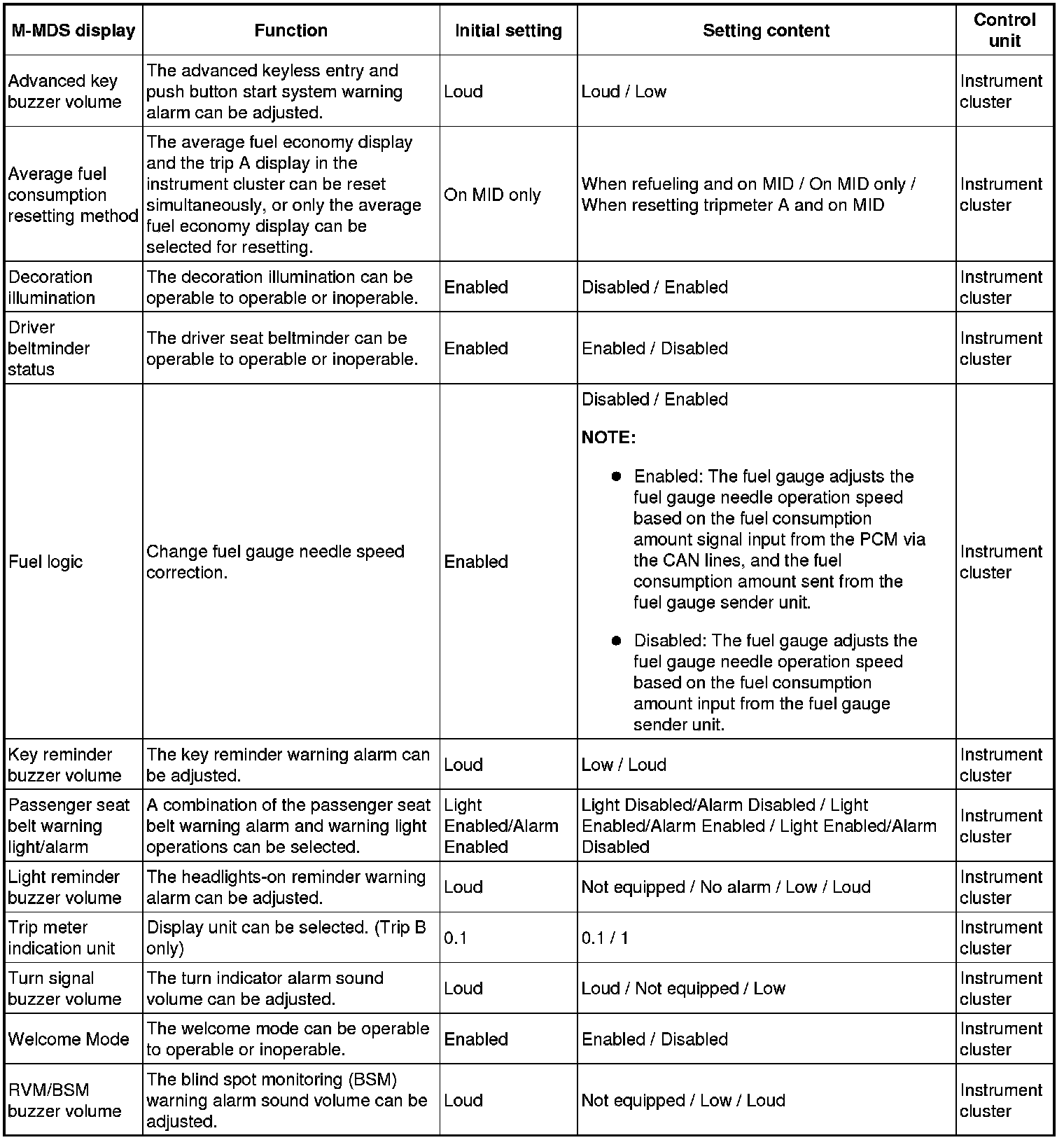
Blind Spot Monitoring (BSM) Control Module
1. Connect the M-MDS (IDS) to the DLC-2.
2. After the vehicle is identified, select the following items from the initial screen of the M-MDS.
- Select the "Module Programming".
3. Then, select items from the screen menu in the following order.
1 Select "Programmable Parameters".
2 Select "BSM".
4. Select an item name, and then select option.

Multi Information Display
1. Press the INFO switch until the SETTINGS screen is displayed.
2. Select PREFERENCES by pressing the Enter (up/down) switch up or down, and then press the Enter (up/down) switch.
3. Select the setting item you want to change by pressing the Enter (up/down) switch up or down, and then press the Enter (up/down) switch.
4. Select the desired setting by pressing the Enter (up/down) switch up or down, and then press the Enter (up/down) switch.
