Body Control Module (BCM) Configuration
BODY CONTROL MODULE (BCM) CONFIGURATION
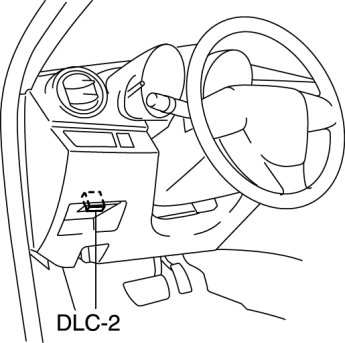
1. Connect the M-MDS to DLC-2.
2. After the vehicle is identified, select the following items from the initial screen of the M-MDS.
- When using the IDS (laptop PC)
1 Select "Module Programming".
2 Select "Programmable Module Installation".
3 Select "BCM/GEM".
3. Perform the configuration according to the directions on the screen.
4. Retrieve DTCs by the M-MDS, then verify that there is no DTC present.
- If a DTC(s) is detected, perform the applicable DTC inspection. BCM - DTC Table