Personalization Features Setting Procedure
PERSONALIZATION FEATURES SETTING PROCEDURE
Advanced Keyless Entry And Push Button Start System
NOTE:
- Use the IDS (laptop PC) because the PDS (Pocket PC) does not support the CUSTOMIZED FUNCTION SETTING PROCEDURE.
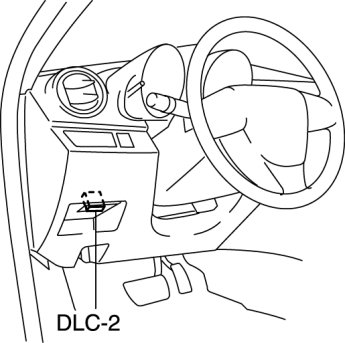
1. Connect the M-MDS to the DLC-2.
2. After the vehicle is identified, select the following items from the initial screen of the M-MDS.
- Select "Module Programming".
3. Then, select items from the screen menu in the following order.
- Select "Programmable Parameters".
- Select "RKE".
4. Select the item name, and then select option.
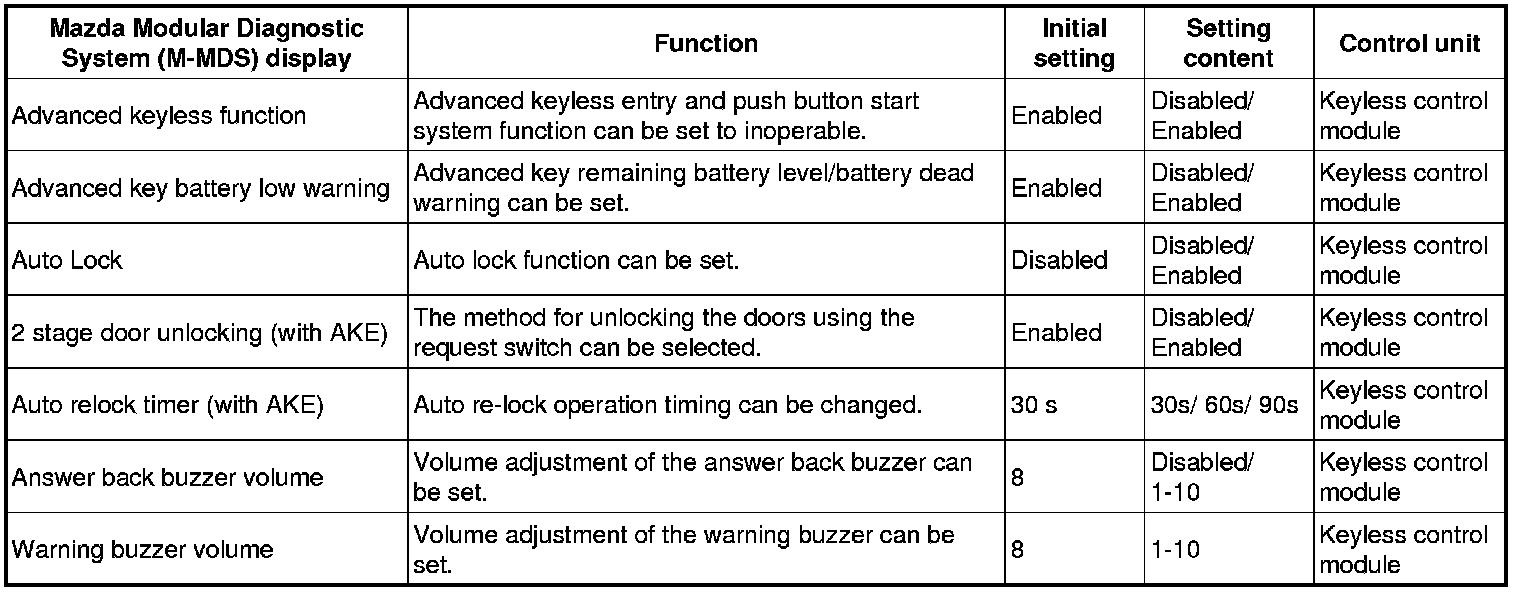
Keyless Entry Start System
- For the keyless entry system, refer to the control system personalization features setting. Control System Personalization Features Setting Procedure
Power Door Lock System
- For the power door lock system, refer to the control system personalization features setting. Control System Personalization Features Setting Procedure
Theft-deterrent System
- For the theft-deterrent system, refer to the control system personalization features setting. Control System Personalization Features Setting Procedure