A. Vehicle Inspection Procedure
A. VEHICLE INSPECTION PROCEDURE1. Verify that the vehicle is within the following ranges:
^ 2006-2007 Mazda3 built from July 1, 2005 through October 17, 2006
- 2006 VIN Range: (JM1 BK**** 61 400013-545533)
- 2007 VIN Range: (JM1 BK**** 71 600021-655250)
^ 2006-2007 Mazda5 built from April 12, 2005 through October 10, 2006
- 2006 VIN Range: (JM1 CR29** 60 100023-131283)
- 2007 VIN Range: (JM1 CR29** 70 131285-139536)
^ 2006-2007 MX-5 built from May 17, 2005 through October 11, 2006
- 2006 VIN Range: (JM1 NC2*F* 60 100060-122881)
- 2007VIN Range: (JM1 NC2*F* 70 121113-129641)
^ 2007 CX-7 WITHOUT NAVIGATION VIN Range: (JM3 ER29** 70 100058-145591) built from February 14, 2006 through October 10, 2006
- If the vehicle is within the above range, proceed to step 2.
- If the vehicle is not within the above range, return the vehicle to the customer or inventory.
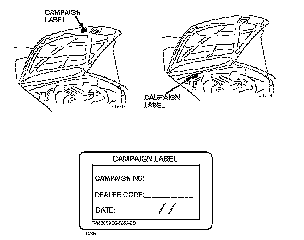
2. Perform a Warranty Vehicle Inquiry using your eMDCS System and inspect vehicle for a Campaign Label SSP69 attached to the vehicle's hood or bulkhead. Refer to eMDCS system - Warranty Vehicle Inquiry. Results table shown.
NOTE:
Verify SSP number as the vehicle may have multiple SSPs.
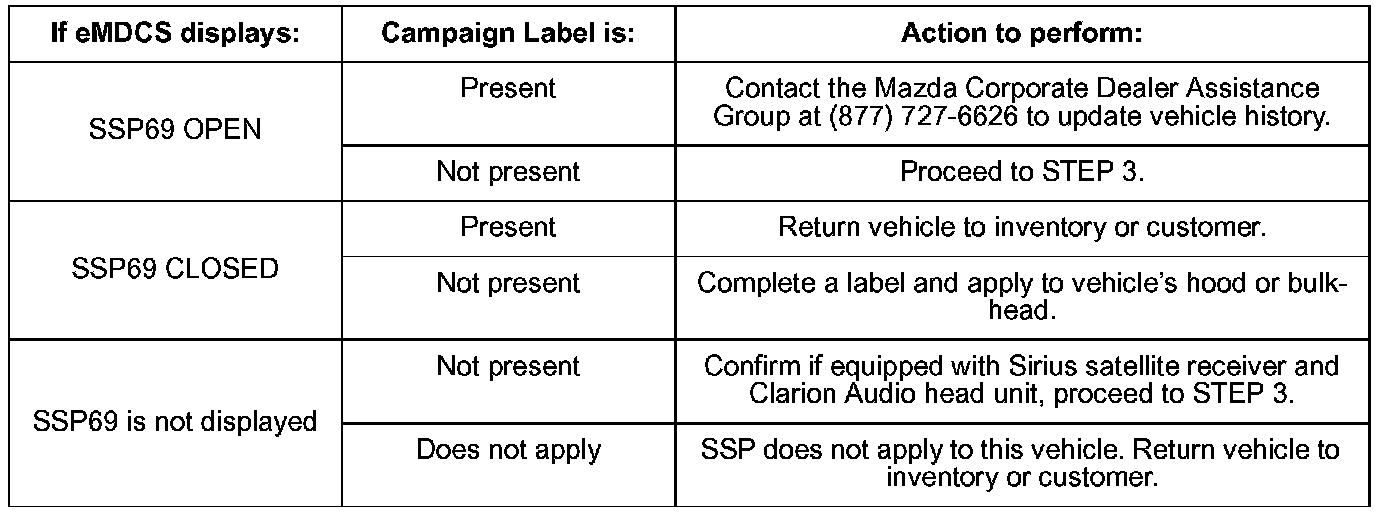
eMDCS System - Warranty Vehicle Inquiry Results
3. Verify radio head unit manufacturer:
a. Turn ignition switch ON.
b. Turn audio system ON, turn volume to zero.
c. Press and hold POWER ON/OFF knob, then press Preset # 5 button for more than 3 seconds. The information/radio display will show the manufacturer as a code. Refer to the table below.
- If M-03 IS displayed, proceed to STEP 4.
- If M-03 IS NOT displayed, return the vehicle to the customer or inventory.
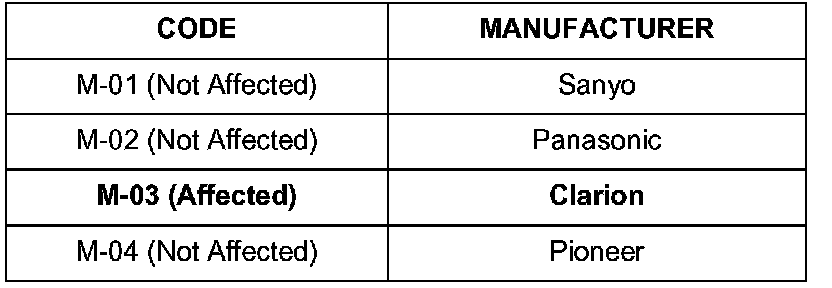
RADIO HEAD UNIT MANUFACTURER CODES
4. Verify software version:
a. Turn ignition ON.
b. Ensure audio system is OFF
c. Press and hold the MEDIA, Preset # 5, and Preset # 6 buttons simultaneously. The information/radio display will show the software version. Document the software version for use later in the procedure.
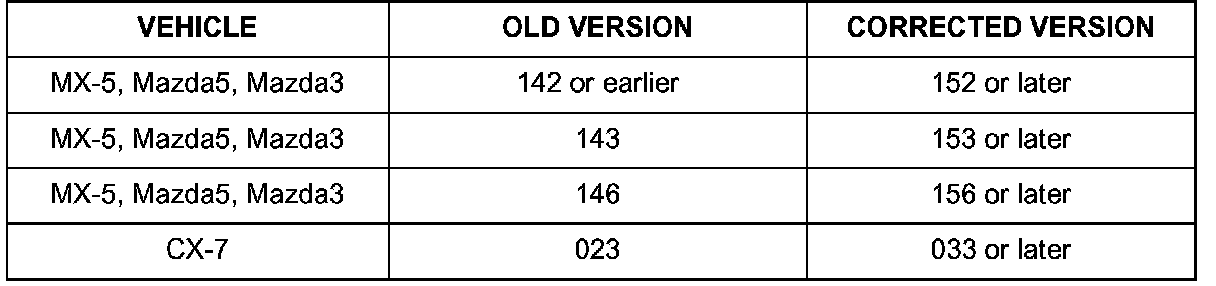
- If the software version is the old version according to the table, proceed to appropriate "REPAIR PROCEDURE" for the vehicle.
- If the software version is not the old version according to the table, return the vehicle to the customer or inventory.
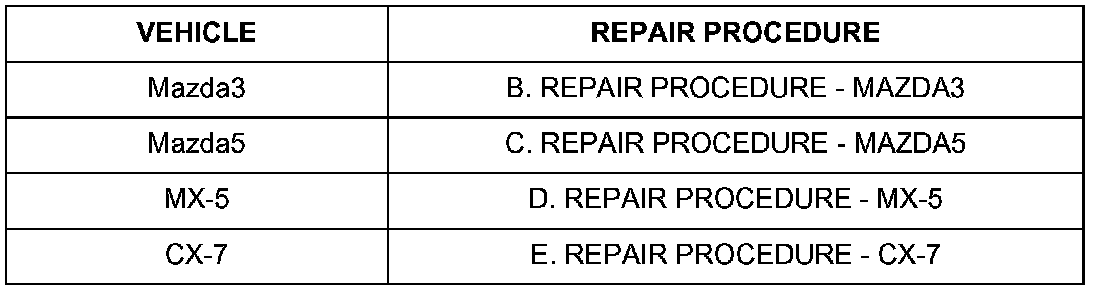
REPAIR PROCEDURE REFERENCE