September 30: LEMON manuals is back up on a temporary server! Slowness is possible
Operation Procedure
- Start the engine.
- Turn the audio system OFF.
- While pressing the "4" button, turn the volume control dial clockwise or counterclockwise for 30 clicks or more. (When the self-diagnosis mode is started, a short beep will be heard.)
- Shifting from current screen to previous screen is performed by pressing "BACK" button.
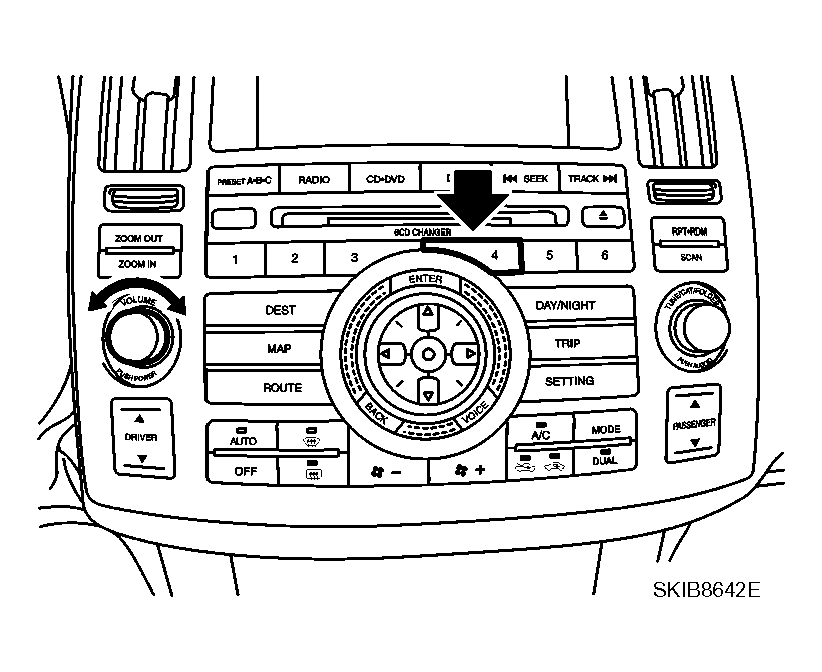 Courtesy of NISSAN MOTOR CO., U.S.A.
- The initial trouble diagnosis screen will be shown, and items "Self Diagnosis (DCU)""Self Diagnosis (NAVI)""Confirmation/Adjustment" and "CAN DIAG SUPPORT MONITOR" will become selective.
- Select "Confirmation/Adjustment".
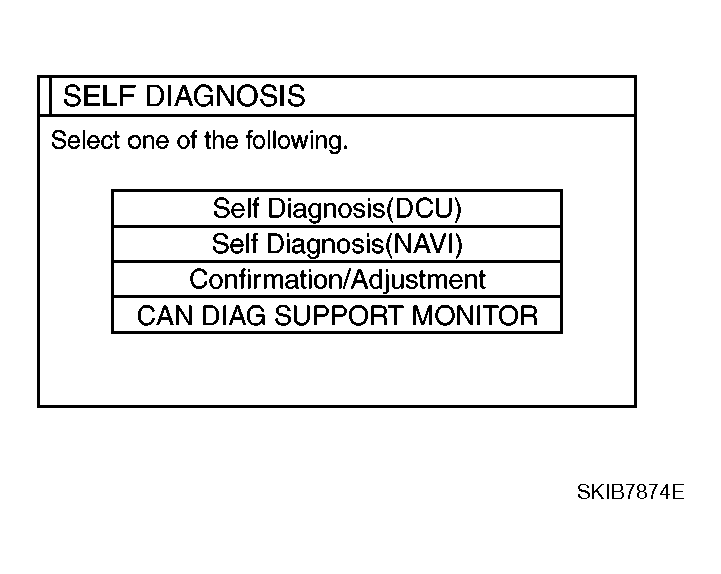 Courtesy of NISSAN MOTOR CO., U.S.A.
- Each diagnosis is shown by selecting each screen switch on Confirmation/Adjustment screen.
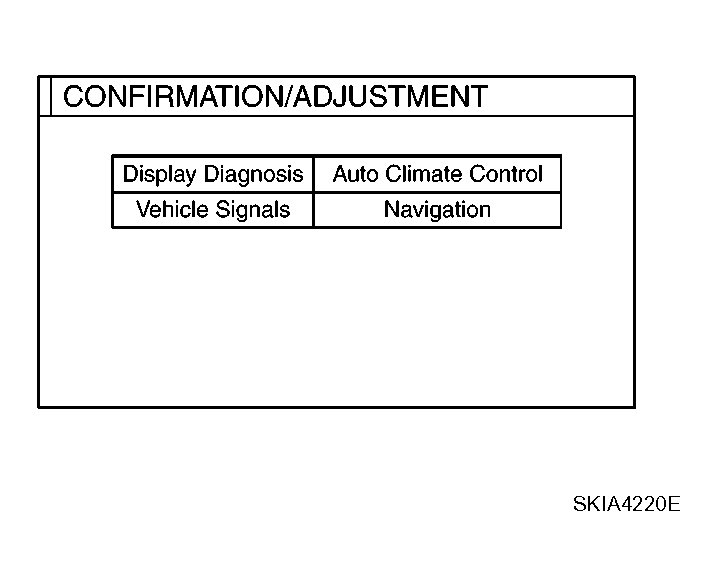 Courtesy of NISSAN MOTOR CO., U.S.A.