October 30: LEMON manuals on a temporary server, it is slow and having issues, download the manuals you need! Later in November we will switch back to the fast server.
Smart Key Code Saving
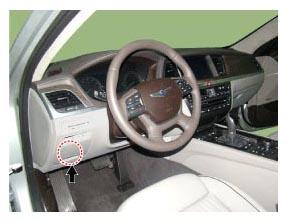
- Connect the DLC cable of KDS/GDS to the data link connector (16 pins) in driver side crash pad lower panel, turn the power on KDS/GDS.
 Courtesy of HYUNDAI MOTOR AMERICA Courtesy of HYUNDAI MOTOR AMERICA
|
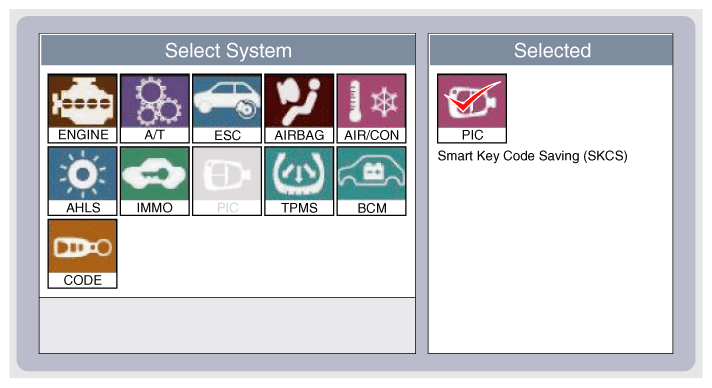
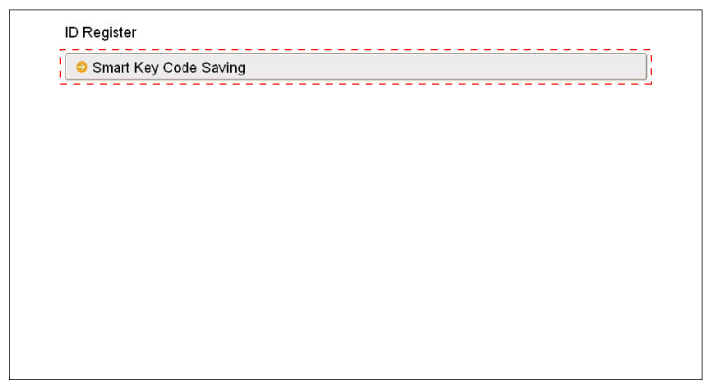
- Select the vehicle model and then do "Smart Key Code Saving".
 Courtesy of HYUNDAI MOTOR AMERICA Courtesy of HYUNDAI MOTOR AMERICA
|
 Courtesy of HYUNDAI MOTOR AMERICA Courtesy of HYUNDAI MOTOR AMERICA
|
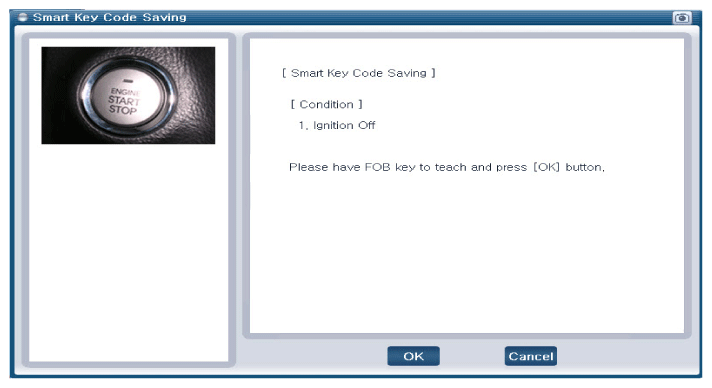
- After selecting "Smart Key Teaching" menu, push "Enter" key, then the screen will be displayed below.
 Courtesy of HYUNDAI MOTOR AMERICA Courtesy of HYUNDAI MOTOR AMERICA
|
- After having the teaching smart key, push "ENTER" key.
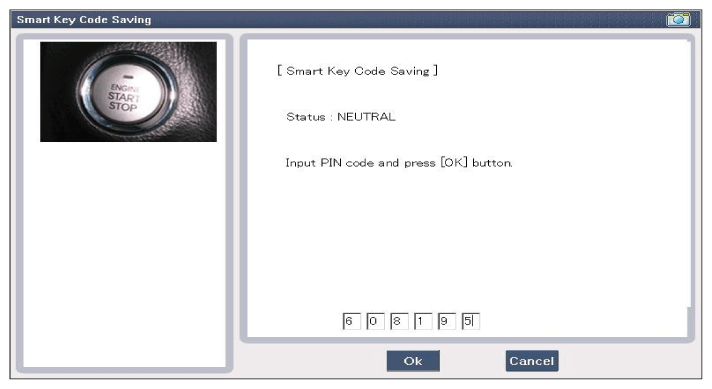
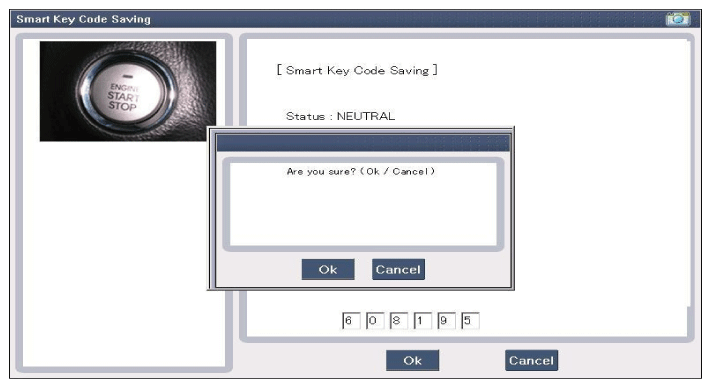
- Input the "Pin Code" for first key teaching.
 Courtesy of HYUNDAI MOTOR AMERICA Courtesy of HYUNDAI MOTOR AMERICA
|
 Courtesy of HYUNDAI MOTOR AMERICA Courtesy of HYUNDAI MOTOR AMERICA
|
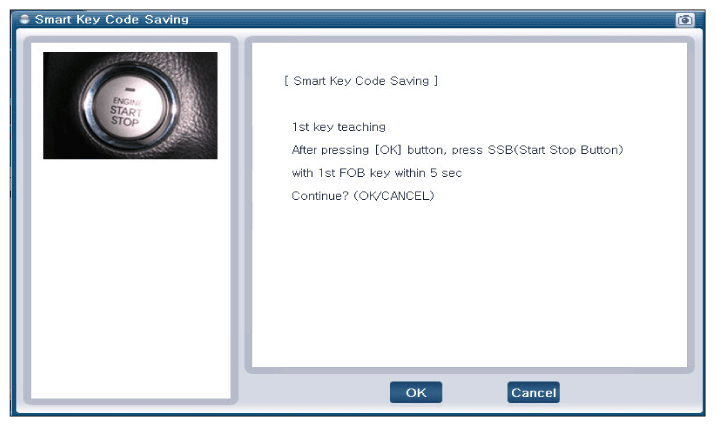
- Press the SSB with smart key within 5 sec after pressing "OK".
 Courtesy of HYUNDAI MOTOR AMERICA Courtesy of HYUNDAI MOTOR AMERICA
|
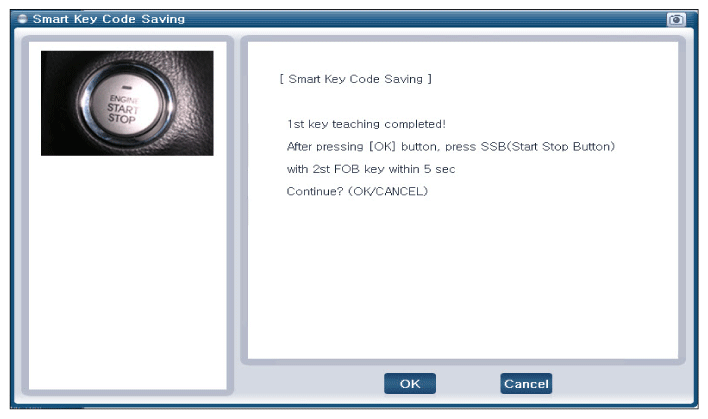
- Confirm the message "First Key Teaching Completed".
 Courtesy of HYUNDAI MOTOR AMERICA Courtesy of HYUNDAI MOTOR AMERICA
|
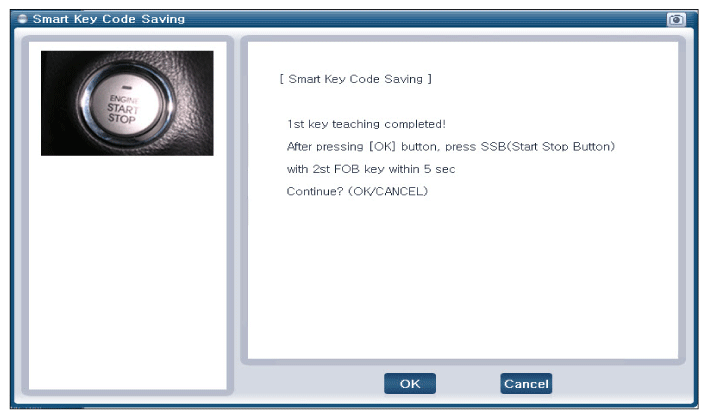
- Press the SSB with smart key within 5 sec after pressing "OK".
 Courtesy of HYUNDAI MOTOR AMERICA Courtesy of HYUNDAI MOTOR AMERICA
|
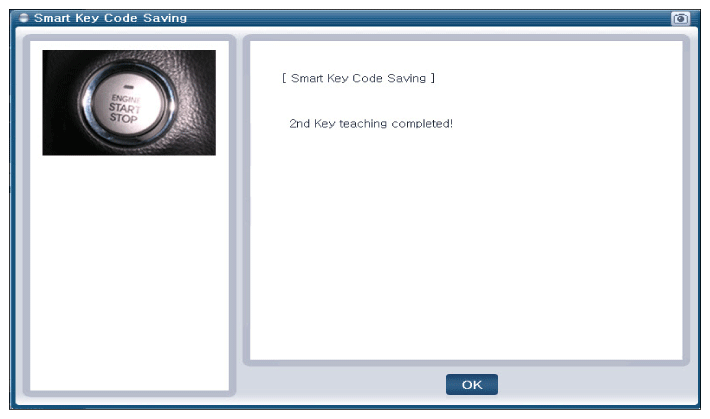
- Confirm the message "Second Key Teaching Completed".
 Courtesy of HYUNDAI MOTOR AMERICA Courtesy of HYUNDAI MOTOR AMERICA
|
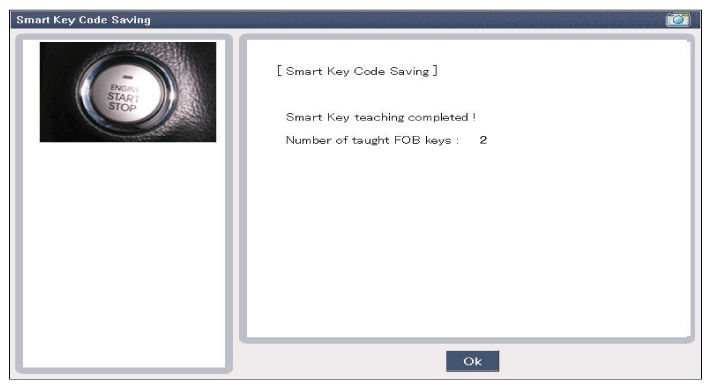
- Then the screen will be displayed below when key teaching process is completed.
 Courtesy of HYUNDAI MOTOR AMERICA Courtesy of HYUNDAI MOTOR AMERICA
|