Occupant Classification System Module (OCSM) - Power Seat Track
OCCUPANT CLASSIFICATION SYSTEM MODULE (OCSM) - POWER SEAT TRACK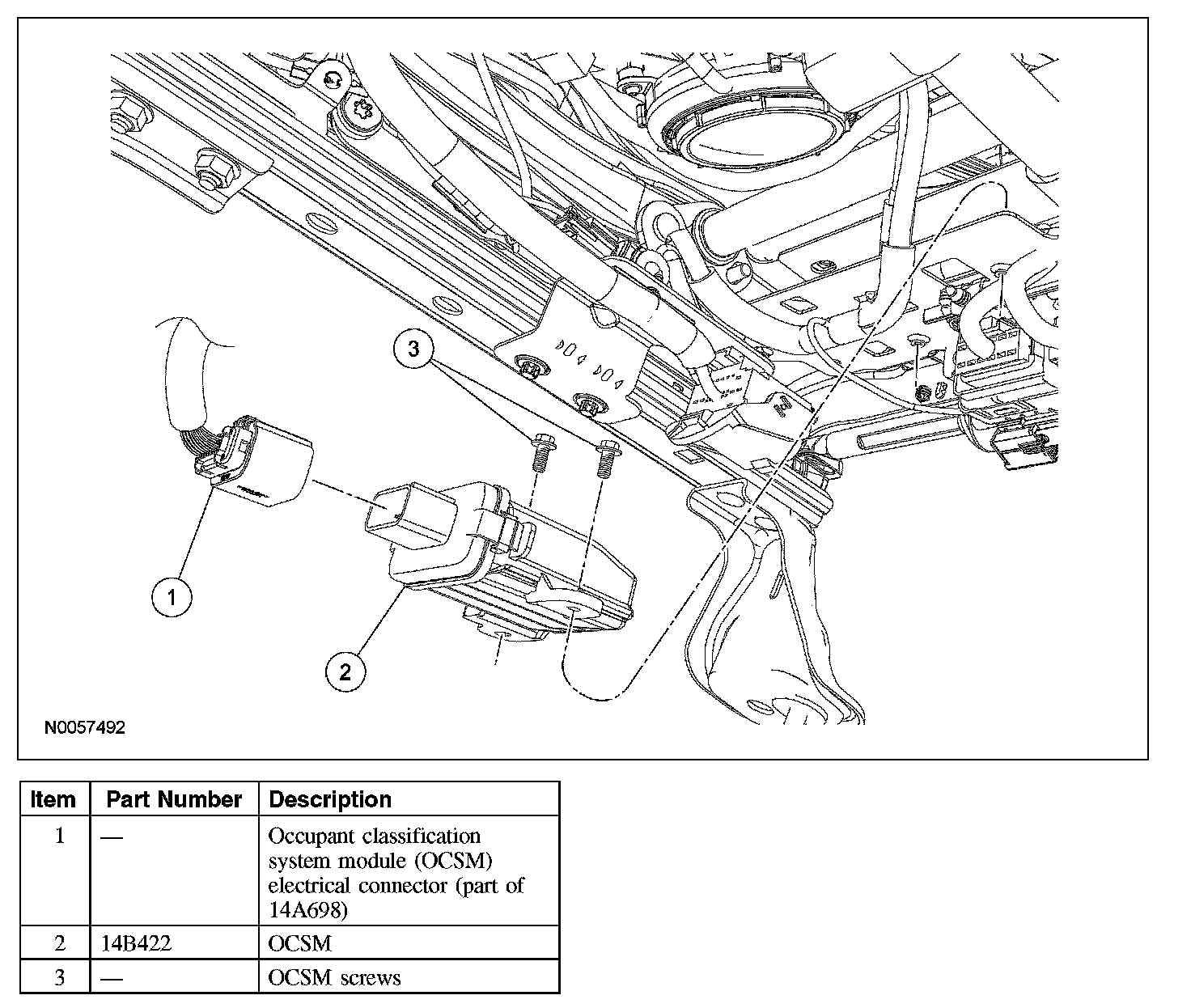
Removal and Installation
WARNING: Use care when handling the front passenger seat and track assembly. Dropping the assembly, placing excessive weight on or sitting on a front passenger seat that is not secured in the vehicle may result in damaged seat components. Failure to follow these instructions may result in incorrect operation of the occupant classification sensor (OCS) system and increases the risk of serious personal injury or death in a crash.
NOTE:
- The air bag warning indicator illuminates when the restraints control module (RCM) fuse is removed and the ignition switch is ON. This is normal operation and does not indicate a supplemental restraint system (SRS) fault.
- The SRS must be fully operational and free of faults before releasing the vehicle to the customer.
- Repair is made by installing a new part only. If the new part does not correct the condition, install the original part and carry out the diagnostic procedure again.
1. Remove the front passenger seat.
2. Disconnect the occupant classification system module (OCSM) electrical connector.
3. Remove the 2 screws and OCSM.
4. To install, reverse the removal procedure.
5. Install the front passenger seat. Do not prove out the SRS at this time.
6. Repower the SRS. Do not prove out the SRS at this time.
7. Carry out the appropriate procedure after installation of an OCSM.
- If installing the original OCSM, carry out the Zero Seat Weight Test. Zero Seat Weight Test
- If installing a new OCSM, carry out the System Reset procedure. Programming and Relearning