Entry Lights Control System Control Unit Input Test
Entry Lights Control System Control Unit Input Test
NOTE:Before testing, troubleshoot the multiplex integrated control system first, using B-CAN System Diagnosis Test Mode A. Troubleshooting - B-CAN System Diagnosis Test Mode A
Driver's MICU
1. Turn the ignition switch to LOCK (0), or press the engine start/stop button to select the OFF mode.
2. Remove the driver's dashboard undercover. Driver's Dashboard Undercover Removal/Installation
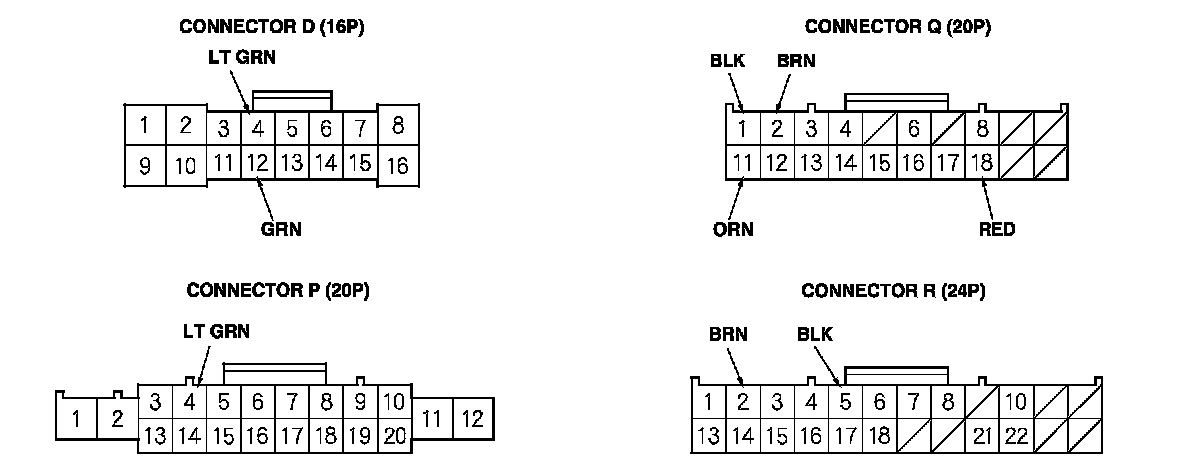
3. Disconnect driver's under-dash fuse/relay box connectors D, P, Q, and R.
NOTE: All connector views are wire side of female terminals.
4. Inspect the connector and socket terminals to be sure they are all making good contact.
- If the terminals are bent, loose or corroded, repair them as necessary, and recheck the system.
- If the terminals look OK, go to step 5.
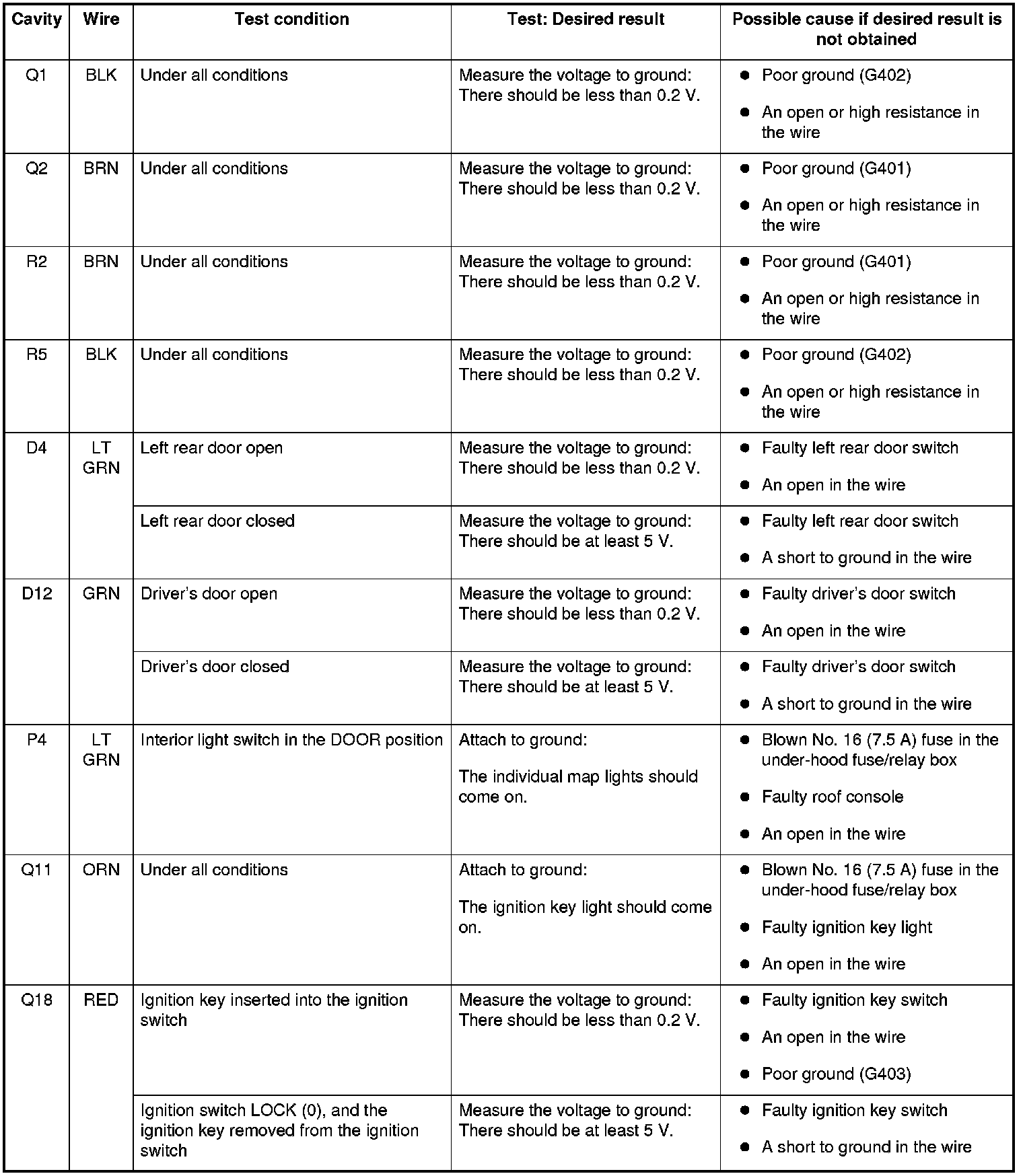
5. Reconnect the connectors to the driver's under-dash fuse/relay box, and do these input tests at the following connectors.
- If any test indicates a problem, find and correct the cause, then recheck the system.
- If all the input tests prove OK, go to step 6.
Passenger's MICU
6. Turn the ignition switch to LOCK (0), or press the engine start/stop button to select the OFF mode, and remove the right kick panel. Interior Trim Removal/Installation - Front Door Sill Area
7. Disconnect passenger's under-dash fuse/relay box connectors A, E, and G*1 (or H*2).
*1: Without SH-AWD
*2: With SH-AWD
NOTE: All connector views are wire side of female terminals.
8. Inspect the connector and socket terminals to be sure they are all making good contact.
- If the terminals are bent, loose or corroded, repair them as necessary and recheck the system.
- If the terminals look OK, go to step 9.
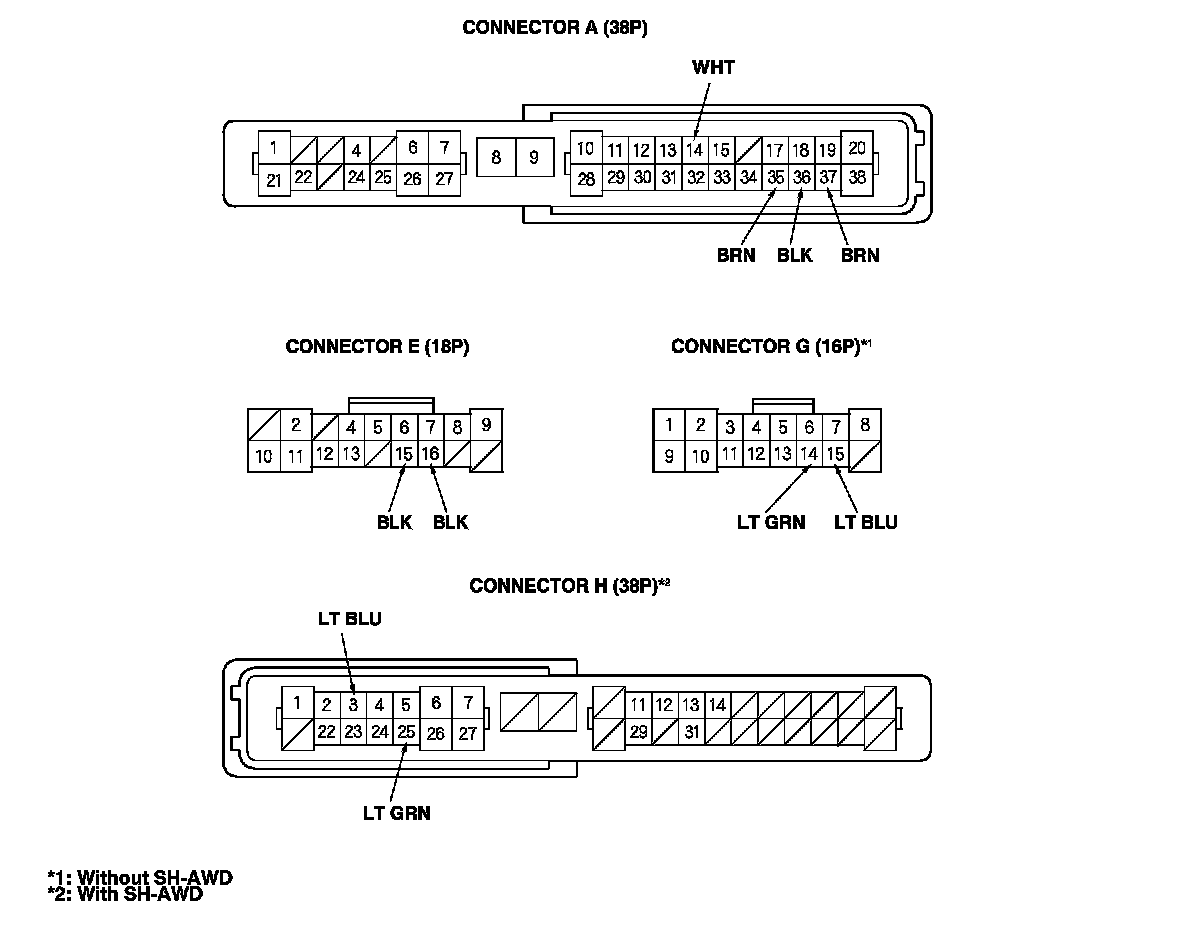
9. Reconnect the connectors to the passenger's under-dash fuse/relay box, and do these input tests at the following connectors.
- If any test indicates a problem, find and correct the cause, then recheck the system.
- If all the input tests prove OK, go to step 10.
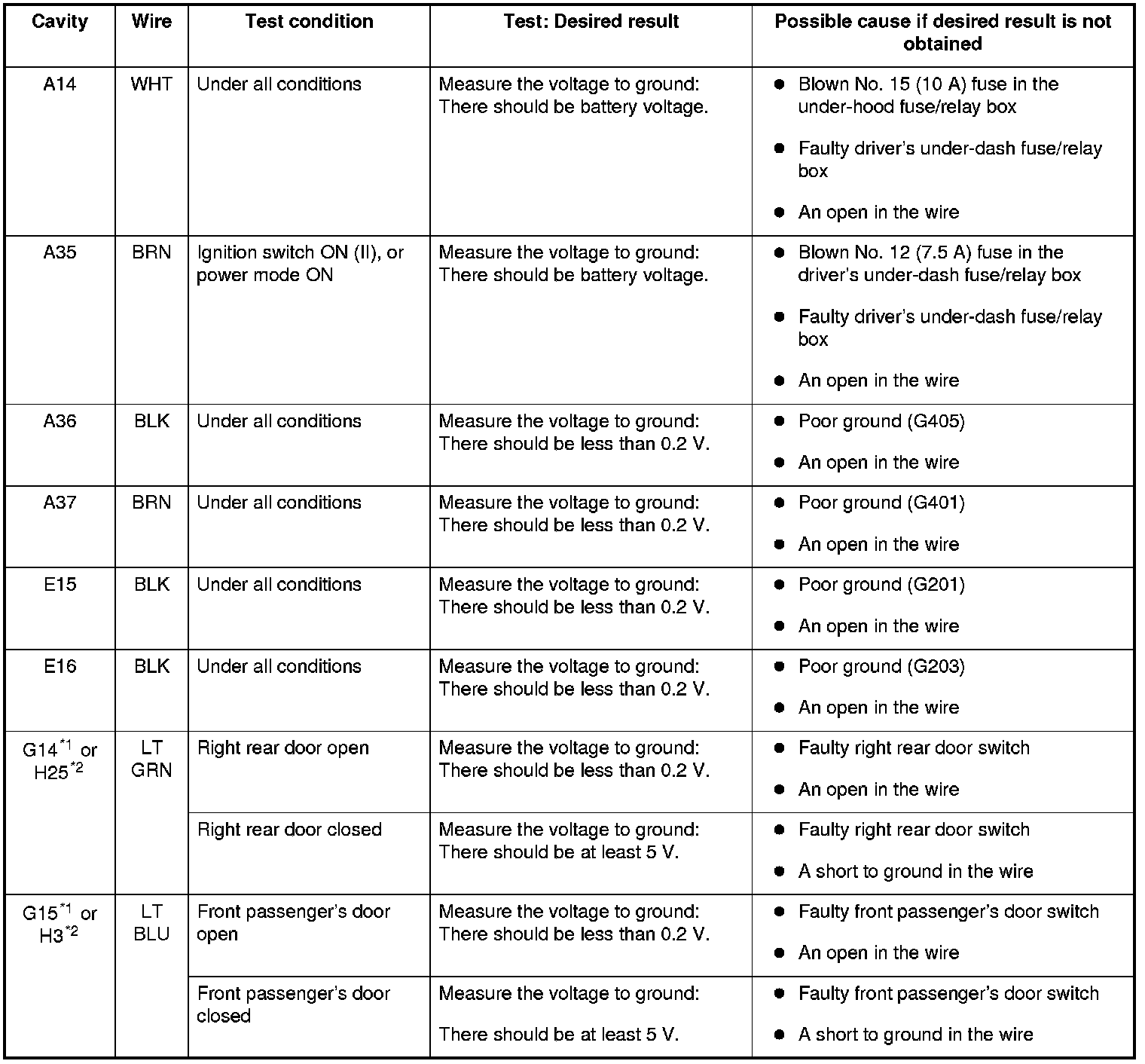
*1: Without SH-AWD
*2: With SH-AWD
Door Multiplex Control Unit
10. Turn the ignition switch to LOCK (0), or press the engine start/stop button to select the OFF mode, and remove the driver's door panel. Front Door Panel Removal/Installation
11. Disconnect the 37P connector from the door multiplex control unit.
12. Inspect the connector and socket terminals to be sure they are all making good contact.
- If the terminals are bent, loose or corroded, repair them as necessary and recheck the system.
- If the terminals look OK, go to step 13.

13. Reconnect the 37P connector to the door multiplex control unit, and do these input tests at the following connector.
- If any test indicates a problem, find and correct the cause, then recheck the system.
- If all the input tests prove OK, go to step 14.
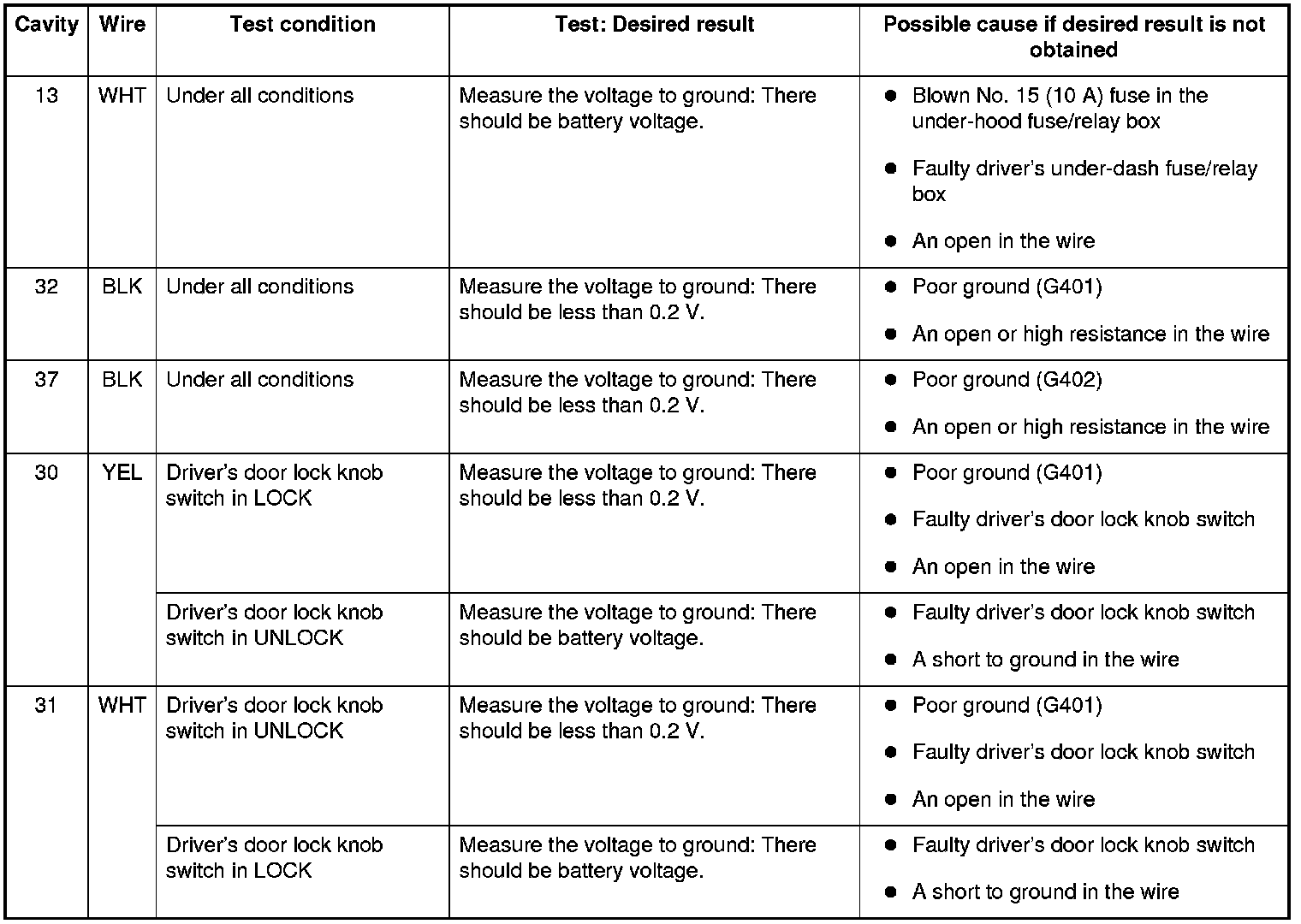
14. If multiple failures are found on more than one control unit, replace the driver's under-dash fuse/relay box (includes the driver's MICU). Driver's Under-Dash Fuse/Relay Box (MICU) Removal/Installation If input failures are related to a particular control unit, replace the control unit.