DTC Check
DTC CheckNOTE: To know how to use SUZUKI scan tool in detail, refer to its operator's manual.
1. Turn the ignition switch to OFF position.
2. Connect SUZUKI scan tool to data link connector (DLC) (1) located under instrument panel at driver's seat side.
Special Tool
(A): SUZUKI scan tool (SUZUKI-SDT)
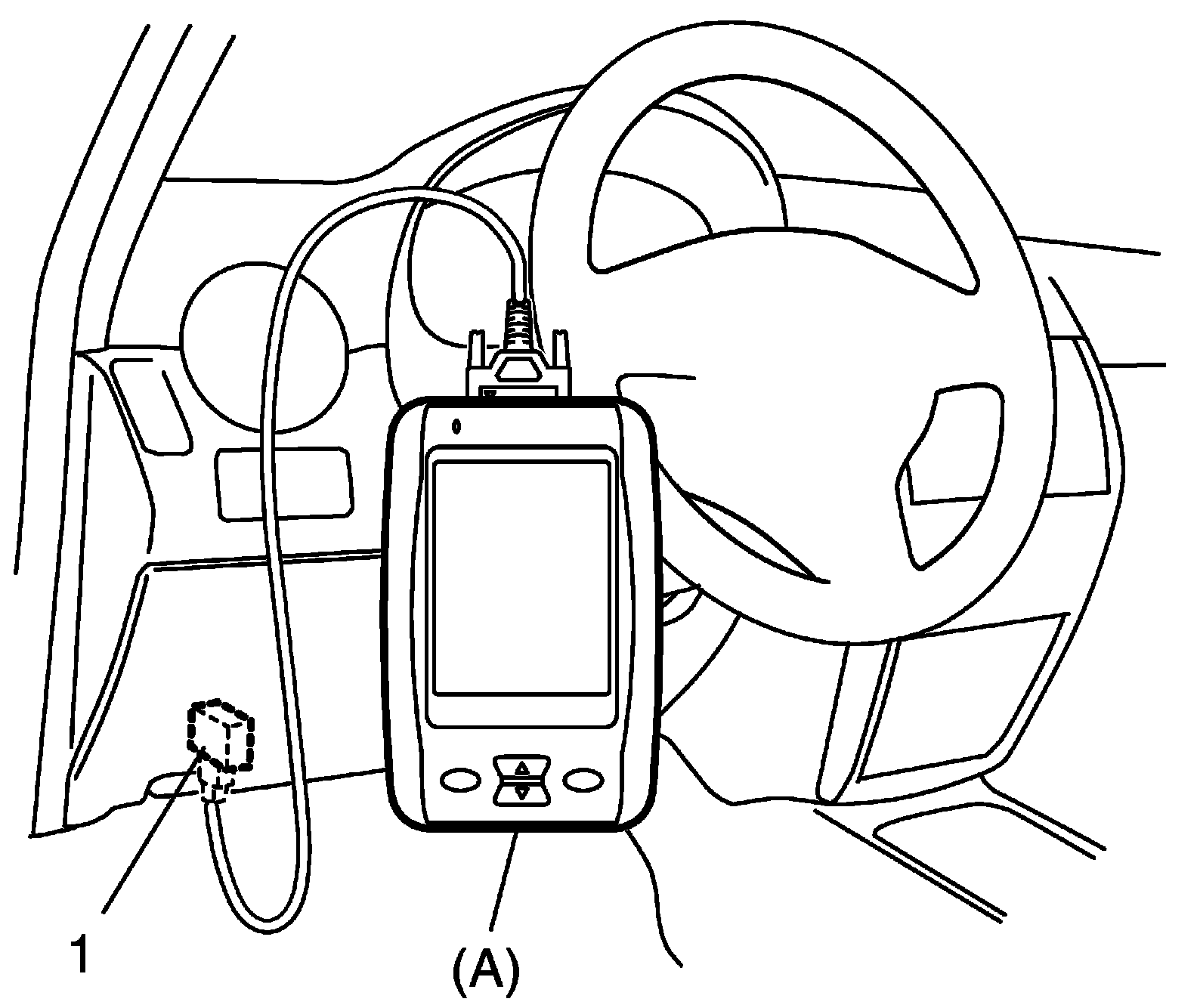
3. Turn the ignition switch to ON position.
4. Read DTC according to instructions displayed on SUZUKI scan tool and print them or write them down. Refer to scan tool operator's manual for details.
If communication between scan tool and ECM is not possible, go to Troubleshooting for Communication Error with Scan Tool Using CAN. Troubleshooting For Communication Error With Scan Tool Using CAN
5. After completing the check, turn ignition switch to OFF position, and then disconnect SUZUKI scan tool from DLC.